
VEIKK VK1200
4.2Editor score
Affordable price point
Full laminated screen
Includes two pens
Finding an affordable pen display can transform your digital art workflow without breaking the bank. These devices offer direct screen interaction, making drawing feel natural and intuitive for beginners and pros alike.
We evaluated ten highly rated models based on display quality, pressure sensitivity, connectivity options, and overall value. Each product was analyzed for its suitability across various creative tasks and budget constraints.
Every pick highlights key strengths and potential drawbacks to help you decide quickly. Note that pricing and availability can change frequently, so verify current details before making your final purchase decision today.
4.2Editor score

4.4Editor score

4.5Editor score
As an Amazon Associate we earn from qualifying purchases.
Here is a side-by-side look at all ten models to help you compare features like resolution, pressure sensitivity, and included accessories at a glance.




The XP-PEN Artist12 stands out as a top contender for beginners seeking a reliable pen display. It delivers solid performance with an 11.6 inch full HD screen that renders colors vividly for creative work.
We may earn a commission when you buy through this link, at no additional cost to you.
Its pressure sensitivity is responsive enough for detailed sketching, while the customizable shortcut keys streamline workflows in popular art applications. The anti-reflective screen protector adds immediate value right out of the box.
While it is not a standalone device and needs a computer to function, the connection is straightforward via standard ports. The lack of advanced features like dials keeps costs down without sacrificing essential drawing performance.
If you need an entry-level display that balances quality and cost effectively, this model is a safe investment. It supports a wide range of operating systems and software, making it versatile for various user needs.
The 72 percent NTSC color gamut ensures your artwork looks true to life on screen without needing expensive calibration tools immediately.
Six programmable keys let you map shortcuts for frequent actions, speeding up your drawing process and reducing reliance on mouse commands.
We may earn a commission when you buy through this link, at no additional cost to you.
The VEIKK VK1200 V2 offers exceptional value with its full-laminated screen technology that minimizes parallax and improves cursor accuracy significantly. This design choice usually appears in higher-end models but is present here at a budget price.
We may earn a commission when you buy through this link, at no additional cost to you.
Artists benefit from the included two pens and twenty-eight nibs, ensuring you never run out of tools mid-project. The single-cable USB-C connectivity simplifies setup for modern laptops without needing extra adapters.
While the color gamut is standard, the anti-glare glass provides a comfortable drawing surface that mimics paper. The compact metal body makes it durable and portable enough for casual use at different locations.
This device is ideal for students or hobbyists who need a reliable entry point into digital art. Its balance of physical design and connectivity options makes it one of the most practical choices available today.
The full lamination integrates glass and screen seamlessly, removing the gap that often causes cursor misalignment during detailed strokes.
The frameless infinity display and lightweight construction allow you to carry this tablet easily between home and school or work spaces.
We may earn a commission when you buy through this link, at no additional cost to you.
The GAOMON PD1161 provides a robust set of features including eight shortcut keys that offer greater customization than many competitors in this range. Its matte film reduces glare effectively for comfortable viewing during long sessions.
We may earn a commission when you buy through this link, at no additional cost to you.
With 11.6 inch of active area and tilt support, it handles diverse drawing techniques from broad shading to fine lines. The pressure sensitivity feels natural and supports varied stroke widths without lag or jitter.
Users must connect via HDMI and USB cables which can be slightly more cumbersome than single-cable alternatives. However, this ensures stable performance and compatibility with older computers that might lack USB-C ports.
It is a reliable choice for artists who prioritize physical controls and need flexibility in their workspace setup. The inclusion of a power adapter also helps maintain stability even if your laptop USB port has low power output.
Eight physical keys allow you to map specific actions like zooming or undoing, reducing mouse dependency and speeding up creative tasks significantly.
The pre-installed matte film creates a paper-like texture, providing tactile feedback that helps traditional artists transition smoothly to digital mediums.
We may earn a commission when you buy through this link, at no additional cost to you.
The Artisul D16 stands out by offering a larger 15.6 inch workspace which is rare in the budget category. This extra real estate allows for more detailed work without needing to zoom in constantly on smaller displays.
We may earn a commission when you buy through this link, at no additional cost to you.
Its quick dial feature adds a layer of control that helps adjust brush sizes or zoom levels quickly. The full-laminated screen ensures precise cursor positioning so your pen strokes appear exactly where intended.
Since this unit is refurbished, it may show minor cosmetic signs but functions fully with technical support included. It still requires external cables for power and video connection which limits true portability compared to newer single-cable options.
This model suits users who need a larger monitor for complex illustrations or photo editing tasks. The combination of size and dial control makes it a practical tool for professionals working on tight budgets.
The 15.6 inch screen provides significantly more active drawing area, reducing the need to pan or zoom during large project files.
The dedicated dial button streamlines common tasks like layer switching and size adjustments, keeping your focus on the artwork rather than menus.
We may earn a commission when you buy through this link, at no additional cost to you.
The HUION Kamvas 13 Gen 3 brings premium features to the affordable space including dual dials and factory color calibration. These elements elevate the creative experience by offering precise control over tools and accurate color representation.
We may earn a commission when you buy through this link, at no additional cost to you.
With 16384 pressure levels and Advanced PenTech technology, the pen feels incredibly responsive and natural. The Canvas Glass 2.0 reduces glare effectively while maintaining a smooth surface for long drawing sessions.
Though it costs more than basic models, the included accessories and build quality justify the investment. The USB-C single cable simplifies desk clutter and connects to newer computers without extra adapters or dongles.
Artists seeking high fidelity and advanced control should consider this model despite the higher cost. It balances portability and performance well, making it suitable for both studio use and travel to client meetings.
Each unit comes with a calibration report ensuring Delta E is below 1.5 for consistent and accurate color reproduction across different monitors.
Having two dials allows for simultaneous control over brush size and zoom or other settings, enhancing efficiency without menu diving.
We may earn a commission when you buy through this link, at no additional cost to you.
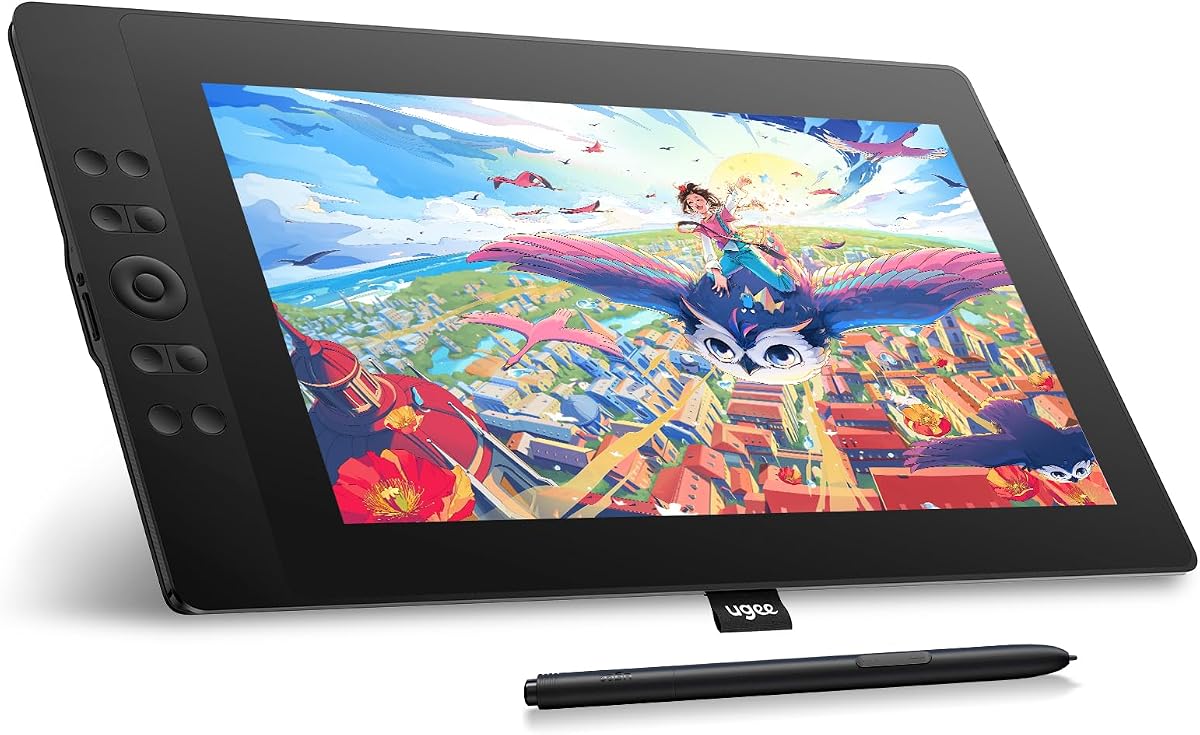
The UGEE UE16 excels in color performance with a 143 percent sRGB gamut that delivers rich and vibrant visuals for digital painting. This wide color space ensures your designs pop with life and detail compared to standard displays.
We may earn a commission when you buy through this link, at no additional cost to you.
It features 16384 pressure levels for fine control over brush strokes, making shading and blending more intuitive. The full-laminated screen design removes parallax for a more direct and accurate drawing experience.
Support for Android devices via USB adds flexibility for users who prefer working on tablets without a traditional computer. However, the included 3-in-1 cable is packed separately so careful unpacking is needed to find all parts.
For artists focused on color-critical work or those needing a larger active area, this tablet is a strong contender. Its combination of screen size and color fidelity makes it a versatile tool for professional illustrators.
The 143 percent sRGB coverage ensures that colors appear rich and true to life, which is essential for graphic design and illustration tasks.
Compatibility with Android devices allows you to use the tablet directly with supported phones or tablets, adding portability to your workflow.
We may earn a commission when you buy through this link, at no additional cost to you.
The VEIKK VK1200 is designed to be accessible and simple for beginners entering the world of digital art. It provides all the essentials including a responsive pen, clear display, and necessary software tools for creation.
We may earn a commission when you buy through this link, at no additional cost to you.
Its six shortcut keys allow for basic customization while the artist glove helps keep your hand clean during use. This attention to basic accessories makes it a hassle-free option for first-time users who need immediate usability.
The 8192 pressure levels are sufficient for learning basic strokes and lines without overwhelming complexity. It connects reliably to Windows and Mac systems making it a safe choice for general creative tasks.
If you want a no-fuss device to start practicing digital art or taking notes, this model fits the bill. It balances simplicity with enough features to support growth as your skills improve over time.
The straightforward interface and included accessories reduce setup time, letting you start drawing immediately after connecting to your computer.
Having two pens and a glove right out of the box ensures you have the tools needed for regular use without buying extras immediately.
We may earn a commission when you buy through this link, at no additional cost to you.
The RubensTab T11 Pro stands apart as a true standalone device that does not require a computer connection to function. This independence makes it ideal for sketching ideas anywhere without carrying extra hardware or cables.
We may earn a commission when you buy through this link, at no additional cost to you.
It features a full HD screen and multi-touch capability for intuitive navigation through menus and gestures. The included adjustable stand case adds versatility allowing you to position it comfortably on any surface.
Battery life is a trade-off offering around five hours of continuous use which is acceptable for short sessions. You can extend this with power banks making it feasible for travel though not all-day intensive work.
This tablet is best for users who need a portable sketchbook replacement for quick notes or on-the-go creativity. Its self-contained nature simplifies the setup process significantly compared to monitor-style displays.
Without needing external power or data cables, this unit offers unmatched freedom to create in cafes, parks, or meeting rooms easily.
The 5800mAh battery supports up to five hours of drawing, allowing for productive sessions without hunting for nearby power outlets.
We may earn a commission when you buy through this link, at no additional cost to you.
The VEIKK VK1200V2 improves on the original by offering higher pressure sensitivity with 16384 levels for more nuanced line control. This upgrade appeals to users who want more detail in their brushwork without paying premium prices.
We may earn a commission when you buy through this link, at no additional cost to you.
Its 120 percent sRGB color gamut offers better vibrancy than standard models ensuring images look lively and clear. The full-laminated screen reduces parallax which helps keep cursor placement accurate during detailed illustration tasks.
Included accessories like two pens and 29 nibs add value making it ready for varied projects right away. The lightweight build also supports portability for carrying to classes or client meetings without much bulk.
This model is a solid middle ground between basic and advanced features offering strong performance at an affordable price. It balances sensitivity and usability well making it a smart pick for serious hobbyists.
The 16384 pressure levels provide smoother transitions and finer detail, allowing for more expressive strokes in professional drawing apps.
The 120 percent sRGB coverage ensures your colors are vibrant and true to life, enhancing the visual quality of your final artwork.
We may earn a commission when you buy through this link, at no additional cost to you.
The XPPen Artist 12 Pro Lite offers a refined design with a Red Dial that adds a layer of control over zoom and brush settings. This compact layout helps streamline your workflow without cluttering the device with extra buttons.
We may earn a commission when you buy through this link, at no additional cost to you.
Its full-laminated display ensures a clean visual experience where your pen tip aligns perfectly with the cursor on screen. Tilt support allows for natural shading techniques that make digital drawing feel more organic and fluid.
While it lacks some high-end specs, the anti-parallax glass and single cable connectivity make it easy to set up anywhere. This simplicity helps you focus more on the art and less on managing cables and connections.
It suits users who value clean design and ease of use over maximum technical specifications. For students or casual artists needing a reliable tool for daily practice, this device delivers consistent performance.
The Red Dial allows intuitive control over zooming and brush sizes, reducing the need to navigate through software menus constantly.
Full lamination reduces the gap between glass and screen for precise cursor alignment and a more realistic drawing experience.
We may earn a commission when you buy through this link, at no additional cost to you.
Selecting the right pen display requires balancing budget with essential features. Here are the main factors to consider before purchasing.
Screen size impacts how much workspace you have for detailed art. Larger screens like 15 inches offer more room but may be less portable. Smaller 11 to 13 inch screens are lighter and easier to fit in bags.
Choose based on where you will use the tablet most often and how much desk space you have available.
Pressure levels determine how well the pen captures your stroke variations. 8192 levels are standard for entry models while 16384 offers finer control. Higher sensitivity helps with realistic shading and line weight.
For most beginners, 8192 is sufficient but higher levels provide more room for skill growth over time.
Look for color gamut ratings like sRGB or NTSC to ensure vibrant and true-to-life images. 72 percent NTSC or 100 percent sRGB is a good target for professional work.
Better color accuracy prevents surprises when sharing your work with clients or printing it out later.
Modern tablets often use USB-C for single-cable power and data transfer. Older models may require HDMI and USB-A cables. Check your computer ports before buying.
Single-cable solutions reduce clutter and make setup faster especially for portable work setups.
Most tablets work with Windows and Mac but some support Android or Linux. Ensure the manufacturer offers drivers for your specific OS version.
Driver support is crucial for proper functionality of shortcut keys and pressure sensitivity features.
Many packages include spare nibs, gloves, and even multiple pens. These extras add value and save you from buying replacements immediately.
A complete kit ensures you can start working right away without extra costs or waiting for parts.
Some models run independently while others need a computer. Standalone units offer freedom but usually cost more and have shorter battery life.
Decide if you need mobility without a laptop or if you prefer a reliable desktop connection.
Metal bodies and laminated screens add durability and reduce parallax. Plastic builds may feel cheaper but are lighter.
Invest in sturdy construction if you plan to travel with the device regularly.
Start by installing the latest drivers from the manufacturer's website to ensure all features work correctly on your operating system.
Adjust the screen brightness and pressure settings in the software to match your drawing style and comfort level.
Clean the screen with a soft cloth and avoid harsh chemicals to maintain the anti-glare coating and display longevity.
Most models require a computer connection via USB or HDMI. Only standalone tablets like the RubensTab work without a PC. Always check the product details to confirm connectivity requirements before buying.
Popular programs like Photoshop, Illustrator, and Clip Studio Paint are fully compatible. Some tablets also support browser-based apps and Linux software for broader use cases across different platforms.
Use the tweezers included in the box to remove old nibs and push new ones into the pen tip gently. Avoid forcing them in to prevent damage to the pen barrel or sensor.
Yes, many users utilize them for digital notes in apps like OneNote. The pressure sensitivity and screen clarity make handwriting feel natural and easy to edit later.
Most manufacturers offer a one-year hardware warranty with lifetime technical support. Register your device upon purchase to ensure full coverage for any manufacturing defects or issues.
Yes, most models support macOS 10.12 and later versions. Ensure you download the correct drivers for your Mac OS version to avoid installation issues.
Standalone tablets like the RubensTab offer around five hours of continuous use on a full charge. You can extend this using a portable power bank for longer work sessions away from outlets.
Most come with anti-glare or matte films that reduce glare and offer scratch resistance. Use the included glove to prevent smudges and keep the surface clean during use.
Whether you choose the XP-PEN Artist12 for value or the HUION Kamvas 13 for premium features, there is a suitable model for every budget.
Prioritize screen size and pressure sensitivity based on your specific artistic goals and workspace needs for the best experience.
Remember to check current prices and availability as these can change frequently before finalizing your purchase.