
NETGEAR Cable Modem with Voice CM500V
4.2Editor score
16×4 DOCSIS 3.0
Up to 300 Mbps
2 Voice Phone Lines
This guide compares the top cable modem with phone units for Xfinity and other providers to help you save on rental fees and keep your home connected.
Finding the right cable modem with phone capabilities is essential for households that rely on landline services alongside high-speed internet. These devices combine internet connectivity with voice ports to ensure your calls stay clear and reliable without extra rental costs from your provider. Understanding the differences between models helps you choose the best fit for your specific network needs and budget constraints today.
We have carefully evaluated ten leading cable modem with phone options based on compatibility, speed capabilities, and voice features. Each product was assessed for its ability to support modern internet plans while maintaining stable voice connections for family members. Our analysis focuses on real-world performance, ease of setup, and long-term value for users seeking to own their equipment.
Each pick in this list highlights key strengths such as DOCSIS versions, voice port counts, and router integration. While prices may fluctuate over time, the core features remain consistent indicators of quality and performance. We encourage readers to verify current availability and plan compatibility before making a final purchase decision to ensure seamless integration with their existing services.
4.2Editor score

4.0Editor score

4.0Editor score
Below is a side-by-side comparison of all ten cable modem with phone units to help you quickly identify the best match for your internet plan and voice needs.



This modem delivers top-tier performance for Xfinity users needing both internet and voice services with minimal rental fees. It supports plans up to 2.5Gbps and includes two dedicated phone lines for household communication needs. The DOCSIS 3.1 standard ensures your network stays ready for future speed upgrades without replacing hardware soon.
We may earn a commission when you buy through this link, at no additional cost to you.
The multi-gigabit Ethernet port connects to compatible routers to maximize your download and upload potential significantly. Voice features include caller ID and three-way calling options that integrate seamlessly with your existing phone service. Users appreciate the stable connection that maintains call quality even during high bandwidth internet usage throughout the day.
While it works exclusively with Xfinity it provides exceptional value for those wanting to own their equipment long term. The only downside is the initial cost compared to basic models but it offsets monthly rental charges quickly. If you need maximum speed and reliable voice support this unit stands out as the leading choice today.
Buy this if you want a high performance modem that supports the fastest Xfinity plans available in your area. It is perfect for families who rely on landlines and need robust wired connections for desktops or gaming systems. Choosing this model ensures your home network remains fast and stable for years to come.
This unit uses the latest DOCSIS 3.1 standard to support upcoming speed tiers without needing a replacement soon.
Two dedicated phone ports allow multiple household members to use landline services simultaneously without interference.
We may earn a commission when you buy through this link, at no additional cost to you.
This combo unit combines a modem and router into one sleek device for simplified network management at home. It supports major providers like Xfinity and Spectrum with DOCSIS 3.1 speed capabilities for modern internet plans. The WiFi 6 technology ensures stable connections across multiple devices even when everyone is streaming or gaming simultaneously.
We may earn a commission when you buy through this link, at no additional cost to you.
Setup is straightforward using the Nighthawk app which guides you through activation and network configuration efficiently. Four Gigabit Ethernet ports allow wired connections for consoles or computers to reduce latency during critical activities. Security features like WPA3 and firewall protection keep your data safe from online threats automatically without extra software.
Although it lacks voice phone ports it is ideal for users who only need internet and want fewer devices to manage. The included Armor security trial adds value but requires a subscription for continued protection after the initial period. If you want a single device for internet and wireless coverage this is a strong contender worth considering.
Choose this if you need reliable internet access and whole home WiFi coverage without separate modem and router units. It suits households with many connected devices who want consistent speed and range throughout their living space. Just ensure your provider does not require voice ports since this model focuses purely on data connectivity.
Combines modem and router functions to reduce cable clutter and simplify network management for most users.
Manage your network remotely using the free app for speed tests and device controls from anywhere.
We may earn a commission when you buy through this link, at no additional cost to you.
The MT7711 offers a complete three-in-one solution that integrates a modem, router, and voice ports for Xfinity users. It supports internet plans up to 400 Mbps with robust AC1900 WiFi and dual band wireless coverage. This renewed option provides excellent value while delivering the same performance as new units for budget conscious buyers.
We may earn a commission when you buy through this link, at no additional cost to you.
Voice features include two dedicated phone ports that work seamlessly with Xfinity voice services for home calling needs. The built-in router handles wireless distribution efficiently with beamforming technology to focus signals on connected devices. Setup requires Comcast Xfinity internet service specifically but activation is straightforward following the included instructions online.
While it uses DOCSIS 3.0 which is slightly older than 3.1 it still delivers strong speeds for most households today. The renewed status means it may have minor cosmetic signs but functionality remains intact and reliable for daily use. If you want an all-inclusive unit with voice support this remains a top choice for Xfinity subscribers.
Buy this if you need a single device to handle internet WiFi and phone services without renting multiple units from your provider. It is ideal for households seeking savings and convenience with reliable performance for standard internet plans. Ensure your plan does not exceed 400 Mbps to maximize the benefits of this modem router combo effectively.
Combines modem router and voice ports into one unit to reduce costs and simplify your home network setup.
High-performance WiFi amplifiers increase signal strength to cover larger homes with consistent speeds.
We may earn a commission when you buy through this link, at no additional cost to you.
The ARRIS T25 is a compact modem that supports DOCSIS 3.1 for fast internet speeds and voice compatibility. It works specifically with Xfinity Internet and Voice services to help you save on monthly rental fees easily. The device includes two voice ports for landline usage along with Ethernet ports for wired network connections securely.
We may earn a commission when you buy through this link, at no additional cost to you.
Setting up is simple with the SURFboard Central App which walks you through activation and connection steps quickly. You can connect it to any WiFi router to create a network for your wireless devices around the house. Security is handled through preset configurations that protect your data from common online vulnerabilities automatically upon startup.
While it lacks a built-in router it focuses on being a reliable modem for users who already have wireless gear. The DOCSIS 3.1 technology ensures better performance during peak hours compared to older DOCSIS 3.0 models. For those seeking a straightforward solution for internet and voice this modem provides solid performance without unnecessary complexity.
Choose this if you want a dedicated modem that works well with Xfinity voice plans and fits easily in small spaces. It is perfect for users who have their own router and just need a reliable connection point for internet and calls. Ensure your plan supports up to 800 Mbps to take full advantage of its capabilities.
Small footprint allows easy placement on shelves or desks without cluttering your home office or living room.
Newer technology reduces lag and improves security for a smoother online experience during peak usage.
We may earn a commission when you buy through this link, at no additional cost to you.
This unit combines a cable modem and a router into one convenient device for users needing strong internet access. It supports major providers like Xfinity and Cox with speeds up to 800 Mbps using DOCSIS 3.0 technology. The AC1900 WiFi 5 provides reliable wireless coverage for streaming and gaming across multiple devices in your home.
We may earn a commission when you buy through this link, at no additional cost to you.
Setup is straightforward using the Nighthawk app which guides you through network configuration without technical expertise needed. You can manage connected devices and set guest networks easily while enjoying stable performance even during peak hours. Security features include WPA encryption and firewall protection to keep your network safe from external threats effectively.
It does not include voice ports so it is best for users who only require internet connectivity without landline services. The USB 2.0 port allows you to connect external storage or a printer directly to the router for sharing resources. If you want a robust combo unit for internet this option delivers consistent performance at a reasonable price.
Buy this if you need a single device to handle both internet and WiFi distribution for a standard household. It suits users who do not require voice capabilities and want reliable speeds for streaming and online activities. Ensure your provider is one of the supported ones like Xfinity or Cox for full compatibility and activation.
Eliminates the need for two devices by integrating modem and router functions into one streamlined unit.
Focuses WiFi signals toward connected devices to reduce dead spots and improve overall home coverage.
We may earn a commission when you buy through this link, at no additional cost to you.
This modem supports Xfinity Internet and Voice plans with fast speeds up to 800 Mbps and DOCSIS 3.1 tech. It includes two dedicated phone lines for household communication and four Gigabit ports for wired connections. Users benefit from link aggregation which combines ports to create faster wired speeds for demanding network tasks.
We may earn a commission when you buy through this link, at no additional cost to you.
Certification by Xfinity ensures the device works seamlessly with their infrastructure for stable internet and voice quality. The 32×8 channel bonding provides robust performance that maintains connectivity even when many devices are online simultaneously. You can pair it with any router to expand wireless coverage while keeping voice services reliable and uninterrupted.
While it is limited to Xfinity users it offers excellent value by eliminating monthly rental fees for both modem and phone. The main tradeoff is the higher price point compared to basic models but the performance justifies the cost over time. If you want reliable voice support and fast wired options this is a strong choice for Xfinity households.
Choose this if you need a modem that supports high speed plans and multiple phone lines without extra fees from your provider. It is ideal for families using landlines who want to save money and have flexible wired connections. Verify your plan supports up to 800 Mbps to fully utilize its performance capabilities.
Combines two Ethernet ports to create a faster wired connection for high-bandwidth devices like NAS or PCs.
Supports caller ID and conference calling features for a complete telephony experience at home.
We may earn a commission when you buy through this link, at no additional cost to you.
The CM3000 delivers revolutionary mid/high-split technology for speeds up to 2.5Gbps download and 1Gbps upload. It supports Xfinity Cox and Spectrum making it versatile for users switching between major cable providers. Link aggregation allows you to combine two Gigabit ports into one 2Gbps connection for high-speed wired needs.
We may earn a commission when you buy through this link, at no additional cost to you.
Setup is quick and provides a rock-solid connection ideal for gaming and video calls with low latency performance. While it does not have built-in WiFi you can pair it with any Nighthawk router to create a complete network. This separation allows you to upgrade your router independently as needed for better wireless coverage.
It is best for users who need maximum internet speeds and do not require landline phone support directly from the modem. The cost is higher but it saves significant rental fees and future proofs your setup for upcoming speed tiers. If you want the fastest performance available this modem stands out among cable options for today.
Buy this if you need a high performance modem to support your fastest internet plans and future upgrades. It is perfect for tech enthusiasts who have separate WiFi systems and want wired connection options. Just remember to purchase a compatible router separately to complete your network infrastructure effectively.
Supports 2.5Gbps speeds and link aggregation for future proofing your wired network connections.
Streamlined setup process gets you online quickly with minimal steps required during installation.
We may earn a commission when you buy through this link, at no additional cost to you.
This all-in-one unit supports Xfinity Cable and Voice plans with speeds up to 600 Mbps and strong WiFi performance. It combines a modem router and voice ports into one device for simplified network management at home. Two dedicated phone lines allow household members to use landline services without needing a separate modem.
We may earn a commission when you buy through this link, at no additional cost to you.
The AC1900 WiFi ensures reliable wireless coverage for streaming and online gaming across your home effectively. A battery backup option is available to keep voice service running during power outages for up to 8 hours. Setup involves standard connection steps followed by activation through the Nighthawk app or web interface.
While it uses DOCSIS 3.0 which is not the newest tech it still delivers solid speeds for most users. The price is higher due to the combo features but it saves on equipment rental fees over time. If you need a complete solution with voice support this is a reliable option for Xfinity subscribers.
Choose this if you want a single device to handle internet WiFi and phone services for your household needs. It suits families who value convenience and want to avoid multiple devices and monthly rental charges. Verify your plan supports up to 600 Mbps to ensure you get the full performance this unit offers.
Built-in phone ports allow you to connect landline devices directly without needing a separate voice adapter.
Keep your phone service working during power outages to stay connected when it matters most.
We may earn a commission when you buy through this link, at no additional cost to you.
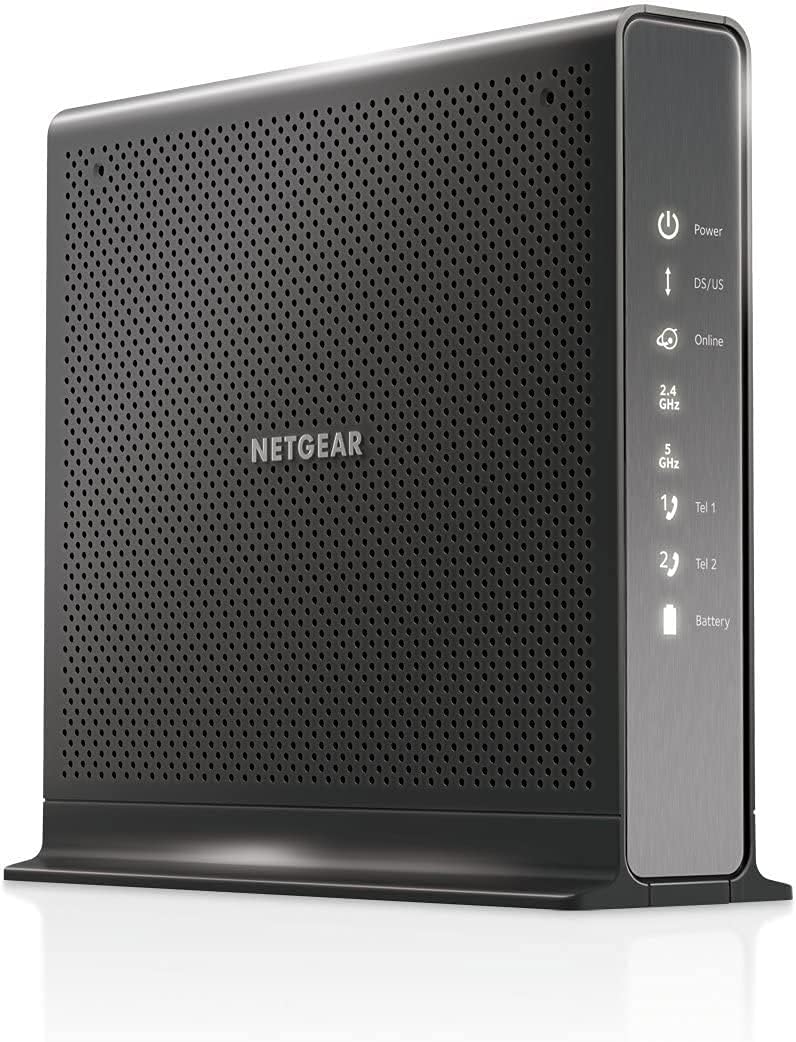
The CM500V is an affordable modem that supports Xfinity Internet and Voice services with basic functionality. It is best for cable plans up to 300 Mbps and includes two phone lines for household use. This device helps you save on rental fees while providing reliable internet access for everyday browsing.
We may earn a commission when you buy through this link, at no additional cost to you.
Setup works with any WiFi router allowing you to connect it to your existing network hardware easily. Voice features include caller ID and conference calling that integrate with your Xfinity service for clear communication. It is compact and fits well in small spaces without taking up much room on your desk.
While it has fewer channels than higher end models it works efficiently for users with standard internet plans. The main tradeoff is speed limitations compared to DOCSIS 3.1 models but for basic use it is sufficient. If you want a cost effective way to own your modem and keep your phone lines active this is a good choice.
Buy this if you need a budget friendly modem that supports landlines and fits standard internet plans. It is perfect for smaller households who do not require ultra high speeds or advanced features. Ensure your plan is 300 Mbps or less to get the most out of its capabilities effectively.
Eliminate monthly rental fees by owning this modem outright which pays for itself within months.
Standard calling features like caller ID ensure you stay connected without extra costs from your provider.
We may earn a commission when you buy through this link, at no additional cost to you.
This renewed unit combines a modem router and telephony into one device for Xfinity internet and voice services. It supports internet plans up to 600 Mbps with solid AC1750 dual band WiFi for connected devices. The renewed status means it is tested and functional at a lower price point than brand new options.
We may earn a commission when you buy through this link, at no additional cost to you.
Two dedicated phone ports allow you to connect home phones and use voice services seamlessly without extra gear. The router provides wireless coverage for your devices with 4 Gigabit ports for wired connections if needed. It does not support Xfinity home security without a separate router so keep that in mind when setup.
While it uses older DOCSIS 3.0 technology it remains a strong value for households with moderate internet needs. The main downside is the lack of home security integration but core internet and voice functions work well. If you want an affordable all-in-one solution this unit offers excellent value for certified users.
Choose this if you need a budget friendly device that handles internet WiFi and voice services for home use. It is ideal for those who want to save on rental fees and do not require advanced security features. Ensure your plan is under 600 Mbps to fully utilize its performance capabilities.
Pre-owned units are tested for performance giving you premium features at a fraction of the retail cost.
Built-in voice ports simplify your setup by allowing direct connection of home phones to the modem.
We may earn a commission when you buy through this link, at no additional cost to you.
Choosing the right cable modem with phone requires considering several factors to ensure compatibility and performance for your household needs.
Not all modems work with every provider so check if your modem is certified for your specific internet and voice service provider. Most models in this guide support Xfinity which is the most common cable provider offering voice services. Always verify the list of supported providers before purchasing to avoid activation issues or service interruptions later.
Ensure your chosen modem is approved by your ISP for both internet and voice services to guarantee full functionality without problems.
DOCSIS 3.1 is the newest standard and offers better performance and security compared to older DOCSIS 3.0 versions. While DOCSIS 3.0 works well for standard plans up to 400 Mbps 3.1 supports faster speeds up to 2.5Gbps. Choosing a newer DOCSIS version helps future proof your network for upcoming speed upgrades without replacing hardware soon.
Look for DOCSIS 3.1 if you want the best performance and future proofing for your home network setup.
Most cable modems with phone include two dedicated voice ports for connecting home phones or fax machines. Ensure the modem supports the number of phone lines you need and provides features like caller ID and conference calling. Some models allow you to configure these ports easily through their admin interfaces or provider apps for convenience.
Check the number of voice ports available to ensure they meet your household's telephony needs effectively.
Your modem should support the speed tier of your current internet plan to avoid bottlenecks that slow down your connection. Models rated for 300 Mbps are sufficient for basic browsing while those supporting 2.5Gbps are needed for high speed plans. Matching the modem's rated speed to your plan ensures you get the full value of what you pay for monthly.
Verify the modem's rated maximum speed matches or exceeds your current internet plan for optimal performance.
Combos integrate a modem and router into one device simplifying setup but may limit flexibility for upgrades later. Standalone modems require a separate router which allows you to choose the best WiFi technology for your needs. If you already have a good router a standalone modem might be better for you than buying a combo unit.
Decide if you want all-in-one convenience or the flexibility of separate units for future network upgrades.
Most modems have at least one Gigabit Ethernet port but some offer multiple ports for wired connections to devices. If you need to connect computers gaming consoles or smart TVs via cable choose a model with enough ports for your setup. More Ethernet ports reduce the need for additional switches and simplify your wired network layout effectively.
Count your wired devices and choose a modem with enough Ethernet ports to connect them directly.
Modern modems come with built-in security features such as WPA encryption and firewall protection to protect your network. Some models offer optional security suites like NETGEAR Armor which provide additional protection against malware and threats. Ensure your modem has basic security features enabled to keep your data safe from online vulnerabilities automatically.
Verify the modem has essential security features like firewalls and encryption to keep your home network safe.
Owning your modem can save you up to $168 per year in rental fees depending on your provider's pricing. While premium models cost more upfront the savings over a few years often justify the investment. Calculate the total cost of ownership to see if buying your own modem makes financial sense for your situation.
Calculate your potential savings on rental fees to determine if buying a modem is financially worthwhile.
Connect the coaxial cable from your wall outlet to the modem's input port and secure it tightly for a stable connection. Use an Ethernet cable to connect your computer or router to one of the modem's Ethernet ports. Plug in the power adapter and wait for the power and online lights to become solid indicating the modem is ready.
Attach your home phones to the voice ports labeled with phone symbols on the back of the modem. Follow your provider's instructions to activate the modem and register it with their network. This usually requires calling a number or logging into an online portal using your account credentials for approval.
Keep the modem in a well-ventilated area away from direct sunlight and heat sources to prevent overheating. Dust it regularly with a soft cloth and avoid placing heavy objects on top that could block airflow or ports. Periodically restart the modem by unplugging it for thirty seconds to clear any temporary network issues that may arise.
Most cable modems with phone are designed to work with specific providers like Xfinity which is the most common for voice services. They generally do not support providers that use different technologies like DSL or fiber. Always check the manufacturer's compatibility list before buying to ensure it works with your specific service provider.
Owning your modem can save you up to $168 per year depending on your provider's rental fees. These savings typically offset the purchase cost of a modem within a few months. Over a few years the total savings can be substantial making ownership a cost-effective choice.
No cable modems with phone are designed for cable internet networks and will not work with DSL providers. DSL uses telephone lines for internet access which is a different technology than cable. You need a DSL specific modem for those services to establish a working internet connection.
If you choose a standalone modem you will need a separate router to create a wireless network. If you choose a combo unit the router is built-in so no additional device is needed. Check your needs to decide if you prefer an all-in-one solution or separate devices for flexibility.
DOCSIS 3.1 is the newest cable internet standard that offers faster speeds and better security than older versions. It allows for more efficient data transmission and supports multi-gigabit internet plans easily. Using a modem with this technology ensures your network is ready for future speed upgrades from your provider.
After connecting the modem you must activate it through your provider's website or customer service line. You will need your account information and possibly the modem's MAC address to complete this process. Follow the on-screen instructions to register the device on the network for internet access.
This guide highlights the top cable modem with phone units available in November 2026 for various needs and budgets. The NETGEAR CM2050V stands out for its speed and voice features while the Motorola MT7711 offers great all-in-one value for Xfinity users.
Prioritize compatibility with your provider and plan speed to ensure your modem delivers the performance you pay for. If you need voice services check for dedicated phone ports and ensure the model supports your specific voice service type.
Prices and availability may change so verify current options before finalizing your purchase to get the best deal possible. Checking these details ensures you select a modem that meets your needs effectively.