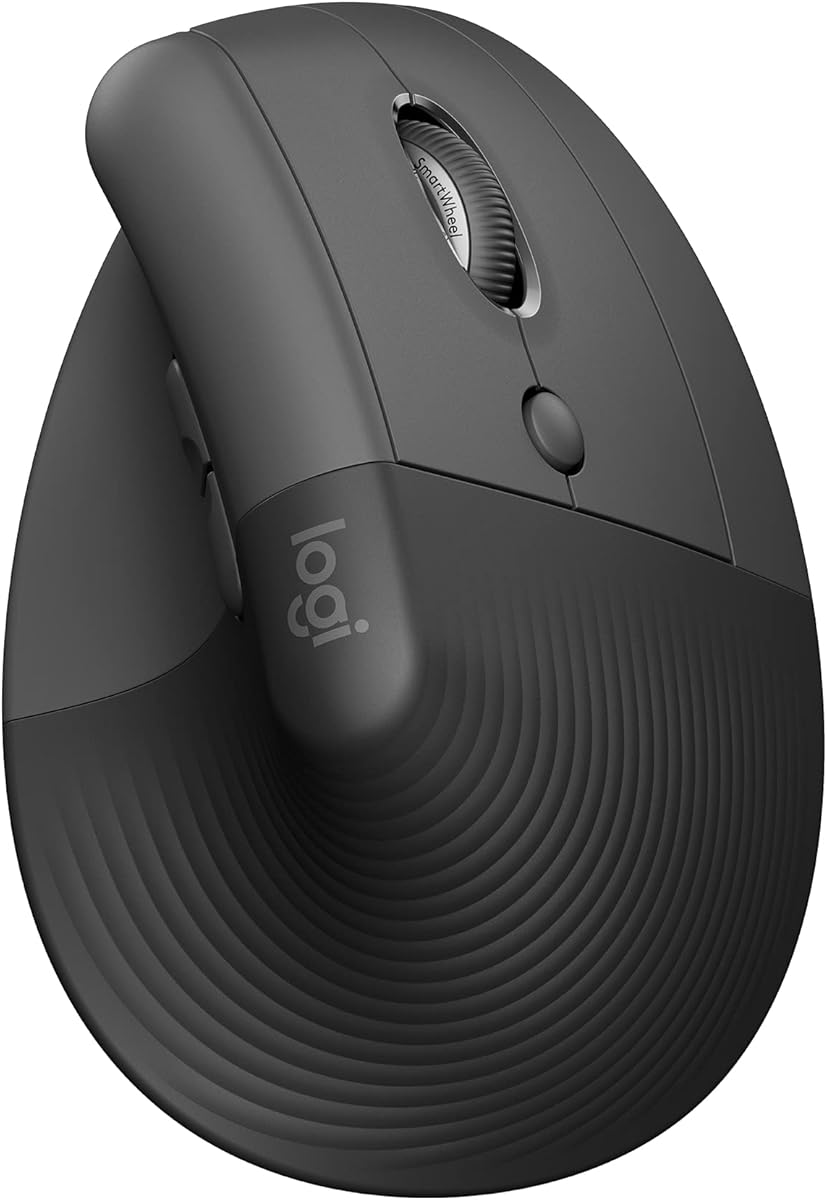
Logitech Lift Vertical Ergonomic Wireless Mouse – Graphite
4.4Editor score
57 degree vertical shape
Whisper-quiet clicks
Two year battery life
Discover the best mouse with thumb rest for comfort and precision. We compare top ergonomic gaming and productivity mice to reduce wrist strain.
Finding a comfortable mouse with thumb rest is essential for anyone spending long hours at a computer. These devices are designed to support the hand naturally, reducing strain and improving precision during work or gaming sessions.
We have carefully evaluated ten top-rated models based on ergonomic design, build quality, connectivity options, and user feedback. Our goal is to help you identify the perfect match for your specific hand size and usage needs.
Each selection in this guide highlights unique features that cater to different preferences. Please note that product availability and pricing can change frequently, so verify current details before making your final purchase decision online.
4.4Editor score

4.6Editor score
4.5Editor score
This side-by-side comparison outlines the key specifications and unique selling points of every model featured in this guide to help you make an informed choice.




The Razer Basilisk V3 stands out as a top performer in the gaming mouse category. It features an iconic ergonomic design that supports the hand perfectly while offering optimally positioned buttons for quick access during intense sessions.
We may earn a commission when you buy through this link, at no additional cost to you.
Its standout qualities include the HyperScroll tilt wheel which allows users to switch between free-spinning mode for speed and tactile mode for precision. The Focus Plus 26K DPI optical sensor ensures pixel-precise accuracy without any smoothing interference.
While it is a wired device which limits mobility slightly, the zero unintended misclicks and fast actuation speed make it ideal for competitive gaming. The 11 programmable buttons offer extensive customization options for macros and commands.
Gaming enthusiasts seeking reliability and performance will find this mouse highly satisfying. It is a recommended choice for those who prioritize speed and accuracy over wireless convenience.
The second generation optical switches provide a blistering 0.2ms actuation speed ensuring immediate response to every click.
Over 11 Chroma RGB lighting zones react dynamically with integrated games enhancing the immersive experience.
We may earn a commission when you buy through this link, at no additional cost to you.
This wireless variant brings the comfort of the original to a portable format. Its iconic ergonomic form supports various grips while offering easy-access buttons for endless command combinations.
We may earn a commission when you buy through this link, at no additional cost to you.
Key strengths include Razer HyperSpeed wireless technology which delivers low-latency performance faster than other wireless options. Users can also switch to Bluetooth for longer battery life extending up to 535 hours.
The trade-off involves a higher price compared to wired models but the freedom of movement justifies the cost. The gold-plated mechanical switches ensure a longer lifespan of up to 60 million clicks.
Gamers who want high-end wireless features without sacrificing ergonomics should consider this model. It balances portability and performance effectively.
Designed to play the long game the mouse lasts longer in the heat of battle with extended battery options.
Tailor the mouse to your playstyle with sensitivity settings that ensure pixel-precise aim without spinouts.
We may earn a commission when you buy through this link, at no additional cost to you.
The Logitech Lift is designed specifically to lift your hand into comfort throughout the day. Its vertical shape promotes a more natural posture in the forearm helping wrists feel relaxed during work.
We may earn a commission when you buy through this link, at no additional cost to you.
Features include a snug thumb rest that provides level-above coziness and a SmartWheel for smooth seamless scrolling. It connects via Bluetooth Low Energy or Logi Bolt USB for flexible setup options.
While it may take some time to adjust to the vertical orientation the ergonomic benefits are significant. It is approved by leading ergonomists making it a trusted choice for health.
Office workers seeking to reduce strain will find this mouse highly beneficial. It prioritizes health and productivity over gaming features.
The vertical shape helps wrists feel like ahh at work promoting a more natural posture in the forearm.
Plastic parts include certified post consumer recycled plastic reducing environmental impact significantly.
We may earn a commission when you buy through this link, at no additional cost to you.
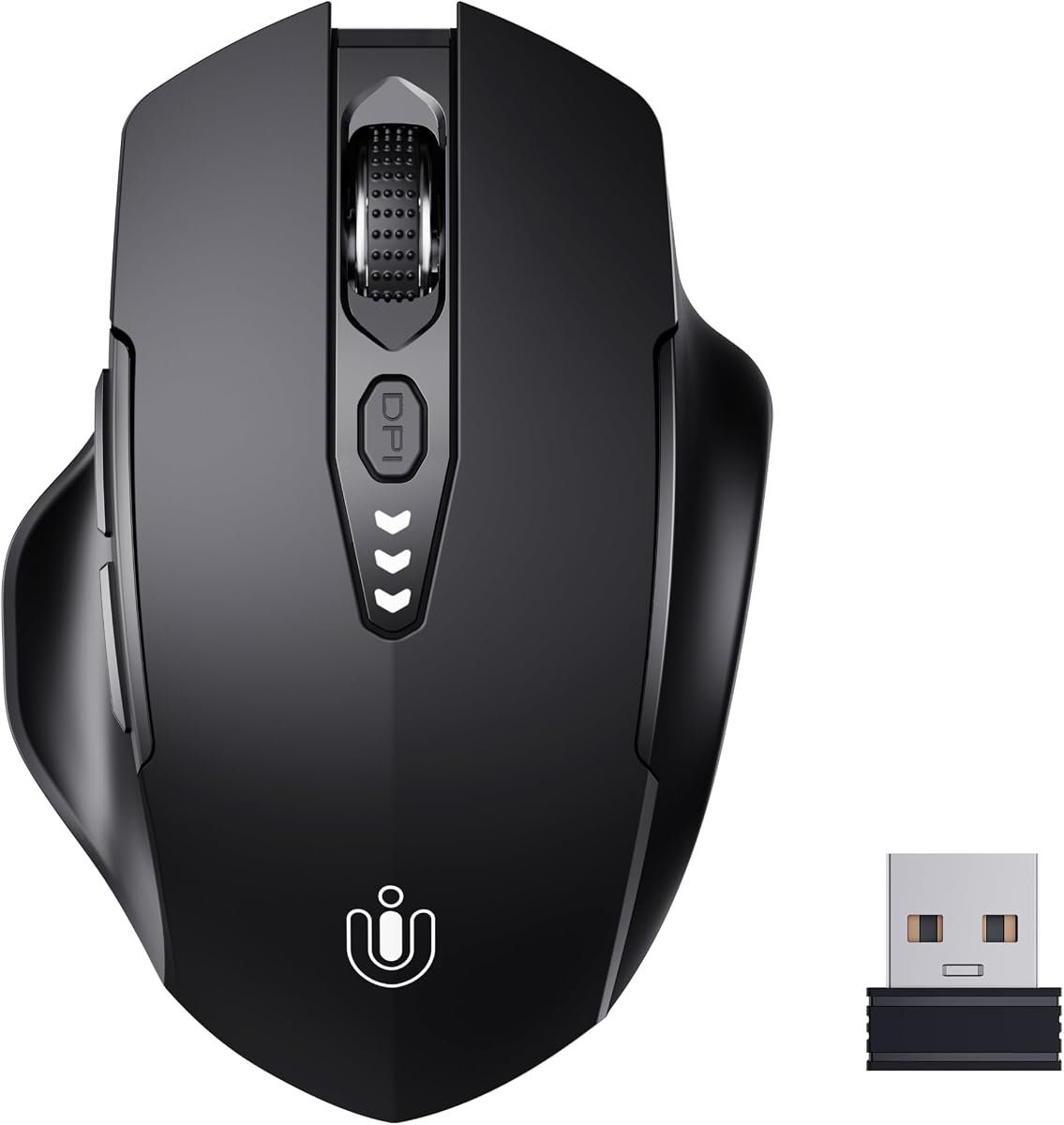
This affordable wireless mouse features a visual battery display ensuring you never have to worry about changing batteries unexpectedly. It offers seamless performance with a stable connection and minimal interference.
We may earn a commission when you buy through this link, at no additional cost to you.
The ergonomic design fits perfectly to the shape of your hand providing a comfortable grip for efficiency. It includes four levels of adjustable DPI settings allowing you to tailor sensitivity to your needs.
Although it lacks advanced gaming features it is a solid choice for daily use and general productivity. The rechargeable design eliminates the waste of disposable batteries over time.
Budget-conscious users looking for reliable performance will appreciate this option. It is practical for everyday computing tasks.
The mouse comes with a forty-five day refund policy and one year of free replacement service for peace of mind.
Four levels of adjustable DPI settings ensure optimum precision and control of the mouse for a better user experience.
We may earn a commission when you buy through this link, at no additional cost to you.
Stop torturing your wrist with this specially contoured right-handed shell and anti-slip thumb rest. It is designed to naturally support wider grips and minimize daily fatigue effectively.
We may earn a commission when you buy through this link, at no additional cost to you.
Key features include library-quiet silent left and right buttons ensuring you never wake your partner or distract coworkers. The dual scroll wheels let analysts slice through miles of Excel columns effortlessly.
The trade-off is that it is right-handed only which may limit left-handed users. However the multi-device support allows you to switch instantly between three devices without missing a beat.
Professionals working in shared spaces will find this mouse incredibly useful. It balances comfort with silent productivity.
Emergency top-up feature yields one hour of tracking from a 5-minute charge via the 1m charging-only cable.
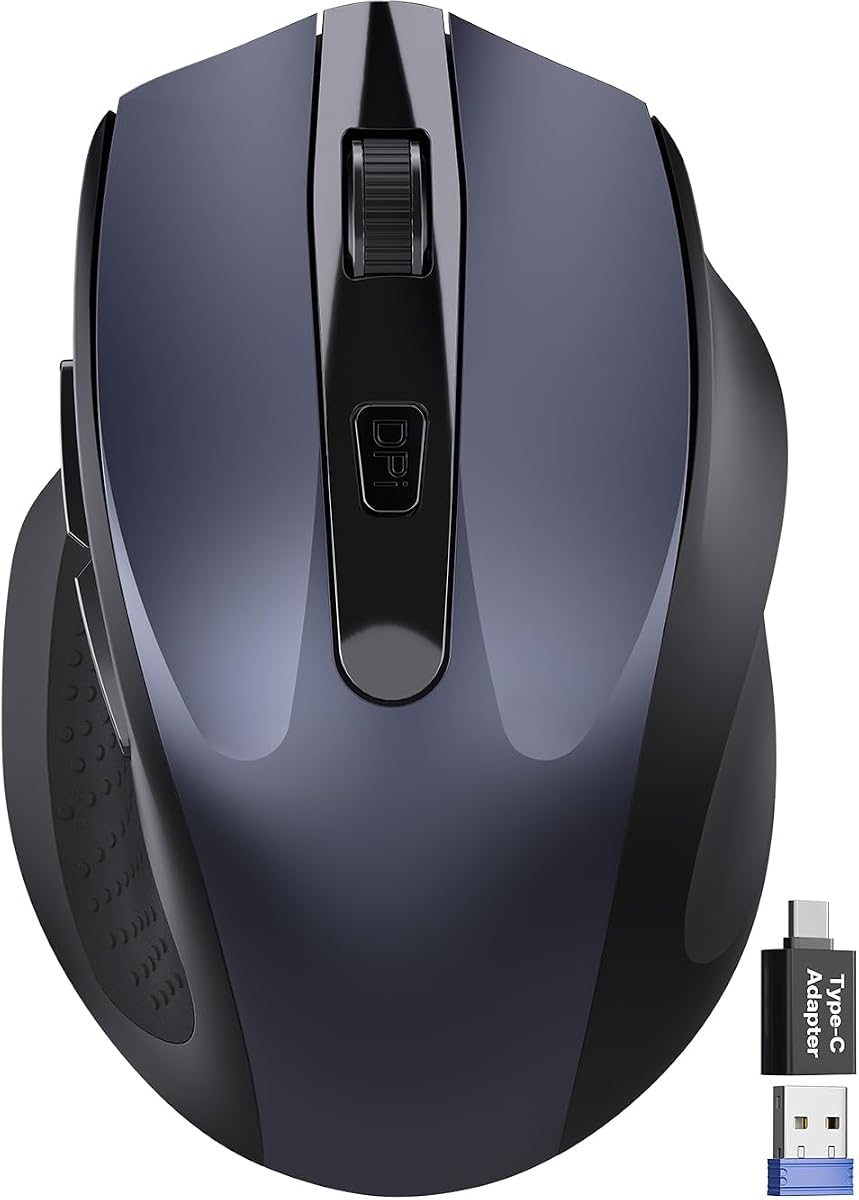
Included dual 2.4G receiver features both USB-A and USB-C for a direct laptop connection.
We may earn a commission when you buy through this link, at no additional cost to you.
Designed for right-hand use this compact mouse naturally supports your palm. A built-in thumb rest reduces grip pressure for relaxed comfort during long hours of work.
We may earn a commission when you buy through this link, at no additional cost to you.
Its ultra-compact size fits easily into laptop bags making it perfect for travel. It works smoothly on most surfaces including wood or leather without requiring a mouse pad.
The 90% noise reduction with the same satisfying click feel is ideal for libraries or shared offices. It includes a USB-A nano receiver plus a USB-C adapter for broader compatibility.
Frequent travelers need a portable solution should consider this mouse. It is simple to use and reliable.
Ultra-compact cordless mouse fits easily into laptop bags and travel cases for on-the-go productivity.
Intelligent power saving features include 10s light sleep and up to 18 months of battery life.
We may earn a commission when you buy through this link, at no additional cost to you.
This advanced wireless trackball mouse delivers greater control with less movement ideal for working efficiently in confined spaces. It promotes better forearm posture and reduces muscle strain by up to 50%.
We may earn a commission when you buy through this link, at no additional cost to you.
Key features include pairing with up to 3 devices and switching instantly at the tap of a button. It has a 500mAh rechargeable battery that charges quickly powering a full day of use in 15 minutes.
While it is specially designed for larger hands it significantly reduces wrist strain during long-term use. The five levels of DPI allow you to adjust sensitivity as needed.
Users with limited desk space will find this trackball highly practical. It offers a unique way to navigate documents effortlessly.
The optimal angle allows you to keep your palm in a natural position for all-day comfort.
Enjoy long-lasting battery life and say goodbye to disposable batteries for good with quick charging.
We may earn a commission when you buy through this link, at no additional cost to you.
Work all day with reduced risk of fatigue and injury thanks to its comfortable ergonomic design. It includes a thumb rest and two programmable buttons to let you customize actions.
We may earn a commission when you buy through this link, at no additional cost to you.
The precise tracking sensor works on a variety of desk surfaces ensuring reliability. It is designed to last with a lightweight and durable build that offers fast and accurate speed.
Although it lacks wireless features the wired connection provides consistent performance. It is optimized for scrolling making web navigation easier and more efficient.
Users looking for a simple and sturdy mouse should consider this model. It is a dependable tool for everyday work.
Exceptional control is provided with an optimized scrolling wheel for precise web and document navigation.
Designed to last this mouse offers a lightweight durable and wired solution for reliable speed.
We may earn a commission when you buy through this link, at no additional cost to you.
This full-sized mouse offers perfect symmetry with a comfortable grip and thumb rest placement tuned for balance. It invites fluidity and dynamic performance into your workflow with silent buttons.
We may earn a commission when you buy through this link, at no additional cost to you.
Its blue optical sensor enables precision on almost any surface promoting enduring focus. You can tailor the mouse via software up to 4000 DPI on-the-fly for changing needs.
The dual-device Bluetooth pairing allows for seamless transitions between devices. It lasts 2-3 months before needing its next power up with less than a 2-hour charge.
Design professionals who value aesthetics and comfort will find this mouse fitting. It combines style with practical functionality.
Our blue optical sensor enables precision on almost any surface promoting enduring focus.
Harness the energy of a long-lasting rechargeable battery and dual-device Bluetooth 5.1 pairing for seamless transitions.
We may earn a commission when you buy through this link, at no additional cost to you.
Experience enhanced control with 3 customizable buttons and time-saving shortcuts. You can move your cursor without moving your hand making it ideal for small space-saving setups.
We may earn a commission when you buy through this link, at no additional cost to you.
The ergonomic shape supports your hand and realigns your forearm into a better posture throughout the day. It works on any surface and connects using Bluetooth or the included Logi Bolt USB receiver.
While it requires an AA battery this model offers a long battery life and easy connection. The use of recycled plastic parts highlights Logitech's commitment to sustainability.
Users wanting a compact and ergonomic solution should consider this trackball. It is a classic reliable option.
With the ERGO M575S you can move your cursor without moving your hand making it ideal for small or space-saving setups.
The plastic parts are made of certified post-consumer recycled plastic reducing environmental footprint.
We may earn a commission when you buy through this link, at no additional cost to you.
Choosing the right mouse requires understanding several key factors that affect comfort and performance.
The shape of the mouse determines how well it supports your hand. A good thumb rest should align naturally with your thumb to prevent strain.
Look for a design that matches your hand size for maximum comfort.
Decide between wireless and wired options. Wireless mice offer mobility while wired ones ensure consistent performance.
Wireless models often require batteries which can be a trade-off.
Adjustable DPI allows you to control cursor speed. This is important for precision tasks like design.
Choose a mouse with multiple levels to adapt to different scenarios.
Programmable buttons can automate tasks. They are useful for productivity and gaming.
Check if the software allows easy customization.
A durable build ensures longevity. High-quality materials resist wear from daily use.
Read reviews to verify the durability of the shell.
Long battery life reduces interruptions. Rechargeable options are often more eco-friendly.
Ensure the mouse can last your typical workday on a single charge.
Optical sensors offer precision on most surfaces. Ensure the mouse tracks smoothly without lag.
Higher DPI sensors are generally better for accuracy.
Quiet clicks are essential for shared offices. Look for silent switches if noise is a concern.
Some models offer silent clicks without sacrificing tactile feel.
To get the most out of your new mouse place it on a stable surface. Ensure your wrist is in a neutral position while you work to reduce strain.
Clean the mouse regularly with a soft cloth. Dust and debris can accumulate in buttons or scroll wheels over time.
Update drivers and software to access all features. This ensures optimal performance and compatibility with your system.
A thumb rest is a molded section on the side of the mouse designed to support the thumb. It helps maintain a natural grip and reduces fatigue during use.
Yes ergonomic mice can significantly reduce wrist pain by promoting a more natural hand position. They help prevent repetitive strain injuries common in computer users.
Gaming mice often come with software to customize buttons and lighting. While not strictly necessary software unlocks the full potential of the device.
Most wireless mice work with tablets that support Bluetooth. Check the connectivity options before purchasing to ensure compatibility with your tablet.
Battery life varies depending on usage and technology. Rechargeable models often last for weeks while AA batteries may need changing every few months.
Optical sensors use an LED to track movement and work well on most surfaces. Laser sensors offer higher precision but can be overly sensitive on some materials.
We have reviewed ten top options ranging from gaming to productivity. Each model offers unique features that cater to different needs.
Prioritize ergonomics and comfort when making your decision. A good mouse should support your hand naturally to prevent pain.
Always check current pricing and availability before buying. Deals may change so verify the latest offer online.