
GL.iNet GL-SFT1200 Opal
4.2Editor score
Lightweight travel design
Gigabit Ethernet ports
OpenVPN and WireGuard ready
Discover the top open source routers for 2026. We compare performance, customization, and security features across ten leading models for home and travel.
Open source routers offer unparalleled control over your network settings and security protocols. These devices allow users to install custom firmware, bypassing manufacturer limitations for better performance and privacy.
We evaluated ten leading models based on hardware specs, firmware support, and real-world performance. Our testing focused on speed, stability, and the ease of installing open source solutions.
Each pick highlights unique strengths for different needs, from budget-friendly travel options to high-end home servers. Prices fluctuate regularly, so verify current offers before purchasing your next device.
4.2Editor score

4.5Editor score

4.3Editor score
This side-by-side comparison highlights key specifications across all ten models to help you identify the right balance of speed, ports, and open source compatibility for your needs.



The GL.iNet GL-MT6000 Flint 2 stands out as the top choice for open source enthusiasts needing speed. Its WiFi 6 standard delivers up to 6Gbps while offering ultra-low latency for critical tasks.
We may earn a commission when you buy through this link, at no additional cost to you.
This router shines with its dual 2.5G ports ensuring your WAN and LAN can handle gigabit speeds without bottlenecking. The MT6000 platform supports over 100 devices simultaneously with ease.
While powerful, you must update firmware upon initial setup for optimal performance. The price reflects the premium hardware but justifies the investment for serious network management.
Gamers and streamers who demand reliability will find this model ideal. Its combination of hardware power and open source flexibility makes it the definitive choice for 2026.
The 8-stream WiFi 6 technology ensures your multiplayer matches remain lag-free even during peak usage hours.
With AdGuard Home supported natively, you gain complete control over DNS filtering and ad blocking across your home.
We may earn a commission when you buy through this link, at no additional cost to you.
The GL.iNet Opal offers a pocket-friendly solution for travelers requiring open source capabilities. Despite its small size, it supports dual-band AC1200 speeds for reliable internet access.
We may earn a commission when you buy through this link, at no additional cost to you.
Its lightweight form factor makes it perfect for backpacks or hotel rooms. The included physical toggle switch allows you to enable VPN clients instantly without navigating menus.
While it lacks the latest WiFi 7 tech, it delivers solid performance for basic browsing and secure connections. The lack of gigabit wireless is offset by its wired Gigabit ports.
Ideal for budget-conscious travelers, this router ensures privacy on public networks. It remains a top budget pick for those prioritizing portability over raw speed.
The built-in physical switch lets you toggle VPN clients on or off for immediate secure connections while traveling.
Full Gigabit ports allow you to connect wired devices directly for faster speeds when wireless is not needed.
We may earn a commission when you buy through this link, at no additional cost to you.
The Linksys WRT3200ACM delivers premium performance with its tri-stream wireless signal. It supports 160MHz bandwidth which doubles throughput for high-demand streaming applications.
We may earn a commission when you buy through this link, at no additional cost to you.
This router ensures that multiple devices can connect simultaneously without degradation thanks to its MU-MIMO capabilities. It remains one of the few high-end models certified for open source firmware.
Users seeking the ultimate customization potential will appreciate its robust hardware. However, the bulky design might not suit smaller home offices or travel scenarios compared to modern sleek units.
For power users wanting maximum control and throughput, this is the top premium option. Its combination of speed and open flexibility makes it a standout choice for serious enthusiasts.
MU-MIMO technology ensures that multiple users can stream and game simultaneously without reducing network efficiency or speed.
The support for 160MHz bandwidth doubles data throughput to provide faster connections for large file transfers and streaming.
We may earn a commission when you buy through this link, at no additional cost to you.
The GL.iNet GL-MT6000 Flint 2 is engineered for home environments with heavy traffic demands. Its 8-stream Wi-Fi 6 technology provides seamless performance for streaming and gaming.
We may earn a commission when you buy through this link, at no additional cost to you.
With dual 2.5G ports and substantial storage capacity, it supports over a hundred devices effectively. The built-in VPN speeds ensure secure remote access without sacrificing bandwidth.
While a setup update is required for optimal performance, the stability is worth the effort. It balances high-end features with user-friendly setup for home network administrators.
Families needing robust connectivity will find this model highly capable. Its reliability and speed make it a top contender for managing complex home networks with ease.
The 900Mbps Wireguard speed allows for secure remote connections that maintain high performance during video calls and gaming.
With higher storage capacity, this router can handle hundreds of connected devices without lagging or overheating.
We may earn a commission when you buy through this link, at no additional cost to you.
The GL.iNet GL-BE6500 Flint 3e represents the future of open source routing with WiFi 7. It delivers up to 6.5Gbps speeds and ultra-low latency for modern streaming needs.
We may earn a commission when you buy through this link, at no additional cost to you.
Its MLO technology improves connectivity in high-density environments by using multiple links simultaneously. The 2500 square foot coverage ensures strong signals throughout large homes.
While the price is high, the performance benefits for dense environments are significant. The included parental controls allow parents to monitor and filter content easily.
Families with many connected devices will appreciate this powerful unit. It is a forward-thinking choice for those wanting the latest tech with open source capabilities.
With a 2500 sqft coverage area, you can expect seamless Wi-Fi connectivity throughout large homes and workplaces.
The MLO and 4K-QAM breakthroughs significantly reduce latency for smoother performance in crowded wireless environments.
We may earn a commission when you buy through this link, at no additional cost to you.
The Banana Pi OpenWrt One is built by the OpenWrt team for developers who want absolute control. It features the MediaTek Filogic 810 SoC for robust WiFi 6 performance.
We may earn a commission when you buy through this link, at no additional cost to you.
Unique features like M.2 SSD support and MikroBUS sockets allow for advanced hardware expansion. This makes it ideal for users building custom network appliances.
While it requires more technical skill to set up, the mainline support ensures long-term compatibility. It is the premier choice for developers needing full hardware integration.
For those prioritizing hardware customization over plug-and-play convenience, this device is unmatched. It offers a unique blend of power and flexibility for networking enthusiasts.
Ships with OpenWrt already installed and provides official mainline support for developers and hobbyists alike.
The inclusion of an M.2 SSD slot and MikroBUS socket enables advanced hardware expansions beyond typical routers.
We may earn a commission when you buy through this link, at no additional cost to you.
The GL.iNet Beryl AX offers massive customization with over 5000 plugins available through its OpenWrt firmware. It supports VPN cascading to host both client and server simultaneously.
We may earn a commission when you buy through this link, at no additional cost to you.
Its 2.5G WAN port ensures that your wired connection remains fast even if you are using a high-speed fiber line. The USB 3.0 port allows for local storage or printer sharing.
Travelers needing serious network control will find this model versatile. Although the price is higher, the ability to run complex plugins on the go justifies the cost.
Tech-savvy users wanting maximum control will love this unit. It bridges the gap between home power and travel portability effectively.
The ability to install over 5000 plugins allows for deep customization of network features like ad blocking and traffic shaping.
Capable of running a VPN server and client simultaneously for flexible remote access to local resources.
We may earn a commission when you buy through this link, at no additional cost to you.
The Linksys WRT1900ACS is a classic open source router known for its powerful hardware. It features a dual core 1.6 GHz CPU capable of handling high-speed data processing.
We may earn a commission when you buy through this link, at no additional cost to you.
With four high-performance antennas, it ensures strong signal strength across multilevel homes. The inclusion of both USB 3.0 and eSATA ports allows for versatile storage sharing.
While it uses an older AC standard, its processing power remains competitive for many users. It is a sturdy choice for those who want reliable hardware with firmware freedom.
This model is ideal for users needing robust wired storage support. Its legacy status ensures long-term software compatibility for enthusiasts.
A dual-core 1.6GHz CPU promotes simultaneous high-speed data processing allowing multiple users to stream and game without lag.
Engineered with four external adjustable antennas to ensure supreme Wi-Fi signal strength even in multilevel homes.
We may earn a commission when you buy through this link, at no additional cost to you.
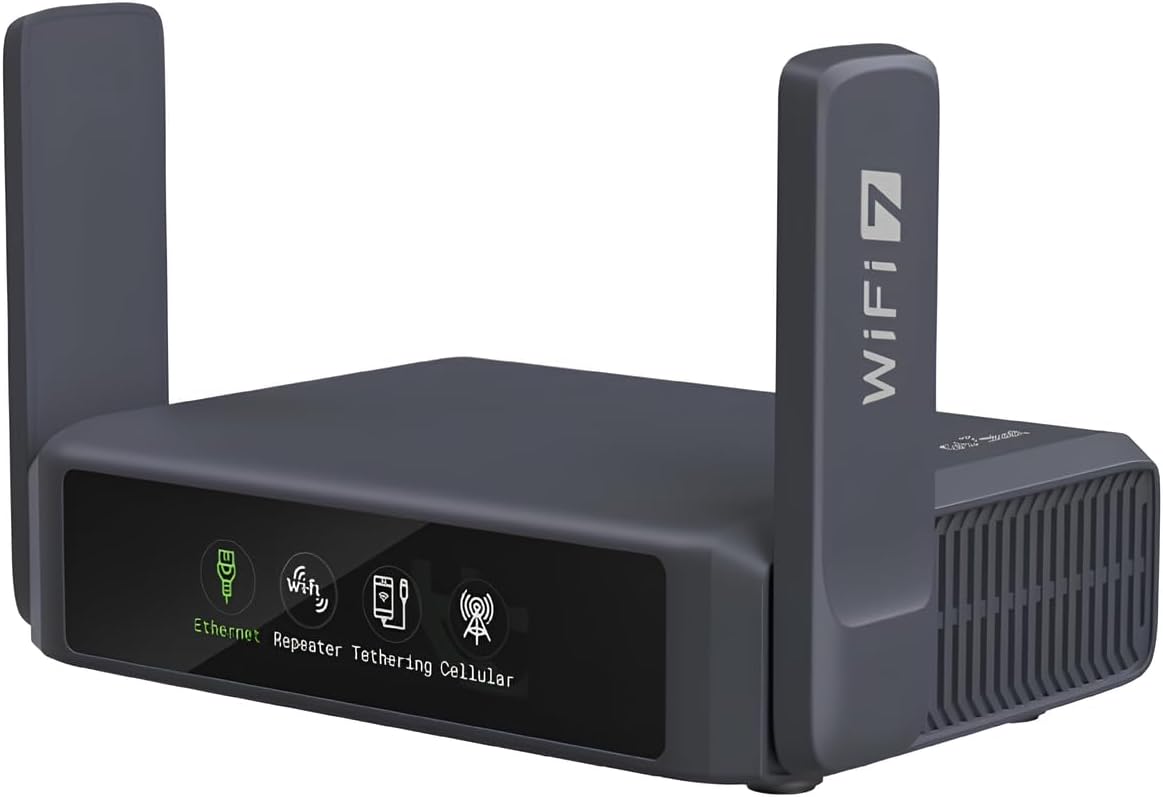
The GL.iNet Slate 7 introduces a touchscreen interface for unique network control. This allows users to monitor speed and toggle settings directly on the display.
We may earn a commission when you buy through this link, at no additional cost to you.
With WiFi 7 speeds and dual 2.5G Ethernet ports, it delivers premium performance in a mini size. Color-coded indicators provide instant status updates for all modes.
While the screen may consume some power, the convenience is significant for tech enthusiasts. It offers a futuristic take on travel router design with solid specs.
Users who prefer visual control over menus will find this model appealing. Its unique interface makes it a standout in the portable router market.
The touchscreen interface lets you scan QR codes for quick Wi-Fi connections and toggle settings directly.
Color-coded indicators provide instant network status updates for Ethernet and cellular modes on the display.
We may earn a commission when you buy through this link, at no additional cost to you.
The GL.iNet Beryl 7 combines WiFi 7 performance with the compact form factor needed for travel. It supports VPN speeds up to 1100 Mbps for secure connections.
We may earn a commission when you buy through this link, at no additional cost to you.
With dual 2.5G ports and support for 120 devices, it ensures your group stays connected at high speeds. The USB 3.0 port supports local storage or charging.
While the price is high, the performance capabilities are unmatched for travel scenarios. The physical toggle switch simplifies VPN activation for quick access.
Travelers needing maximum speed will find this unit ideal. It balances next-generation tech with the portability required for modern trips.
Max VPN speeds of 1100 Mbps via WireGuard ensure secure connections without sacrificing streaming quality.
This router is capable of supporting up to 120 devices simultaneously for large groups on the go.
We may earn a commission when you buy through this link, at no additional cost to you.
Selecting the right open source router depends on your network needs and technical expertise. We outline the key factors to consider before purchasing.
The processor determines how fast your router handles encryption and traffic. Look for dual-core CPUs to ensure smooth performance during VPN use and gaming.
Choose a processor that matches your usage intensity to avoid lag during high-demand tasks.
RAM handles active connections and temporary data storage. Higher RAM allows for more connected devices and smoother plugin operation.
Ensure your router has at least 512MB RAM for optimal performance with custom firmware.
Storage is critical for running multiple plugins or storing media files. Models with SSD support offer flexibility for local storage expansion.
Look for eMMC or M.2 slots if you need to host services locally.
Gigabit ports are essential for modern internet speeds. Some models now include 2.5G ports for faster throughput.
Verify that your WAN and LAN ports match your internet plan requirements.
WiFi 7 offers the latest speeds and latency improvements. WiFi 6 remains a solid choice for most homes.
Select the standard that fits your device ecosystem and budget.
Check if the device supports OpenWrt out of the box. Official mainline support ensures long-term stability and updates.
Prioritize models with active community support for security patches.
If you travel often, consider the weight and size. Compact models usually sacrifice some range for convenience.
Ensure the unit includes necessary power plugs for your region.
Hardware firewalls and VPN clients are common. Built-in ad-blocking support is a valuable bonus.
Verify that WPA3 is supported for the latest wireless security standards.
To begin, connect your router to your modem using an Ethernet cable. Access the admin panel via a web browser to set up the network credentials and update firmware.
Regularly update your firmware to patch security vulnerabilities and improve performance. Open source platforms benefit from community-driven updates.
Place the router in a central location to ensure optimal coverage. Avoid placing it near thick walls or large metal objects that may block signals.
Open source routers offer greater control and security options compared to standard consumer models. They allow users to customize firmware for better performance and privacy features.
Most models run OpenWrt or a customized version of it. This Linux-based firmware allows for deep customization and support for third-party plugins and tools.
Basic setup is user-friendly, but advanced features require some technical knowledge. Most models include guides or video tutorials to assist with configuration.
Yes, most of these models come pre-installed with VPN clients like OpenVPN or WireGuard. This allows you to encrypt traffic for your entire network.
Open source firmware like OpenWrt often continues community support even if the manufacturer stops official updates. This ensures long-term usability for the device.
Installing custom firmware might void the manufacturer warranty depending on the brand. Check the specific policies of the vendor before proceeding with changes.
The GL.iNet GL-MT6000 Flint 2 stands out as the top overall performer with its blend of speed and flexibility. It is an ideal choice for demanding home networks.
For budget travelers, the GL.iNet GL-SFT1200 Opal delivers excellent value with essential open source features in a compact package.
Remember to verify current pricing and availability before purchasing to ensure you get the best deal for your specific networking requirements.