
EMEET S600 4K Webcam for Streaming
4.4Editor score
Sony 1/2.55 sensor
PDAF autofocus technology
Plug and play setup
This guide compares the top 10 cameras for green screen streaming based on sensor size, software tools, and autofocus speed to help you choose the right model
Finding the right camera for green screen streaming is essential for creating professional virtual backgrounds that look clean and natural. A good camera offers sharp image quality, accurate color reproduction, and built-in features that simplify keying tasks during live broadcasts.
We evaluated ten leading cameras focusing on sensor performance, green screen technology, and ease of use for streamers of all levels. Our comparison highlights models with advanced autofocus, low-light capabilities, and software that delivers precise background removal without constant manual adjustments.
Each pick in this list shows specific strengths for virtual production, from budget-friendly webcams to dedicated live streaming units. Please note that product prices and availability may change over time, so always verify the latest details before making your final purchase decision.
4.4Editor score

4.2Editor score

4.3Editor score
The following comparison table lists every camera evaluated in this guide with key specifications to help you decide quickly based on sensor size, resolution, and special features for virtual backgrounds.



The Hollyland VenusLiv Air is a dedicated live streaming camera that excels in green screen environments due to its large sensor and advanced software tools. With a 1/1.3 inch CMOS sensor and an F1.05 lens, it captures bright detailed images even when lighting conditions are challenging. Its built-in green screen technology allows for clean keying directly from the camera signal or through its companion software.
We may earn a commission when you buy through this link, at no additional cost to you.
This model stands out because it is engineered specifically for continuous use without overheating. The air cooling system ensures stable performance during long broadcasts, while the AI tuning algorithms adjust exposure and white balance in real time. You can also save custom presets for different scenes, making it easy to switch between talking head shots and wider views instantly.
While the VenusLiv Air offers incredible value for serious streamers, it does require a computer to unlock its full software potential like skin beauty and image overlay. Additionally, the price is higher than standard webcams which may not fit every budget. However, the investment pays off in reduced post-production work and professional visual quality.
If you stream frequently and need reliable green screen results without a complex setup, the VenusLiv Air is the top choice. It combines hardware quality with software convenience to deliver a seamless streaming experience. This camera is perfect for content creators who want broadcast-level quality directly from a USB or HDMI source.
The large aperture and sensor size ensure clear visuals even in dimly lit rooms which is critical for home studios.
Built-in algorithms separate you from backgrounds cleanly preserving details like hair strands better than standard software.
We may earn a commission when you buy through this link, at no additional cost to you.
The EMEET S600 offers an accessible entry point for streamers needing high quality video without spending a fortune. It features a Sony sensor that delivers crisp details and good color accuracy. While it lacks built-in chroma key, its sharp image quality provides a solid foundation for green screen processing in OBS or other streaming software.
We may earn a commission when you buy through this link, at no additional cost to you.
Its PDAF autofocus technology ensures you stay sharp even when moving around during a broadcast. This speed and precision are rare in budget webcams and help maintain a professional look. The privacy cover is a thoughtful addition for security and the rugged design keeps the camera stable on various monitor setups.
On the downside, you will need to handle green screen keying via software rather than the camera itself. Also the field of view is fixed when using 4K which limits flexibility compared to zoom models. Despite these minor trade-offs the visual performance is excellent for the price range.
For those starting their streaming journey or working with limited budgets, the S600 is a top pick. It delivers reliable performance that competes with more expensive models and its ease of use makes it ideal for immediate plug and play streaming.
The Sony sensor ensures every frame is detailed and clear which helps with background separation tasks.
Phase detection autofocus locks on quickly so you stay sharp while moving or changing positions.
We may earn a commission when you buy through this link, at no additional cost to you.
The Hollyland Lyra is a premium webcam designed for creators who want professional control over their video output. Its large 1/1.5 inch sensor provides excellent dynamic range and natural background blur. The included software includes a dedicated green screen tool that isolates subjects precisely making virtual sets look polished and realistic.
We may earn a commission when you buy through this link, at no additional cost to you.
AI tracking keeps you centered in the frame as you move which is ideal for interactive streaming or teaching. The direct wireless mic support allows you to roam without audio degradation. This model is especially strong for vertical video content thanks to its portrait mode capability which is essential for platforms like TikTok.
While the Lyra offers powerful features, some advanced functions like green screen keying are not available on the Mac version. This limitation may be frustrating for Apple users who rely on macOS for their workflow. Additionally the price reflects its high-end feature set which may not suit casual users.
If you need top-tier imaging and flexible software tools for green screen streaming the Lyra is an outstanding choice. It bridges the gap between consumer webcams and professional cameras offering versatility that enhances any streaming setup significantly.
Hollyland's algorithm preserves fine details like hair while removing backgrounds cleanly for a professional look.
Switch between landscape and portrait instantly to suit different platforms like Twitch or TikTok.
We may earn a commission when you buy through this link, at no additional cost to you.
The EMEET C960 is a straightforward and reliable webcam that delivers true 4K quality without requiring extra hardware. Its PDAF focus ensures you remain sharp during active streaming sessions. While it does not have internal green screen processing, the high clarity of its video feed makes external keying in software like OBS highly effective.
We may earn a commission when you buy through this link, at no additional cost to you.
This model excels in audio performance with dual omnidirectional microphones that capture clear voice input. The auto light adjustment feature balances exposure in varying conditions so you look well lit even in darker rooms. Privacy is also prioritized with a physical shutter that covers the lens when not in use.
Limitations include a lack of built-in special effects or green screen algorithms meaning you rely on your streaming software for virtual backgrounds. The field of view is fixed which may be restrictive for wider shots. Nevertheless the overall performance is consistent and dependable for daily use.
For users who prioritize simplicity and image quality over extra features, the C960 is a solid option. It offers a stable platform for green screen workflows without unnecessary complexity or high cost.
The 4K sensor delivers sharp detail that helps with accurate background removal in post-processing.
Dual microphones reduce the need for external audio gear during casual streaming sessions.
We may earn a commission when you buy through this link, at no additional cost to you.
The EMEET C60E stands out with its unique dual camera setup that offers both wide angle and telephoto perspectives. This flexibility is useful when you need to switch between a full body view for demonstrations and a close up for facial expressions. While green screen processing is external the sharp focus and framing options support clean virtual backgrounds.
We may earn a commission when you buy through this link, at no additional cost to you.
Its remote control allows quick adjustments to zoom and color without interrupting the stream. The RGB lighting adds a modern aesthetic to your setup and can help with mood lighting during broadcasts. Audio is handled by omnidirectional mics that provide clear voice capture within a reasonable range.
A minor limitation is that zoom functions are restricted in 4K 60FPS modes which may impact fluidity during high action streams. Additionally the lack of internal chroma key means you need software to handle background removal. These details are balanced by the unique dual lens functionality.
If you value framing versatility and want to avoid moving the camera manually during a broadcast, the C60E is a strong candidate. Its dual lens system provides creative freedom that single lens webcams cannot match.
Switch between wide angle and telephoto instantly to frame your virtual set perfectly.
Adjust zoom and settings without stopping your stream thanks to the included remote device.
We may earn a commission when you buy through this link, at no additional cost to you.
The EMEET PIXY is a powerful tool for active streaming with its PTZ capabilities and advanced AI tracking. It uses multiple AI chips to predict your movement and keep you centered in the frame smoothly. This dynamic framing helps when your virtual background has interactive elements or when you move around to demonstrate products.
We may earn a commission when you buy through this link, at no additional cost to you.
Included hardware features a sturdy tripod and a triple mic array that filters noise effectively. The gesture control lets you toggle AI framing with a simple hand signal which is hands free and convenient. The software suite offers preset positions and whiteboard detection for educational streaming.
The price is higher than standard webcams and the full range of features may be more than a beginner needs. However for creators who move frequently the tracking performance is superior to fixed webcams. This makes it ideal for fitness instructors or product reviewers who require constant re-framing.
If you need a camera that moves and tracks like a professional studio setup, the PIXY is an excellent choice. Its hardware and software integration provides a polished experience for interactive green screen environments.
Predictive tracking keeps you centered even during fast movements without manual adjustments.
Use simple hand signals to control framing and zoom without touching your computer.
We may earn a commission when you buy through this link, at no additional cost to you.
The VenusLiv Air bundle offers a complete solution for independent streamers with direct RTMP streaming capabilities. This means you can broadcast to YouTube or Twitch without a PC or capture card. The included accessories like SD cards and cables make it easy to start streaming immediately. The large sensor ensures high quality visuals suitable for green keying.
We may earn a commission when you buy through this link, at no additional cost to you.
AI image enhancement optimizes color and exposure automatically which is critical for consistent results. The bundle includes a memory card and cleaning kit so you have everything needed to maintain the hardware. This all-in-one approach simplifies setup for podcasters and educators who want simplicity.
As a newer listing it lacks public reviews which makes performance verification harder compared to established models. The price reflects the bundle value and standalone streaming features which may be steep for casual users. However the convenience is unmatched for remote streaming scenarios.
If you want a self-contained camera that handles streaming and green screen processing independently, this bundle is unique. It removes the dependency on a computer which is a significant advantage for field streaming.
Stream directly to major platforms using built-in RTMP without needing a separate computer.
Includes memory card and accessories so you can begin broadcasting out of the box.
We may earn a commission when you buy through this link, at no additional cost to you.
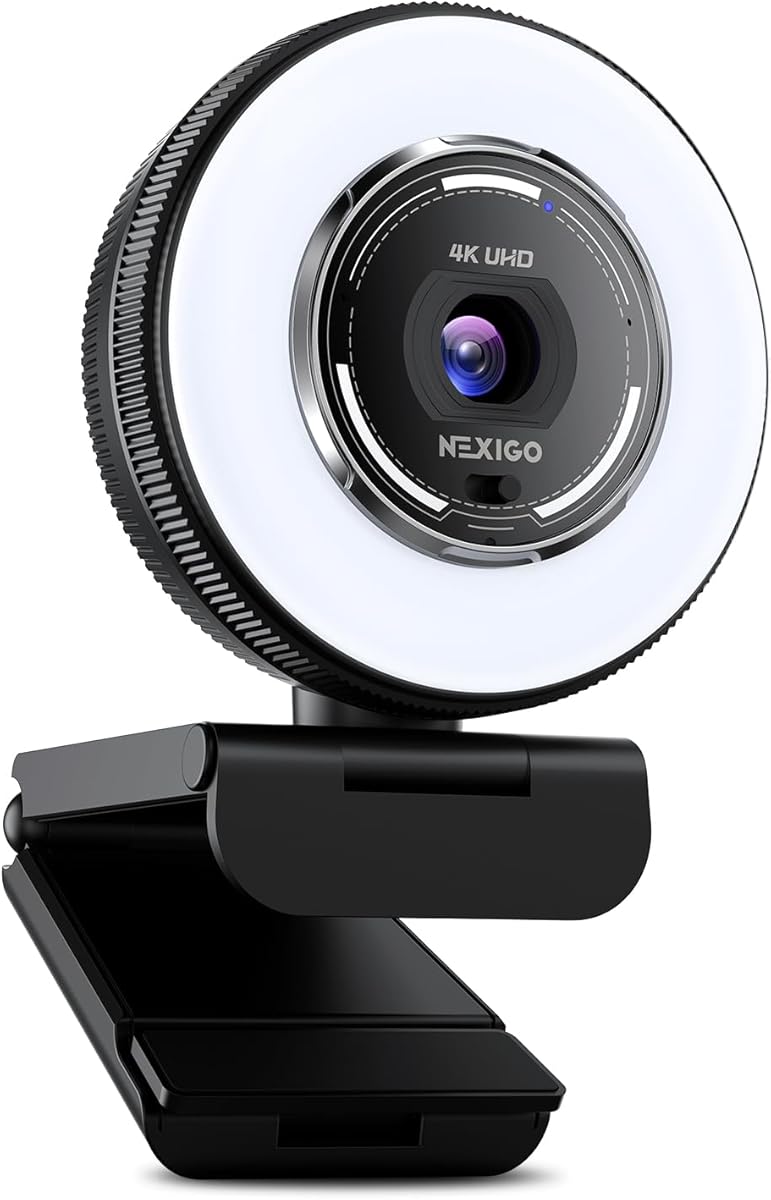
The NexiGo N680E Pro includes a tri-tone ring light that ensures your face is evenly lit which helps green screen software work better. Uniform lighting reduces shadows that can cause keying errors. It uses a Sony sensor and PDAF focus for crisp details and reliable tracking during live sessions.
We may earn a commission when you buy through this link, at no additional cost to you.
Audio is handled by dual noise-canceling microphones that filter out background noise effectively. The privacy shutter and plug-and-play setup add convenience and security for daily use. Its compatibility with major platforms makes it a versatile choice for various streaming needs.
You must balance resolution and frame rate as 1080p60 is available instead of 4K30 which may be preferred for smooth motion. Also it relies on external software for chroma key since it lacks internal tools. However the lighting solution is a major plus for home studios.
If lighting control is a priority for your virtual background work, this model offers a distinct advantage. The integrated light simplifies setup and ensures consistent quality without extra desk lamps.
Adjustable light ensures even illumination which reduces shadows for better green screen separation.
Filters out ambient noise to ensure your voice is clear during streaming.
We may earn a commission when you buy through this link, at no additional cost to you.
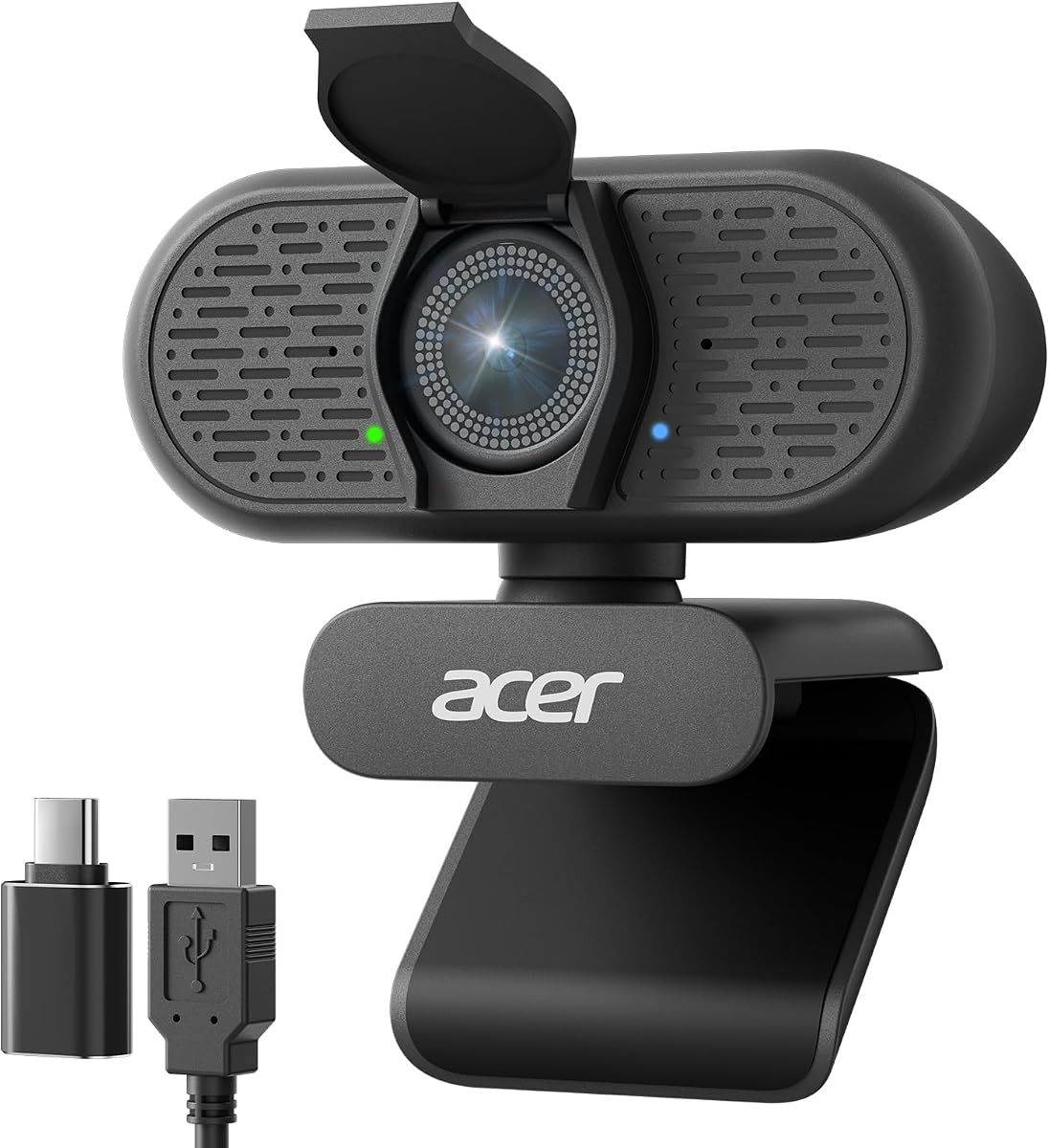
The Acer A640 uses instant PDAF autofocus to eliminate focus hunting so you stay sharp during active streams. It includes a Sony sensor that produces clean 4K imagery suitable for virtual backgrounds. While it does not have built-in green screen tools, its high fidelity feed makes it compatible with most keying software.
We may earn a commission when you buy through this link, at no additional cost to you.
AI noise cancellation helps you sound clear by filtering out keyboard clicks and hums. The privacy shutter and plug-and-play design make it secure and easy to use. Low light correction ensures exposure is balanced even in darker environments without manual tweaking.
The lack of advanced special features keeps the price low and usability high. You will rely on your streaming software for background removal but the image quality supports that workflow well. It is a practical and reliable option for most users.
For those wanting fast focus and clean visuals without complexity, the A640 is a smart choice. It delivers a professional baseline that supports effective green screen streaming.
Eliminates blur and focus hunting so you stay sharp as you move.
Automatically adjusts exposure to keep you clear in dim lighting.
We may earn a commission when you buy through this link, at no additional cost to you.
The OBSBOT Meet 2 is incredibly light at just 40.5 grams making it easy to transport for mobile creators. It uses AI to frame and focus on you which helps maintain composition during dynamic streams. The sensor provides 4K clarity which serves as a solid base for external green screen processing.
We may earn a commission when you buy through this link, at no additional cost to you.
Gesture control allows you to toggle AI framing or zoom using simple hand motions which adds interactivity to your broadcast. The mics adjust noise reduction based on the scene to keep audio clear. Its compact size makes it ideal for travel or minimalist setups.
The sensor size is smaller than premium models which may limit low light capability. While the AI is helpful, it does not replace the need for software-based keying. Despite this, the portability and smart features are significant benefits.
If you need a camera that goes anywhere and maintains good framing, the Meet 2 is the top portable choice. Its AI features make it a powerful tool for streaming on the go.
Toggle AI framing or zoom with simple hand signals for hands-free control.
Weighs only 40.5 grams making it easy to carry anywhere.
We may earn a commission when you buy through this link, at no additional cost to you.
Choosing the right camera requires balancing sensor size, resolution, and software features to ensure smooth keying results.
A larger sensor captures more light and produces better detail which is essential for accurate background removal. Models with 1/1.3 or 1/2.55 inch sensors offer superior depth of field and low-light performance.
Look for sensors above 1/2.8 inch for best results in variable lighting environments.
Higher resolution like 4K ensures clean edges for green screen work. Frame rates of 30fps or 60fps provide smooth motion depending on your internet bandwidth and needs.
Prioritize 4K resolution for sharp keying and 1080p60fps for smooth movement.
Phase Detection Autofocus (PDAF) locks on instantly without hunting. This keeps you sharp when moving which prevents blurry edges in virtual backgrounds.
Ensure the camera uses PDAF for fast reliable focus during active streams.
Cameras with internal chroma key tools simplify workflows by removing backgrounds directly in the signal. Others rely on external software like OBS for keying.
Check if software like HollyStudio or VenusCam supports green screen before buying.
Uniform lighting prevents shadows that confuse keying algorithms. Cameras with built-in ring lights or auto exposure adjustment help maintain consistent brightness.
Look for ring lights or auto light correction features to stabilize your image.
USB-C and HDMI outputs give flexibility for direct streaming or external capture cards. Some models support RTMP for PC-free broadcasting.
Ensure the camera supports USB-UVC or HDMI for your specific setup.
Clear audio complements video quality. Noise-canceling microphones filter background sounds so your voice stands out.
Dual mics with noise cancellation improve overall stream professionalism.
Physical shutters protect privacy when not streaming. Tripod mounts and flexible clips allow stable positioning.
Verify the camera has a shutter and standard tripod thread for security and stability.
Start by setting up your green screen evenly lit without shadows. Connect the camera to your PC via USB and launch your streaming software to configure video sources and keying settings.
Use the camera's software or companion app to adjust white balance and exposure for true color representation. Enable AI features like tracking if available to keep your framing consistent as you move.
Clean the lens regularly with a microfiber cloth and update firmware to ensure smooth performance. Store the camera in a dry place and cover the lens with a physical shutter when not in use to protect it from dust.
Not necessarily. Many webcams support USB UVC which allows direct input to your computer without extra hardware. However if your camera outputs only HDMI you will need a capture card to convert the signal for streaming.
4K resolution provides the sharpest edges for clean keying but requires more bandwidth. If bandwidth is limited 1080p at 60fps is also effective for smooth motion and decent detail.
Yes any camera with clear video can work but models with larger sensors and better autofocus produce cleaner results. Internal software tools further simplify the keying process.
Ensure your green background is evenly lit and wrinkle-free. Adjust your camera exposure to avoid overexposure and use software tools to fine-tune chroma key settings for cleaner edges.
AI tracking keeps you centered and stable which helps software maintain consistent keying. It generally improves results by reducing framing errors during movement.
OBS Studio is a popular free option with strong keying tools. Some cameras also include proprietary software like HollyStudio that integrates keying directly into the camera's output.
They save time by removing backgrounds at the source but may lack the flexibility of external software. If you want a simple setup built-in tools are convenient but optional.
The Hollyland VenusLiv Air, EMEET S600, and Hollyland Lyra lead our list with strong sensor quality and software support. Each offers unique strengths depending on whether you prioritize budget, internal tools, or versatility.
Prioritize large sensors and reliable autofocus to ensure clean edges and smooth motion during your streams. Built-in features like auto exposure and lighting tools can simplify your setup significantly.
Always verify current pricing and availability before purchase as specs may vary by region. With the right camera you can create professional virtual sets that enhance your streaming content effectively.