
PenPower WorldCard Pro
3.3Editor score
Supports 24 languages
Export to vCard or CSV
Quick text search functions
Compare the top business card scanners for speed accuracy and software. This guide reviews ten models to help you digitize contacts and streamline your
In today's fast-paced professional environment, managing contacts efficiently is crucial for success. Business card scanners offer a seamless way to digitize paper cards into editable digital formats quickly and accurately without manual entry errors.
We evaluated ten leading models based on scanning speed, software capabilities, and overall reliability. Our analysis covers desktop units, portable devices, and specialized ID scanners to ensure you find the right fit for your specific business needs.
Each pick highlights key strengths and ideal use cases to help you decide. Note that product availability and pricing can change frequently, so please verify current details before making your final purchasing decision online.
3.3Editor score

4.9Editor score

4.5Editor score
This side-by-side comparison highlights the core specifications and capabilities of each model to help you make an informed decision based on your specific workflow requirements.


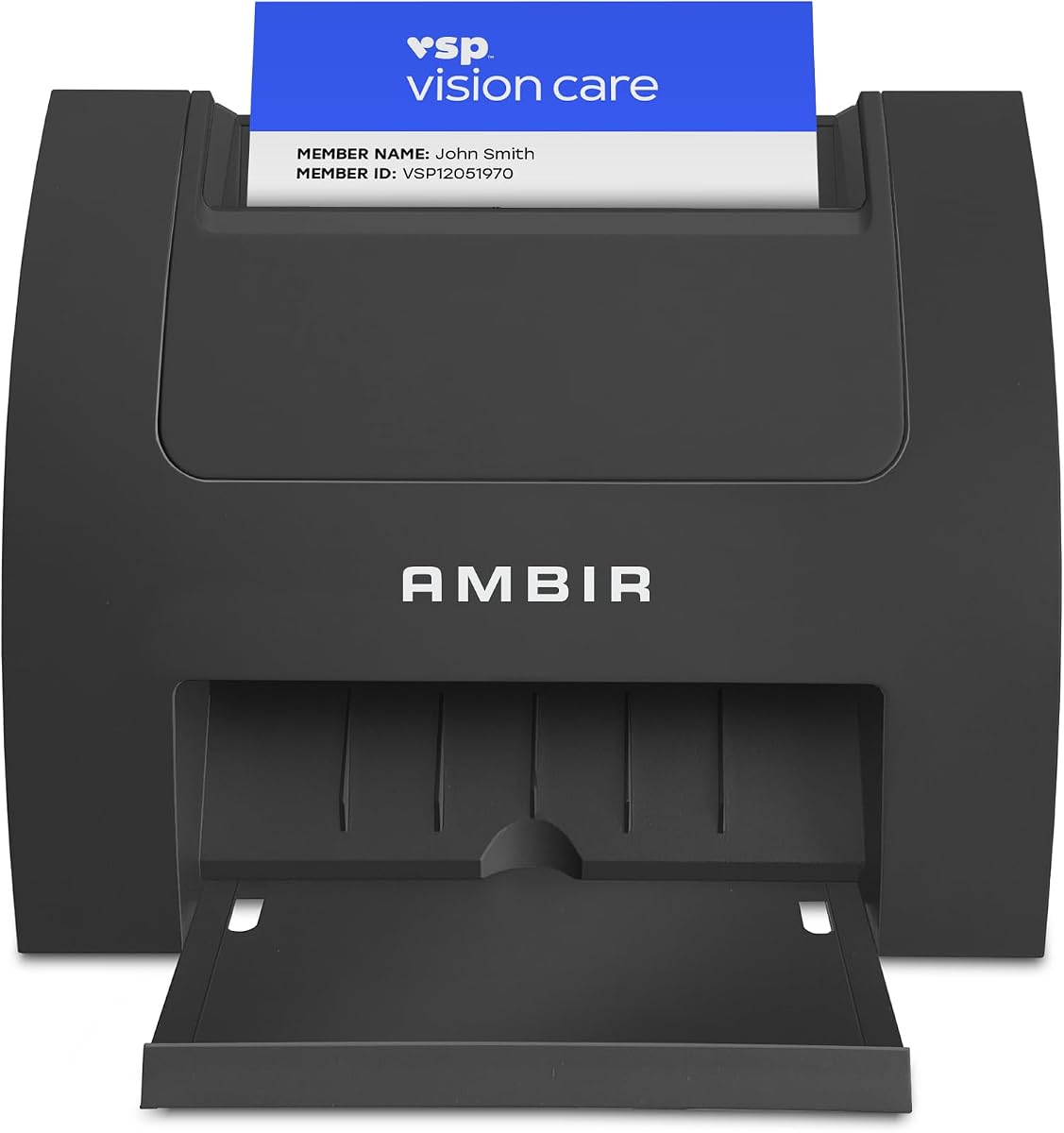


The Ambir ImageScan Pro 687-AS stands out as the top choice for businesses needing speed and reliability. With a nearly perfect rating, it handles everything from standard cards to those with raised text in just three seconds.
We may earn a commission when you buy through this link, at no additional cost to you.
Its duplex scanning feature captures both sides in one pass, halving the time needed for comprehensive data capture. The included AmbirScan software supports saving to PDF or cloud services like Dropbox and Google Drive seamlessly.
While the upfront cost is higher, the automation potential with Zapier justifies the investment for high-volume users. It eliminates manual data entry by triggering workflows in tools like QuickBooks or DocuSign automatically.
This scanner is ideal for offices processing hundreds of cards weekly. If you need a solution that combines speed with powerful integration capabilities, this model is the clear recommendation for your team.
The scanner easily processes IDs and insurance cards with raised characters without jams or errors.
Zapier integration connects your scanner to thousands of apps for automated follow-up actions.
We may earn a commission when you buy through this link, at no additional cost to you.
The PenPower WorldCard Pro offers an accessible entry point for professionals who need to digitize cards without breaking the bank. It quickly converts physical cards into digital contacts for easy sharing and storage.
We may earn a commission when you buy through this link, at no additional cost to you.
One of its strongest features is support for 24 languages, making it versatile for international business contacts. You can export data in various formats like vCard or CSV to integrate with your existing CRM.
While the user rating suggests some software limitations compared to premium models, it delivers on core functionality. It is a practical choice for small businesses needing basic digitization without advanced automation needs.
Choose this scanner if you prioritize cost savings and global language support. It handles the essential task of turning paper cards into searchable digital records efficiently for most users.
Recognize contacts in 24 different languages to manage international business relationships effectively.
Export contacts to Address Book or vCard formats for seamless integration with iPhone or Outlook.
We may earn a commission when you buy through this link, at no additional cost to you.
This model specializes in making Outlook users' lives easier by importing scanned data directly into your address book. It handles duplicate detection automatically to keep your contact list clean and organized without manual work.
We may earn a commission when you buy through this link, at no additional cost to you.
The optional AI processing significantly boosts accuracy when extracting names and emails. This is especially helpful for handwritten or complex card layouts where standard OCR might struggle.
It supports shared folders for executive assistants to scan on behalf of a team. However, note that it is currently limited to Windows systems, which might exclude Mac users from this specific workflow.
For Microsoft-centric offices, this scanner provides a streamlined path to updating your network. Use it if you rely heavily on Outlook and want to reduce manual typing during data entry tasks.
Keep your address book organized by automatically identifying and flagging duplicate contact entries.
Extract names and emails accurately with local AI processing that respects your privacy.
We may earn a commission when you buy through this link, at no additional cost to you.
The Epson Workforce ES-50 is designed for professionals who are always on the move. It is compact enough to fit in a briefcase and scans single pages in about five and a half seconds.
We may earn a commission when you buy through this link, at no additional cost to you.
You can scan business cards, receipts, and documents up to 72 inches long with ease. Since it is USB powered, you do not need batteries or an external power supply, which is convenient for travel.
While it is primarily for mobile use, it also includes powerful Nuance OCR to turn scans into editable text. It works well for accounting and bookkeeping where quick access to digital records is key.
Ideal for sales reps or consultants who need to digitize paperwork in the field. It balances portability with enough power to handle most daily document scanning needs effectively.
At under one pound, this scanner fits in any bag for scanning anywhere without cables.
Draw power from your laptop's USB port so you never need to hunt for an outlet.
We may earn a commission when you buy through this link, at no additional cost to you.
Speed is the main selling point here, as this device scans a card in under two seconds. The vertical feed path makes it easy to drop cards in quickly without needing to align them flat.
We may earn a commission when you buy through this link, at no additional cost to you.
It captures images at 600 dpi ensuring that text remains crisp for archiving or ID verification. The bundled software allows for continuous scanning which is great for processing stacks of cards.
While it is single sided, the speed compensates for the lack of duplex scanning. It takes up minimal desk space which is ideal for crowded front desks or small offices.
Use this if you need to verify IDs or process cards rapidly. The high speed and compact footprint make it a practical choice for high volume verification stations.
Drop cards vertically into the scanner for a faster and more ergonomic scanning experience.
Keep scanning without resetting to save time during high volume processing tasks.
We may earn a commission when you buy through this link, at no additional cost to you.
This scanner is designed specifically for retail environments that need to verify age for restricted products. It reads barcodes on government IDs to extract birth dates and flag minors instantly.
We may earn a commission when you buy through this link, at no additional cost to you.
All data is stored locally on your system which ensures maximum privacy and security. There are no subscription fees, so you own the license and avoid ongoing costs after purchase.
The anti-passback security feature prevents the same ID from being used multiple times in a row. This helps enforce policies effectively. keep your business compliant with local regulations.
It is the best choice for bars or stores needing reliable ID scanning. Use this tool if you want a one-time purchase that handles verification securely without monthly bills.
Set age restrictions to automatically warn staff when minors attempt to purchase restricted items.
Keep customer data private by storing it locally without relying on cloud servers.
We may earn a commission when you buy through this link, at no additional cost to you.
The ScanSnap iX1300 brings wireless freedom to your desktop workflow. It can connect via Wi-Fi so you can send scans to your phone or computer without any cables.
We may earn a commission when you buy through this link, at no additional cost to you.
It handles documents, photos, and business cards with automatic de-skew and color optimization. The software makes it easy to drag and drop scans directly to your favorite apps.
While it is a bit pricey, the convenience of scanning without a computer nearby is a game changer for busy professionals. It fits small spaces and stays out of the way when not in use.
Choose this if you want a versatile scanner that adapts to a wireless office. It is excellent for remote work setups where cable management is a concern.
Connect via Wi-Fi to send scans to mobile devices or cloud services without a PC.
ScanSnap Home organizes your data automatically so you can find it instantly later.
We may earn a commission when you buy through this link, at no additional cost to you.
This scanner is about the size of a stapler making it incredibly easy to transport. It is perfect for travelers who need to scan a card occasionally without carrying heavy equipment.
We may earn a commission when you buy through this link, at no additional cost to you.
It is USB powered so you do not need to look for outlets in hotel rooms or coffee shops. Scanning directly to PDF makes it easy to store files for accounting or records.
While it lacks advanced software features, it does the job of creating digital images quickly. The TWAIN driver ensures it works with most existing software you already have installed.
Pick this if portability is your main concern. It is an affordable companion for business trips where you need to digitize a few key documents.
Take up minimal desk space by choosing a scanner that fits on a crowded workbench.
Save files directly to industry standard PDF format without needing extra conversion steps.
We may earn a commission when you buy through this link, at no additional cost to you.
The Brother DS-640 offers fast scanning speeds in a tiny package. At under 1.5 pounds, it is easy to carry and scans color documents at 16 pages per minute.
We may earn a commission when you buy through this link, at no additional cost to you.
It comes with free desktop software for scanning to email or cloud services. The image optimization tools help enhance scans by removing backgrounds and adjusting colors automatically.
Unlike the wireless models, this uses a Micro USB 3.0 cable for power and data transfer. While this limits mobility slightly, it ensures a stable connection when plugged into a laptop.
Ideal for field workers who need quick scans in a bag. Use this for mobile accounting or inventory checks where speed and portability are essential.
Scan at 16 ppm so you do not wait long for high quality digital copies.
Adjust colors and remove backgrounds automatically to make documents readable and clean.
We may earn a commission when you buy through this link, at no additional cost to you.
This desktop scanner is built for high volume workflows with a 50-sheet feeder. It processes stacks of documents quickly and scans both sides simultaneously to save time.
We may earn a commission when you buy through this link, at no additional cost to you.
You can send scans directly to email or cloud storage services like Dropbox and OneDrive. The software supports creating searchable PDFs and converting text to editable Word or Excel files.
It includes features to detect double feeds and correct skewed pages automatically. These quality controls ensure your archive remains accurate without manual intervention.
Choose this if you need to process hundreds of cards or invoices daily. It is a robust solution for offices that need speed and reliability on a desk.
Use the 50-sheet feeder to scan entire stacks without constant refilling.
Upload files directly to the cloud so your team can access them instantly.
We may earn a commission when you buy through this link, at no additional cost to you.
Selecting the right scanner depends on your volume, software needs, and budget. Here are key factors to consider.
Speed is critical if you handle large volumes of cards daily. Look for models that promise under five seconds per card to maintain productivity. Faster speeds reduce wait times during networking events.
Prioritize speed models if you scan more than fifty cards per week.
Quality software ensures your scanned data becomes editable text. Check if the unit supports OCR for converting images into Word or CSV formats. Compatibility with Outlook or Salesforce is also vital.
Ensure the software fits your existing ecosystem before buying.
Duplex scanners capture both sides of a card in one pass. This saves time compared to flipping the card manually. Simplex models are cheaper but take longer for dual-sided info.
Choose duplex if card backs contain important details.
Mobile scanners are lightweight and USB powered for on-the-go use. Desktop models offer higher capacity and better ergonomics for stationary work. Decide based on where you scan most often.
Go portable if you travel frequently for meetings.
Modern scanners offer USB or Wi-Fi connectivity. Wireless models provide more flexibility in office placement. USB models are often cheaper and simpler to set up.
Select wireless if you want a cable-free desk setup.
High resolution ensures text remains readable after scanning. Aim for 600 DPI for clear archiving of details. Better quality helps future proof your digital database.
Look for 600 DPI or higher for archival use.
Some scanners require monthly fees for cloud storage or advanced features. One-time purchase models save money long term. Check license terms to avoid unexpected costs.
Buy one-time licenses if you avoid recurring fees.
Ensure the scanner drivers work with your operating system. Windows and Mac compatibility is standard but always verify before purchase. Some features might be limited on specific platforms.
Confirm OS support to avoid installation issues.
To begin using your scanner, install the provided drivers on your computer. Connect the device via USB or set up Wi-Fi depending on the model instructions. Launch the software to check settings before scanning.
Feed cards into the tray slowly and evenly to avoid jams. For duplex models ensure cards are aligned properly so both sides scan correctly. Organize cards by size to prevent skipping.
Regularly clean the glass and feed path with a dry cloth to remove dust. Store the device in a cool dry place to protect electronics. Update drivers periodically for best performance.
Most modern scanners handle standard cards well. Some struggle with heavily textured or folded cards. Check the manual for specific thickness limits.
Yes, specific software helps extract data efficiently. Some models can scan as images without software but manual entry is needed.
Some wireless models allow scanning directly to mobile devices. Others require a computer connection to process data.
With proper care they can last several years. Avoid overloading trays to extend the life of the mechanism.
Local storage models offer better privacy. Cloud enabled ones rely on service encryption standards.
Most allow one-time purchases. Advanced features may require monthly plans.
We have reviewed ten top models ranging from compact mobile devices to powerful desktop units. The Ambir ImageScan Pro 687-AS leads for overall speed and automation.
Prioritize your specific needs like software integration or portability before deciding. Mobile users should consider the Epson Workforce ES-50 while office workers may prefer the Epson Workforce ES-400 II.
Remember that prices change frequently so check current listings before buying. These tools can transform how you manage contacts and save valuable time.