
ASUS ROG Crosshair X870E Hero
4.4Editor score
AMD AM5 socket support
Core Flex and PBO Enhancement
USB4 and PCIe 5.0
This guide compares the top 10 motherboards for overclocking across Intel and AMD platforms, highlighting power delivery, thermal design, and AI tuning
Choosing the right motherboard for overclocking is critical for enthusiasts seeking maximum performance. A capable board provides stable power delivery, robust cooling, and advanced tuning tools to push your CPU beyond stock limits safely.
We evaluated ten top-rated models based on VRM quality, thermal solutions, connectivity options, and proprietary overclocking utilities. Our analysis focuses on boards that balance stability with headroom for both Intel and AMD platforms.
Each selection showcases specific strengths like AI-assisted tuning, PCIe 5.0 support, or compact form factors. Note that pricing and availability may fluctuate, so check current listings before purchasing your next build component.
4.4Editor score

4.4Editor score

4.4Editor score
This side-by-side comparison highlights key specifications across all ten selected motherboards to help you find the best fit for your overclocking goals and budget.


The ASUS ROG Strix Z890-E Gaming WiFi stands out as the premier choice for Intel-based overclocking enthusiasts. With a rating of 4.4 stars, it delivers exceptional power delivery tailored for next-generation processors.
We may earn a commission when you buy through this link, at no additional cost to you.
Its 18+2+1+2 power stages ensure stable voltage under heavy loads, while exclusive AI Overclocking simplifies performance tuning for users of all skill levels. The board also supports DDR5 memory and offers seven M.2 slots for massive storage expansion.
While the price reflects its premium features, the robust thermal design and Thunderbolt 4 connectivity justify the investment for serious builders who need top-tier reliability and future-proofing.
We recommend this board to users seeking maximum performance headroom and advanced features like AI networking and cooling management for a high-end workstation or gaming rig.
Exclusive AI Overclocking analyzes your CPU and memory to suggest optimal settings, reducing manual trial and error during setup.
Seven onboard M.2 slots allow for diverse storage configurations, ensuring ample bandwidth for demanding applications and games.
We may earn a commission when you buy through this link, at no additional cost to you.
The ASUS ROG Crosshair X870E Hero is built for enthusiasts who demand the absolute best from AMD platforms. It earns a 4.4-star rating thanks to its robust power solution and comprehensive feature set.
We may earn a commission when you buy through this link, at no additional cost to you.
With 18+2+2 power stages and Core Flex technology, users can precisely control performance profiles. The board supports PCIe 5.0 and USB4, ensuring compatibility with the latest high-speed peripherals and storage.
Although it comes at a premium cost, the investment pays off for those pushing Ryzen 9000 series processors to their limits with confidence and stability.
This model is ideal for high-end workstations or gaming systems where maximum throughput and overclocking precision are non-negotiable requirements.
Core Flex allows dynamic adjustment of PBO curves and overclocking limits based on thermal headroom and workload demands.
USB4 and PCIe 5.0 support provide future-proof bandwidth for external GPUs, NVMe SSDs, and other high-speed devices.
We may earn a commission when you buy through this link, at no additional cost to you.
The ASUS TUF Gaming B850-PLUS WiFi offers excellent value for those entering the AMD AM5 ecosystem. It holds a 4.4-star rating by balancing performance with cost-effective design choices.
We may earn a commission when you buy through this link, at no additional cost to you.
Featuring 14+2+1 80A power stages, it provides stable power for mid-range to high-end Ryzen processors. The inclusion of Wi-Fi 7 and PCIe 5.0 ensures the system remains relevant for years.
While it lacks some premium features found on higher-end boards, it delivers reliable overclocking capabilities without breaking the bank for average enthusiasts.
We recommend this board for users building a capable gaming or productivity rig who prioritize performance per dollar over luxury aesthetics.
AI Ready features simplify system tuning and maintenance, making performance gains accessible to users without deep technical knowledge.
USB 20Gbps Type-C ports and Wi-Fi 7 provide fast data transfer and wireless speeds for modern workflows and gaming.
We may earn a commission when you buy through this link, at no additional cost to you.
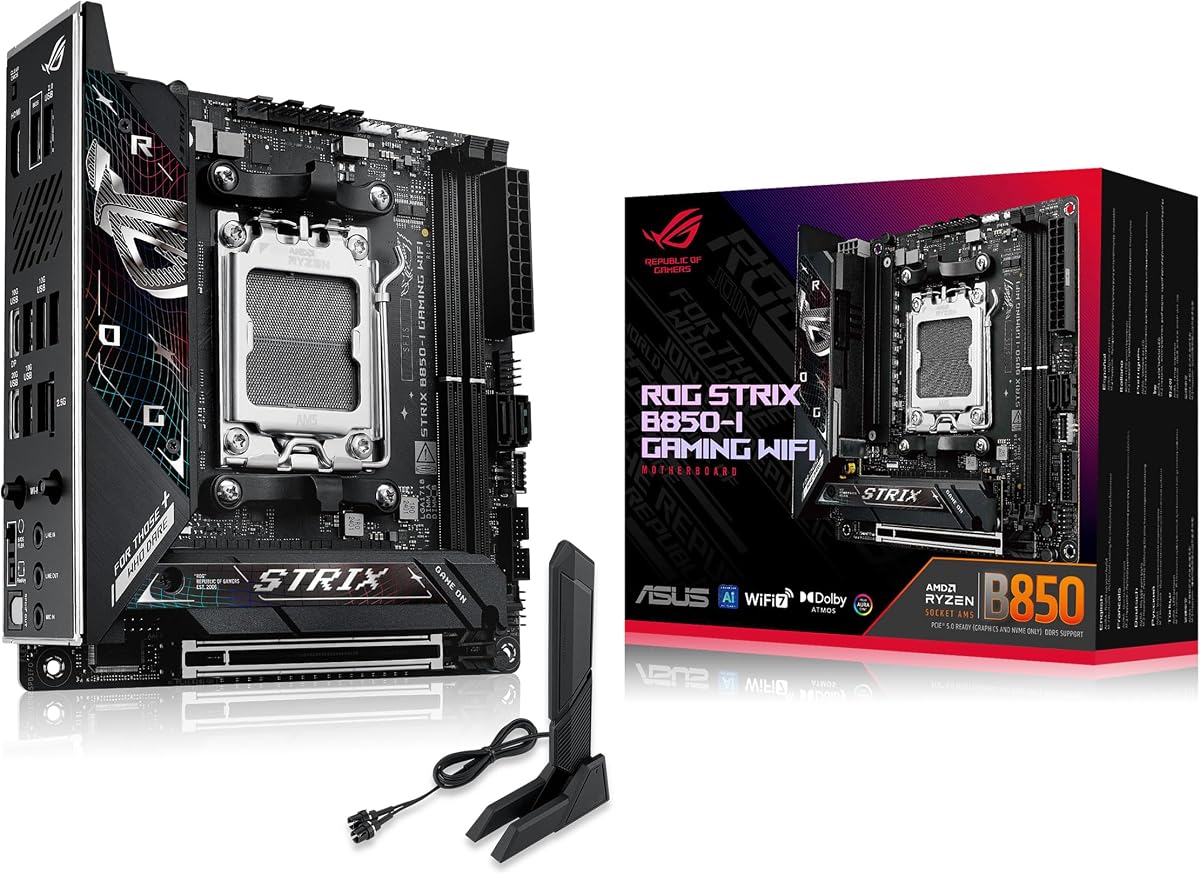
For small form factor builds, the ASUS ROG Strix B850-I Gaming WiFi is a standout option. It achieves a 4.3-star rating by packing high-performance features into a Mini-ITX layout.
We may earn a commission when you buy through this link, at no additional cost to you.
Its 10+2+1 power stages handle overclocking well within thermal constraints. The board supports PCIe 5.0 and includes robust thermal solutions to maintain stability in compact enclosures.
While space constraints limit expansion options, the inclusion of WiFi 7 and USB 20Gbps Type-C ensures connectivity meets modern standards.
This motherboard is perfect for enthusiasts building portable or hidden gaming rigs who refuse to compromise on overclocking capabilities.
Massive heatsinks and integrated I/O covers help dissipate heat effectively despite the small physical footprint of the board.
WiFi 7 and USB 20Gbps ensure fast network speeds and rapid data transfer for external drives and peripherals.
We may earn a commission when you buy through this link, at no additional cost to you.
The GIGABYTE B850 AORUS Elite WIFI7 provides a solid foundation for AMD-based overclocking. Its 4.4-star rating reflects dependable performance and useful feature set for most users.
We may earn a commission when you buy through this link, at no additional cost to you.
With a 14+2+2 power phase design, it supports Ryzen 9000 series CPUs effectively. The board also offers PCIe 5.0 and Wi-Fi 7, keeping your build up to date with current standards.
The inclusion of a five-year warranty adds significant peace of mind for long-term reliability, a key factor when running systems under load.
We recommend this board for users seeking a balance between performance, warranty support, and modern connectivity without premium pricing.
The five-year warranty underscores GIGABYTE's confidence in the board's build quality and longevity for demanding workloads.
Support for PCIe 5.0 ensures compatibility with future graphics cards and storage devices requiring maximum bandwidth.
We may earn a commission when you buy through this link, at no additional cost to you.
The ASUS ROG Strix X870E-E Gaming WiFi brings powerful overclocking tools to AMD users. It earns a 4.4-star rating due to its robust design and flexible performance features.
We may earn a commission when you buy through this link, at no additional cost to you.
With 18+2+2 power stages and Dynamic OC Switcher, you can easily switch between silent and performance modes. The board also supports five M.2 slots and USB4 for extensive connectivity.
While it sits in a higher price bracket, the array of advanced features ensures your system can handle demanding workloads efficiently and quietly.
This board suits users who want granular control over CPU performance and need ample storage and networking options.
Dynamic OC Switcher allows instant toggling between silent and performance modes based on current usage requirements.
Five onboard M.2 slots enable massive storage configurations ideal for content creators and power users.
We may earn a commission when you buy through this link, at no additional cost to you.
The ASUS ROG Strix X870-A Gaming WiFi earns a high 4.5-star rating for its balanced approach to performance and usability. It is built for users who want stability and headroom.
We may earn a commission when you buy through this link, at no additional cost to you.
Featuring 16+2+2 power stages, it handles Ryzen 9000 series chips with ease. Advanced tools like Dynamic OC Switcher and AI Overclocking make tuning accessible and effective for daily use.
Although the board comes with a higher price tag, its comprehensive feature set ensures your build remains relevant and powerful for years to come.
We recommend this model for gamers and creators who need reliable performance tuning without sacrificing aesthetic appeal.
AI Overclocking simplifies performance adjustments, allowing users to achieve better speeds without deep technical expertise.
With USB4, PCIe 5.0, and WiFi 7, this board supports the fastest peripherals and network standards available today.
We may earn a commission when you buy through this link, at no additional cost to you.
The MSI B850 GAMING PLUS WIFI stands out by including a 16GB DDR5 RAM bundle, simplifying the build process. It holds a 4.6-star rating for its strong performance-to-price ratio.
We may earn a commission when you buy through this link, at no additional cost to you.
This board supports DDR5 memory speeds up to 8200+ MT/s and features Wi-Fi 7 for fast connectivity. The inclusion of PCIe 5.0 ensures future compatibility with high-speed components.
While it lacks some advanced tuning tools, its one-click overclocking features make it accessible for beginners and casual enthusiasts alike.
We recommend this board for builders looking to save time and money by securing memory and motherboard in a single purchase.
Support for DDR5 speeds up to 8200+ MT/s allows for significant bandwidth gains in gaming and productivity tasks.
BIOS features enable easy memory tuning via XMP or EXPO profiles without manual adjustments for instant performance boosts.
We may earn a commission when you buy through this link, at no additional cost to you.
For Intel users on a budget, the MSI PRO B760-P WiFi DDR4 offers a reliable platform. It achieves a 4.6-star rating by balancing cost and performance effectively.
We may earn a commission when you buy through this link, at no additional cost to you.
With a 12+1 Duet Rail Power system, it supports 12th, 13th, and 14th Gen processors. The board also includes Wi-Fi 6E and Bluetooth 5.3 for modern connectivity needs.
While it is limited to DDR4 memory and lacks advanced overclocking features, it provides a stable foundation for everyday computing tasks.
We recommend this board for users upgrading existing builds or those prioritizing affordability over cutting-edge performance features.
The board delivers sufficient power for Intel mid-range CPUs without unnecessary features that drive up costs for typical users.
Wi-Fi 6E ensures stable and fast wireless performance for gaming and streaming without needing additional cards.
We may earn a commission when you buy through this link, at no additional cost to you.
The Asus ROG Strix B550-F Gaming WiFi II remains a strong choice for users invested in the AM4 ecosystem. It holds a 4.6-star rating for its robust build and features.
We may earn a commission when you buy through this link, at no additional cost to you.
Its 12+2 teamed power stages support Ryzen 3000 and 5000 series CPUs efficiently. Features like BIOS Flashback ensure easy firmware updates even without a modern CPU installed.
While newer platforms offer more headroom, this board provides excellent value and stability for those maintaining or upgrading legacy systems.
We recommend this board for budget-conscious users who want to maximize performance from existing AM4 hardware without moving to a new platform.
The BIOS Flashback button allows easy firmware updates without needing to boot into the system or install a CPU.
A mature platform with well-documented overclocking profiles makes this board easy to tune for consistent performance gains.
We may earn a commission when you buy through this link, at no additional cost to you.
Selecting the right motherboard for overclocking involves understanding key hardware capabilities and compatibility factors to ensure stability and performance.
The Voltage Regulator Module (VRM) ensures stable power to the CPU under load. Look for boards with higher phase counts and robust components to support stable overclocking without voltage drops.
A strong VRM design reduces heat generation and improves longevity during intensive workloads and sustained performance tuning.
Effective cooling for VRMs and M.2 slots is critical to prevent throttling during overclocking. Massive heatsinks, thermal pads, and heat pipes help dissipate excess heat efficiently.
Prioritize models with active or passive cooling solutions that keep temperatures in check to maintain high performance levels.
Ensure the board supports your current CPU socket type and future upgrades. Intel and AMD have different platforms requiring specific motherboard generations.
Matching your processor with the correct socket guarantees physical fit and functional compatibility for all overclocking features.
High-speed RAM is essential for overclocking benefits. Look for DDR5 or high-bandwidth DDR4 support with XMP or EXPO profile compatibility for easy tuning.
Boards with better memory trace design ensure stable high-speed memory overclocking which improves overall system responsiveness.
An intuitive BIOS with advanced tuning options allows precise control over voltages and frequencies. Tools like AI Overclocking simplify the process for users of all skill levels.
User-friendly software and firmware tools reduce the risk of instability while maximizing performance potential from your hardware.
Modern boards offer Thunderbolt, USB4, and PCIe 5.0 support. Ensure the motherboard has sufficient ports for your storage and peripherals to avoid bottlenecks.
Fast connectivity options ensure your system stays relevant and capable of handling high-speed storage and networking devices.
Integrated WiFi 6E or WiFi 7 ensures reliable wireless performance without needing additional cards. High-quality Ethernet ports provide stable wired connections for gaming and streaming.
Strong network capabilities reduce latency and ensure smooth online experiences even under heavy system loads.
Premium capacitors, alloy chokes, and durable PCB materials extend the lifespan of your motherboard. Longer warranty periods indicate manufacturer confidence in reliability.
Investing in a durable build reduces long-term replacement costs and ensures consistent performance over years of use.
Update the BIOS to the latest version using the USB Flashback button or standard update methods before tuning your system to ensure compatibility and stability.
Use monitoring tools to track temperatures and voltages while overclocking. Adjust settings gradually to avoid thermal throttling or sudden system instability.
Maintain proper airflow inside your case with quality fans and dust filters. Regular cleaning prevents dust buildup that can impair cooling and damage components.
While higher phase counts generally offer better power distribution and heat management, component quality matters more than raw numbers. A well-designed 12-phase VRM can outperform a cheaper 16-phase design due to superior chokes and capacitors.
Overclocking itself typically does not void the motherboard warranty unless physical damage occurs due to improper settings or voltage adjustments. Always check manufacturer terms and document your settings for safety.
Cooling is critical because overclocking generates significant heat. Without adequate cooling, your CPU will throttle performance to protect itself, negating any gains from the overclock.
Intel Z-series boards are designed for unlocked processors and offer full overclocking support. AMD X-series boards similarly support overclocking for Ryzen processors, while B-series may have limited options.
You can often tune CPU boost profiles and memory on non-K or non-X series boards, but full manual overclocking typically requires unlocked processors and specific motherboard features.
Yes, AI tuning tools analyze system stability to apply conservative overclocking settings. They are designed to keep within safe temperature and voltage limits without manual intervention.
DDR5 offers higher base bandwidth and efficiency, which complements CPU overclocking. Its improved architecture helps achieve better overall system performance compared to DDR4 in modern workloads.
Update your BIOS when you install new hardware or if a patch addresses stability issues. Routine updates are not required unless there is a specific performance or compatibility reason.
The ASUS ROG Strix Z890-E and Crosshair X870E Hero lead the pack with powerful VRMs and advanced tuning features for Intel and AMD users respectively.
Prioritize power delivery and thermal design when selecting your board to ensure stable performance under heavy loads and overclocking scenarios.
Check current product listings and availability to secure the best options for your needs as technology evolves rapidly in the hardware market.