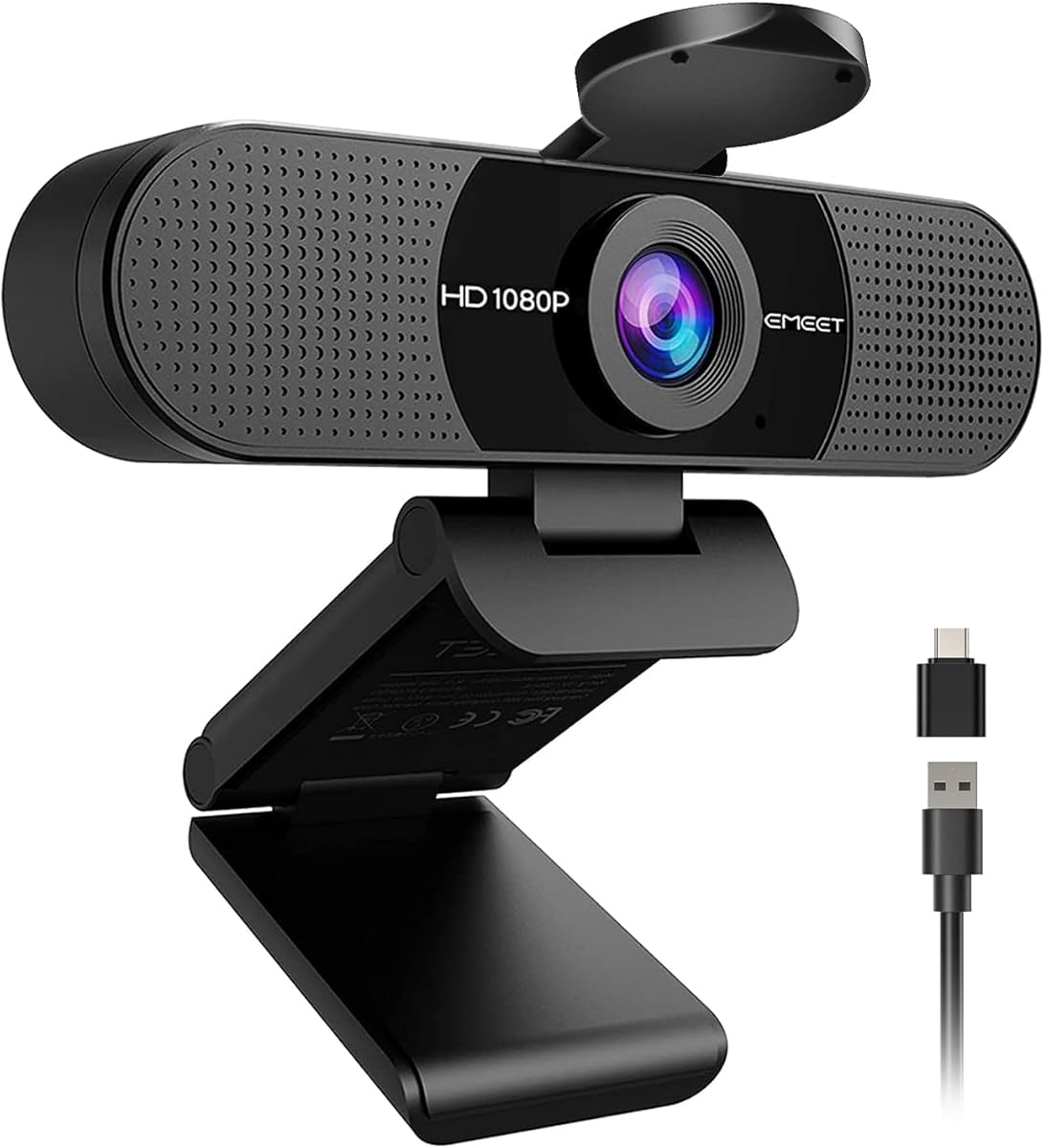
EMEET C960 1080P Webcam with Microphone, 2 Mics, 90° FOV, Computer Camera
4.4Editor score
1080P video with privacy cover
Built-in omnidirectional dual mics
Automatic exposure light adjustment
Explore the top 1080p webcams for video calls and streaming. We compare quality, features, and performance to help you choose the best camera for your setup.
Finding the right webcam is essential for clear video calls and professional streaming. A good 1080p webcam ensures sharp images and reliable performance during important meetings or content creation sessions.
We evaluated ten top models based on video quality, audio performance, and ease of use. Each pick offers unique strengths for different budgets and needs in today’s hybrid work environment.
Every selection highlights key features and real-world performance insights. Note that pricing fluctuates frequently, so check current deals before making your final purchase decision online today.
4.4Editor score
4.6Editor score

4.4Editor score
This side-by-side comparison highlights the core specifications and features of each selected webcam to help you quickly identify the right fit for your specific workflow and budget constraints.



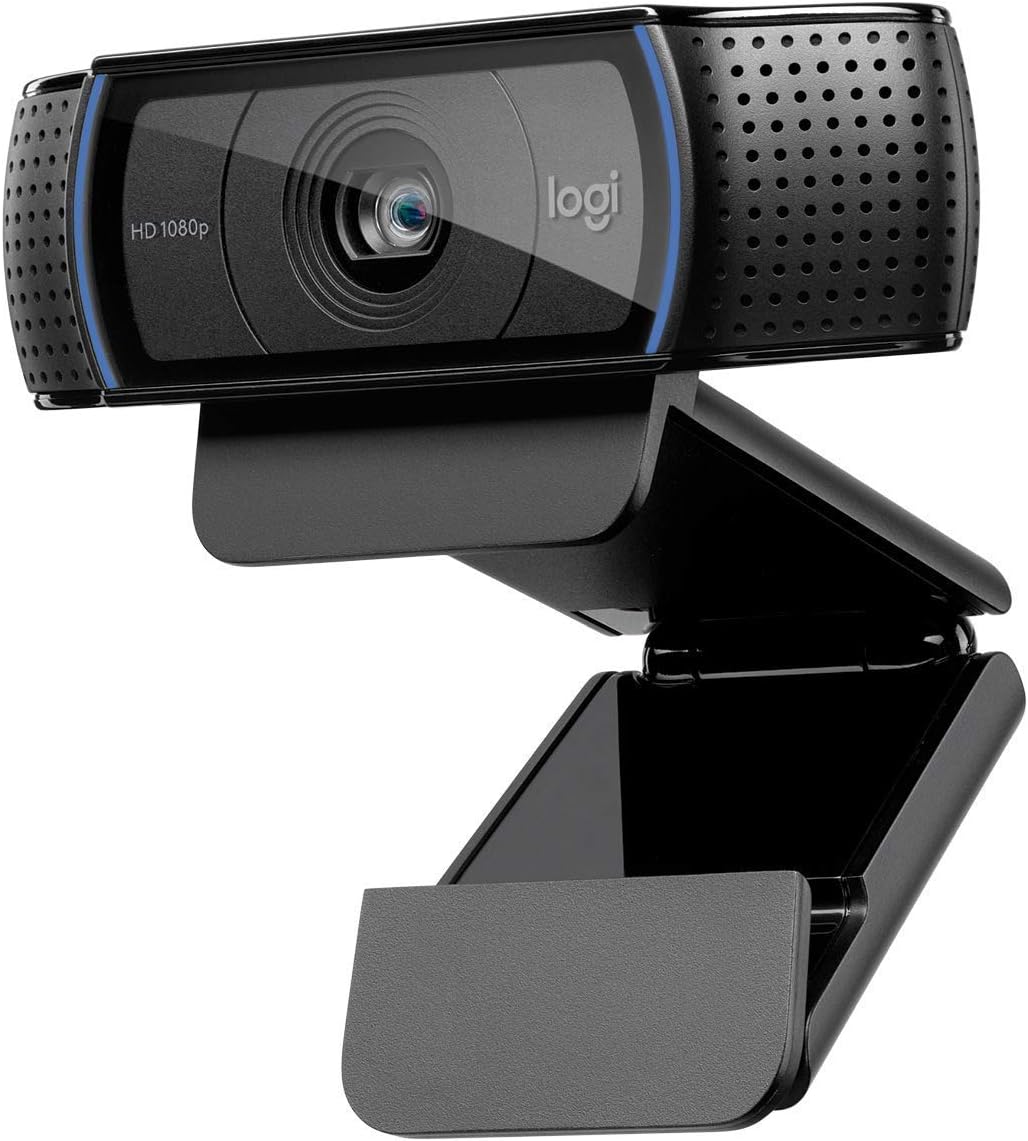


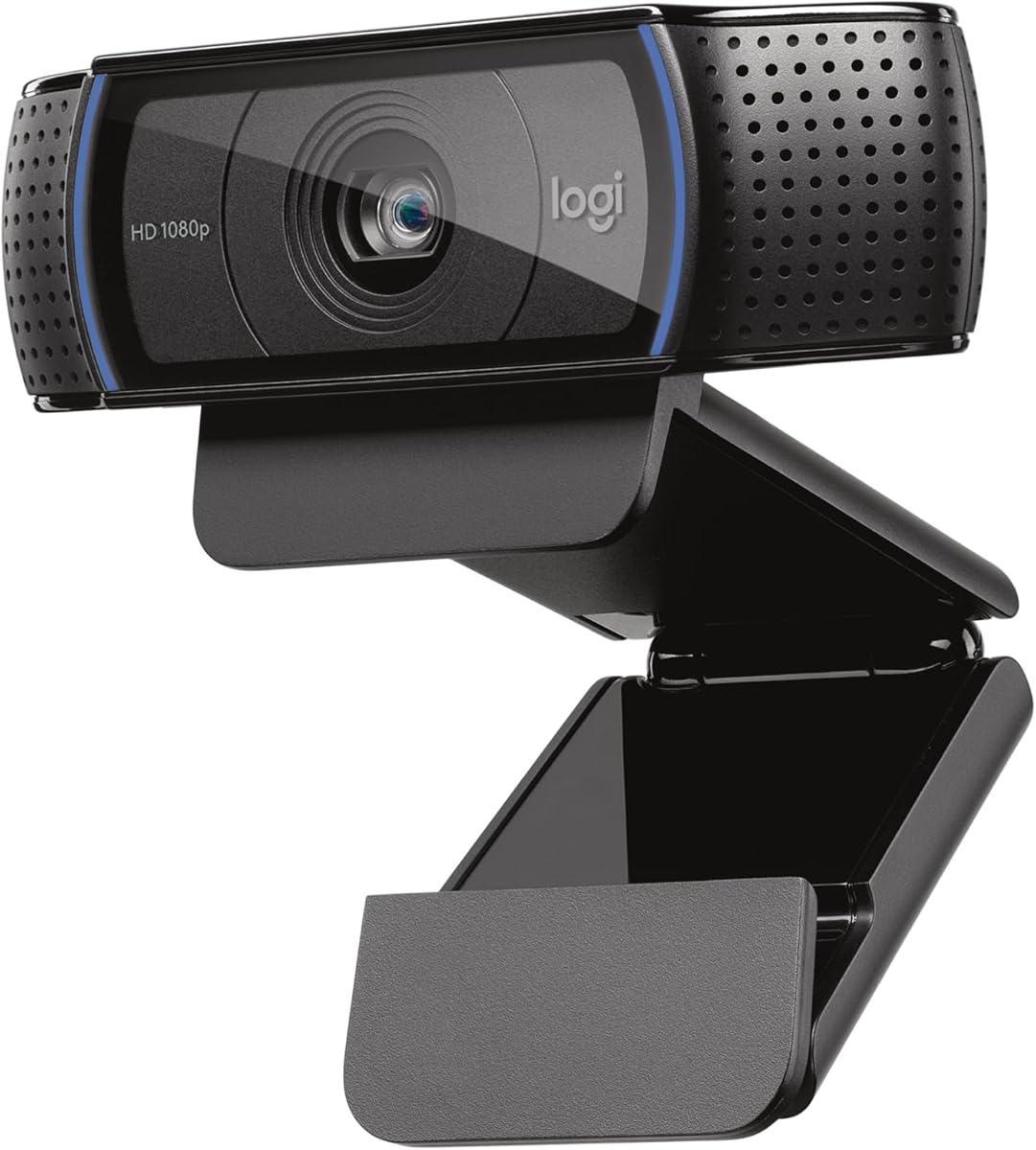
The Logitech C920x HD Pro delivers premium video quality suitable for both professional meetings and streaming content. It holds a strong rating and consistently ranks high among users seeking reliable 1080p performance.
We may earn a commission when you buy through this link, at no additional cost to you.
Its standout feature is the combination of HD autofocus and automatic lighting adjustment which ensures you look sharp even in dim environments. The dual microphones capture natural stereo sound that rivals dedicated external mics in many home office setups.
While it lacks a physical privacy shutter which some competitors offer the software XSplit VCam license helps mitigate background distractions. The fixed 30fps rate is standard for webcams in this price class but may not suit high frame rate gaming streaming.
This model is ideal for anyone wanting a balance of quality and value. Whether you are hosting Zoom meetings or broadcasting to YouTube the clear image and audio make it a dependable choice for daily virtual collaboration.
The HD autofocus ensures your face remains sharp throughout the call regardless of movement or lighting shifts in your room.
Dual mics record stereo sound reducing the need for external audio gear while maintaining clarity during group calls.
We may earn a commission when you buy through this link, at no additional cost to you.
The EMEET C960 offers impressive performance at a budget friendly price making it accessible for students or casual users. It scores well for clarity and convenience with a built-in privacy cover that adds security peace of mind.
We may earn a commission when you buy through this link, at no additional cost to you.
Its wide 90 degree field of view captures more of your environment which is useful for showing whiteboards or group interactions. The automatic exposure adjustment helps maintain image brightness even when lighting conditions fluctuate during your workday.
The fixed focus range works well for standard desk distances but limits flexibility if you move around significantly. Compatibility is broad but note it does not support Windows Hello facial authentication which might matter for secure enterprise environments.
If you need an affordable camera that covers basics without extra cost this is a smart pick. It performs reliably for Zoom Google Meet and general video calls while keeping your lens covered when not in use.
The included privacy cover slides easily over the lens giving you instant control over when the camera is active.
Support for both USB A and C adapters ensures it works with most modern laptops and docking stations without extra hubs.
We may earn a commission when you buy through this link, at no additional cost to you.
The Logitech Brio 101 stands out for its RightLight technology that enhances brightness and reduces shadows automatically. This model brings premium aesthetics to your desk while delivering solid 1080p clarity for video meetings and casual streaming.
We may earn a commission when you buy through this link, at no additional cost to you.
Its integrated privacy slide is simple and reliable protecting your lens when calls end. The Logi Options+ app allows customization of zoom and framing giving you control over your presentation without cluttering your setup with extra hardware.
While it lacks some advanced software options found in higher end models the hardware quality is dependable. The microphone is clear enough for standard calls but may need an upgrade if you prioritize voice clarity for podcasting or professional narration.
For users who value design and ease of use this webcam is a strong contender. It bridges the gap between everyday usability and premium features making it suitable for remote workers who want a professional look on camera.
This feature boosts brightness up to 50 percent ensuring you look well-lit even in rooms with poor natural lighting.
Constructed with a minimum of 77 percent post-consumer recycled plastic reflecting a commitment to environmental responsibility.
We may earn a commission when you buy through this link, at no additional cost to you.
The Logitech C920S HD Pro builds on the classic C920 design by adding a privacy shutter for enhanced security. It maintains a high user rating for its consistent video quality and reliable performance across various video calling platforms.
We may earn a commission when you buy through this link, at no additional cost to you.
Its glass lens ensures crisp image capture and full HD 1080P video recording looks vibrant and detailed. The stereo audio with dual mics means you can often skip external microphones for general conference use which simplifies your desk setup.
Unlike some newer versions this model does not include an XSplit VCam license which might be a downside for streamers wanting background replacement features. The price reflects the added privacy hardware so budget conscious buyers might weigh that against software needs.
This webcam is a solid investment for professionals who need secure and clear video conferencing. The privacy shutter adds peace of mind for home offices and the image quality remains top notch for daily interactions.
The privacy shutter gives you manual control over the lens so no one sees you when the camera is idle.
Glass lens technology ensures your recorded videos stay crisp and vibrantly colored without digital noise.
We may earn a commission when you buy through this link, at no additional cost to you.
The Logitech C920e HD is designed with business users in mind offering certification for major platforms like Zoom and Microsoft Teams. It features a 78 degree fixed field of view that frames individual users nicely without excessive background clutter.
We may earn a commission when you buy through this link, at no additional cost to you.
Its attachable privacy screen flips up and down to cover the lens providing a visual confirmation of privacy status. The two omnidirectional microphones capture voice clearly from up to one meter away making it ideal for conference tables or solo offices.
For organizations using Sync device management software this webcam allows remote updates and monitoring which ensures devices stay current. However the fixed field of view is narrower than consumer models which may limit use for capturing multiple people in a room.
If you need a device that integrates seamlessly with corporate IT systems this is a reliable choice. The certified compatibility reduces setup friction and the sturdy clip makes mounting on laptops or monitors effortless for daily use.
Being certified for Zoom and Teams ensures seamless integration and stability in corporate video calling environments.
The attachable privacy screen allows a quick glance to confirm the lens is covered ensuring no unintended recording.
We may earn a commission when you buy through this link, at no additional cost to you.
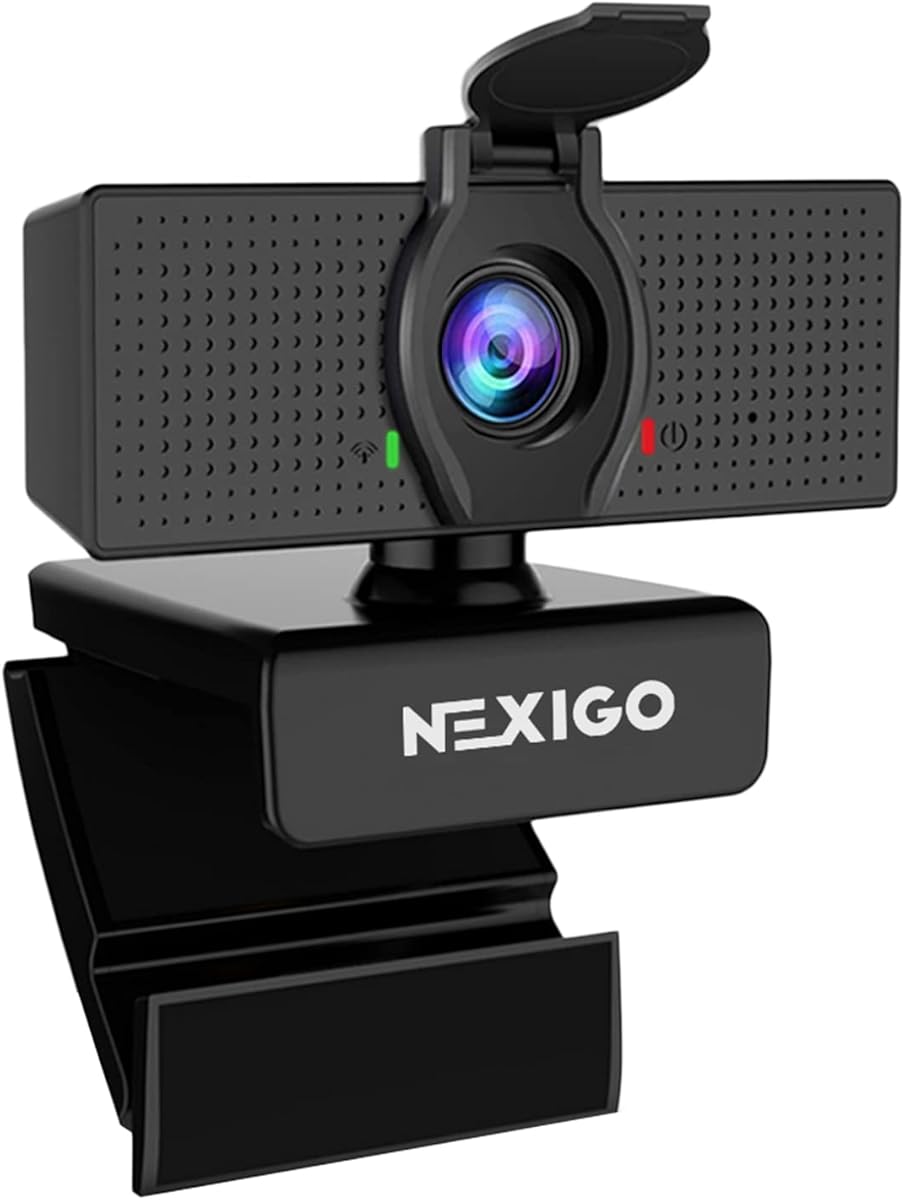
The NexiGo N60 provides solid performance for cross-platform use with compatibility across Windows Mac and Linux systems. It features a two-MP CMOS sensor that delivers clear 1080P video at 30fps for standard video calls and online schooling.
We may earn a commission when you buy through this link, at no additional cost to you.
Its built-in noise-cancelling microphone reduces ambient noise enhancing the sound quality of your video without extra accessories. The privacy protection cover blocks the lens when not in use offering security and peace of mind for users concerned about privacy.
Some users report occasional audio delays which can be resolved by updating the firmware through manufacturer support. Additionally it does not work with gaming consoles like Xbox or PS5 limiting its utility for console-based streaming or video calls.
This webcam is a practical choice for multi-device environments where compatibility is key. If you switch between different operating systems and need a reliable video tool with privacy protection it fits well into diverse work setups.
Compatible with Mac OS Windows and Linux allowing flexible use across different operating systems without extra drivers.
The noise-cancelling microphone filters out background sounds so your voice remains clear during busy environments.
We may earn a commission when you buy through this link, at no additional cost to you.
The EMEET S600 stands out with a 4K Sony sensor that delivers exceptional clarity for streaming and content creation. It supports versatile resolutions including 1080P at 60fps which ensures smooth video for high motion scenarios or gaming streams.
We may earn a commission when you buy through this link, at no additional cost to you.
Advanced PDAF autofocus offers faster speed and higher precision compared to standard autofocus keeping your image sharp even during movement. The adjustable field of view at 1080P allows you to tailor the frame to focus on yourself or your surroundings as needed.
Noise-canceling features are enabled by default reducing background sounds which enhances audio quality for live broadcasts. However to unlock all customization options you may need the EMEETLINK software which adds a small step to the initial setup process.
This webcam is ideal for aspiring streamers or creators who demand top tier visual quality. The rugged design with flexible rotation makes it easy to find the perfect angle for your content while maintaining stability during use.
PDAF technology provides faster and more stable focus ensuring you stay sharp even during active video sessions.
With 4K at 30FPS and 1080P at 60FPS it supports both high resolution and smooth frame rates for live broadcasts.
We may earn a commission when you buy through this link, at no additional cost to you.
The Logitech HD Pro C920 is a classic model that has maintained popularity due to its reliable performance and ease of use. It delivers Full HD 1080p video quality suitable for desktop or laptop setups without requiring additional drivers or software.
We may earn a commission when you buy through this link, at no additional cost to you.
Its widescreen video calling capability ensures your meetings fill the screen appropriately which is useful for professional presentations. The standard autofocus and built-in microphone provide clear audio and video for daily interactions without complex configuration steps.
While newer models offer enhanced features like privacy shutters or advanced light correction this unit remains a solid workhorse. The lack of a privacy shutter might be a drawback for security-conscious users who prefer physical lens covers when not in use.
For those seeking a straightforward dependable webcam without extra bells and whistles this model fits the bill. It continues to be a trusted option for home offices and general video conferencing needs.
Years of consistent use by millions of users confirm its reliability for everyday video calls and recording needs.
Plug and play compatibility means you can start your first call within minutes of connecting the USB cable.
We may earn a commission when you buy through this link, at no additional cost to you.
The Logitech Brio 105 offers great value for businesses needing reliable Full HD 1080p webcams across multiple employee devices. It includes RightLight 2 technology that automatically improves image quality in suboptimal conditions ensuring you look professional even in dim lighting.
We may earn a commission when you buy through this link, at no additional cost to you.
An integrated webcam cover gives employees extra confidence that their privacy is protected especially when working from home. The webcam is certified for Google Meet and works seamlessly with Chromebooks which is ideal for organizations using Google Workspace ecosystems.
While audio quality is functional it may not impress for high-end meetings requiring crystal clear voice. The lack of higher frame rates limits its use for high motion streaming but for standard business calls it performs admirably.
Remote deployment via Logitech Sync ensures all devices stay up to date without manual intervention. This makes it a practical choice for IT managers looking for a secure cost-effective solution for remote workforce video collaboration.
RightLight 2 automatically adjusts brightness helping you look well-lit without needing extra lamps or studio lights.
Certification for Google Meet ensures seamless integration with enterprise video calling platforms and workflows.
We may earn a commission when you buy through this link, at no additional cost to you.
The Logitech Brio 100 renewed option provides access to trusted video quality at a lower price point for cost-conscious users. It delivers Full HD 1080p resolution at 30fps ensuring clear and smooth video streaming and recording for daily tasks.
We may earn a commission when you buy through this link, at no additional cost to you.
With a 58 degree diagonal field of view it captures your surroundings well enough for individual calls without showing too much background. Plug and Play compatibility means it works seamlessly with popular video conferencing applications without needing extra drivers.
Because it is a renewed product condition may vary so checking seller ratings is recommended. While the field of view is narrower than wide-angle models it suffices for standard video calls where the focus is on the speaker.
This is a smart pick for buyers wanting a reliable brand without paying premium new prices. The built-in microphone and smooth setup make it a convenient all-in-one solution for home or office video conferencing.
Buying renewed allows access to high-end webcam quality at a fraction of the cost while maintaining functionality.
Built-in microphone and plug and play support reduce the need for extra hardware or complex installation steps.
We may earn a commission when you buy through this link, at no additional cost to you.
Selecting the right webcam depends on your specific needs whether for business meetings streaming or casual calls. Here are key factors to consider.
1080p resolution is the standard for clear video calls. It ensures sharp images without requiring excessive bandwidth. Look for sensors that support full HD at 30fps or higher for smooth motion.
Prioritize 1080p over 720p to maintain professional image quality during important meetings.
The field of view determines how much of your surroundings the camera captures. Wider angles are better for showing whiteboards or multiple people while narrower ones focus on you.
Choose a view based on your workspace size and whether you often share objects during calls.
Autofocus keeps your image sharp as you move or adjust your position. Advanced phase detection autofocus offers faster and more accurate tracking compared to standard options.
Ensure the webcam has responsive autofocus to avoid blurry images during active sessions.
Automatic light correction ensures you look well-lit even in dim environments. Technologies like RightLight adjust exposure and brightness automatically.
Check for auto-light features if your workspace has inconsistent lighting conditions.
Built-in microphones vary widely in quality. Dual mics with noise cancellation help reduce background noise and capture clear voice audio.
For important calls verify the mic performance to avoid needing external audio equipment.
Privacy shutters or covers give you control over when the camera is active. Physical covers provide peace of mind against unauthorized access.
Select a model with a privacy cover if security is a top priority for your home office.
Ensure the webcam works with your preferred conferencing tools like Zoom Microsoft Teams or Google Meet. Some models offer specialized certification for better integration.
Check operating system support to avoid driver issues during installation.
USB A connections are standard but USB C may be needed for modern laptops. Consider adapters if your device lacks the required port.
Verify the connection matches your computer’s available ports for seamless setup.
Position the webcam at eye level on your monitor or laptop lid to ensure a natural angle. Use a stable surface to avoid shaky video during calls.
Clean the lens regularly with a soft microfiber cloth to maintain image clarity. Avoid harsh chemicals that might damage the glass coating.
Cover the lens when not in use using the built-in privacy shutter or an external cover. This prevents accidental video recording and protects your privacy.
Most 1080p webcams are compatible with Zoom but certification ensures optimal performance. Check the product details for specific platform support to avoid software issues.
Autofocus adjusts focus automatically based on movement while fixed focus is set for a specific distance. Autofocus is better if you move during calls.
Most modern webcams are plug and play and do not need extra drivers. However some advanced features may require installing companion software.
Add better lighting in front of you rather than behind. Ensure the lens is clean and adjust settings through the companion software if available.
Physical privacy shutters are highly effective at blocking the lens. They provide visual confirmation that the camera is inactive when not in use.
Most webcams support macOS but verify system requirements before buying. Check for any software needs for full feature access on Mac systems.
We highlighted ten excellent 1080p webcams that cater to different budgets and use cases. The Logitech C920x remains our top pick for its balanced quality and features.
Prioritize autofocus light correction and privacy features based on your daily video needs. A good camera enhances professionalism and comfort during virtual interactions.
Prices change frequently so verify current deals before purchasing. Check the links provided for the latest offers on these models.