
Vogzone for MCX4121A-ACAT ConnectX-4 Lx 25GbE Dual SFP28 PCIe 3.0 x8 NIC
4.7Editor score
Mellanox ConnectX-4 Lx controller
Dual SFP28 ports support
RDMA and RoCE support
This guide compares the top 25GbE network cards for servers and workstations, analyzing performance, compatibility, and features to help you choose the right
Choosing the right network card is essential for modern data centers and high performance workstations. A 25GbE network card provides the bandwidth needed for rapid data transfer and reduced latency in demanding environments.
We evaluated ten leading models based on controller type, interface speed, and software support. Each option was reviewed for its ability to handle virtualization, storage, and cloud workloads effectively without compromising stability.
Every pick highlights key strengths and potential limitations to guide your decision. Note that stock availability and pricing fluctuate regularly, so verify current details before purchasing to ensure compatibility with your specific setup.
4.7Editor score

5.0Editor score

5.0Editor score
The following table provides a side-by-side overview of the ten selected network cards. It highlights core specifications, controller types, and interface standards to help you quickly identify the best fit for your infrastructure needs.


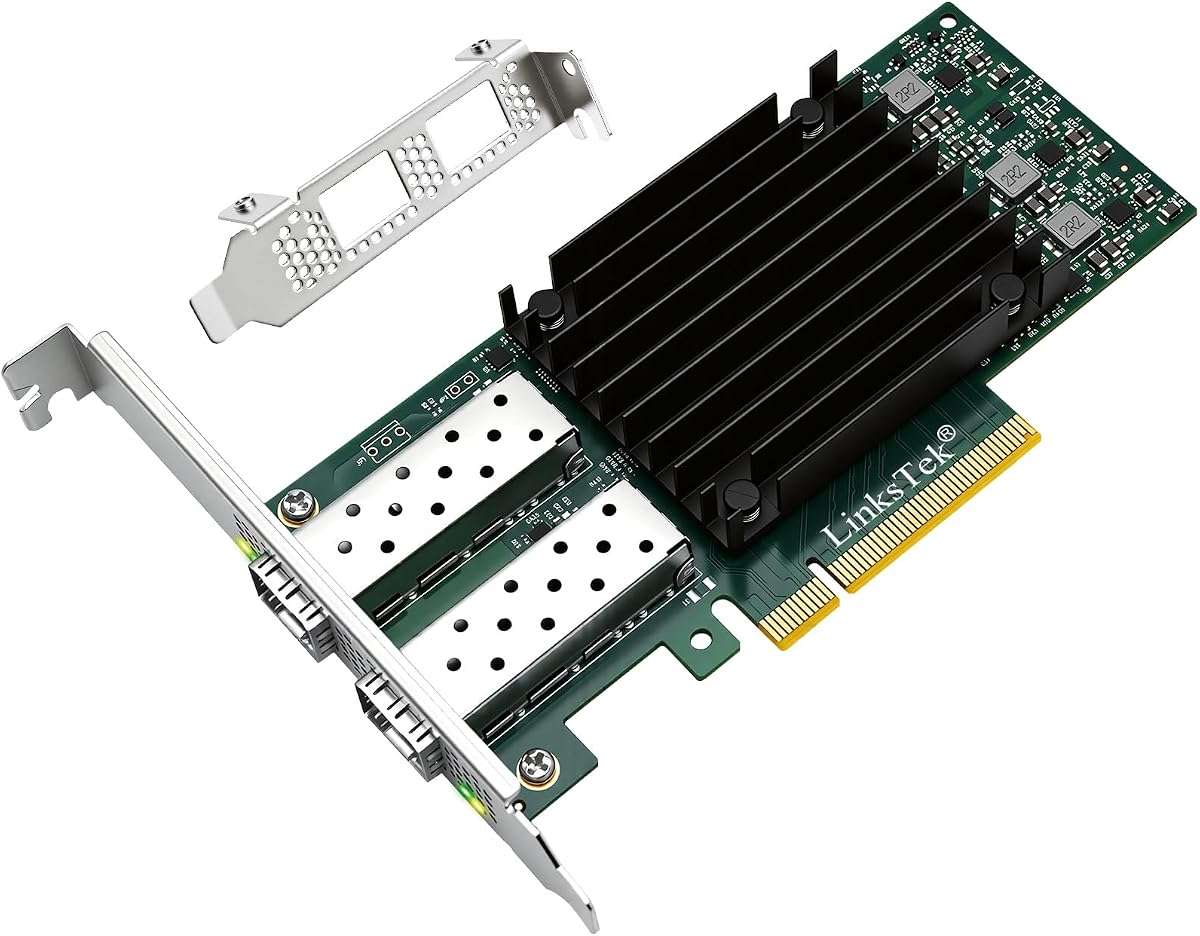


The 10Gtek 25G Ethernet Network Card stands out as a top choice for users seeking robust performance without excessive cost. It features the Intel E810 controller, which is known for its reliability and efficiency in modern data centers. This model offers dual SFP28 ports that can handle speeds up to 25GbE, making it ideal for high-throughput environments. Its full support for PCIe 4.0 ensures that bandwidth bottlenecks are minimized even under heavy loads.
We may earn a commission when you buy through this link, at no additional cost to you.
One of the strongest aspects of this card is its compatibility with a vast range of operating systems. Whether you are running Windows Server, various Linux distributions like Ubuntu or CentOS, or virtualization platforms like VMware ESXi, this adapter integrates smoothly. The inclusion of RDMA support via RoCEv2 and iWARP allows for efficient data transfer in storage and high-performance computing scenarios. Additionally, the card supports advanced features like SR-IOV and DPDK, which are crucial for cloud and NFV workloads.
While the card is highly capable, there are a few trade-offs to consider. It does not support macOS, which limits its use for Apple-based workstations. Furthermore, like most network cards, it does not include transceivers or DAC cables, so you will need to purchase those separately to connect to your network. However, given its performance and feature set, these are standard limitations rather than significant drawbacks.
This card is best suited for IT professionals and organizations looking to upgrade their server infrastructure to 25GbE speeds. If you need a reliable, high-speed connection for file sharing, virtualization, or storage clustering, this model delivers excellent value. Its broad compatibility and advanced offload capabilities make it a versatile choice for diverse networking needs.
The Intel E810 controller provides advanced traffic steering and optimized packet processing for efficient network operations.
Features like SR-IOV and DPDK enable efficient resource management and high performance in virtualized environments.
We may earn a commission when you buy through this link, at no additional cost to you.
The Sonnet Twin25G T5 is a premium solution designed for professionals who need high-speed networking on Thunderbolt-equipped computers. It adds dual 25GbE network connections via Thunderbolt 5, allowing for seamless integration with existing 10GbE infrastructure while supporting future 25GbE upgrades. This adapter is particularly valuable for media production studios and AI workflows where rapid data transfer is critical for productivity.
We may earn a commission when you buy through this link, at no additional cost to you.
One of the standout features of this adapter is that it includes two 25GBASE-SR SFP28 optical transceivers. This means you can deploy it immediately on compatible fiber network infrastructure without needing additional purchases. The Thunderbolt 5 interface ensures full performance for both ports simultaneously, providing up to 50 Gbps aggregate bandwidth. Additionally, the adapter includes a second Thunderbolt port for connecting other peripherals or displays, adding versatility to your setup.
Despite its many strengths, this adapter comes with a higher price tag compared to PCIe-based options. It also requires a computer with Thunderbolt 5, Thunderbolt 4, Thunderbolt 3, or USB4 ports to function, which may limit compatibility for older systems. However, for users with modern Macs or Windows workstations requiring fast external connectivity, the investment is justified by the performance and included components.
This adapter is ideal for creative professionals, video editors, and researchers who work with large datasets or media files. If you need to connect your high-performance workstation to a fast network storage system without opening your computer case, this is an excellent choice. Its compact, noiseless design makes it suitable for quiet offices and studios.
Delivers the bandwidth needed to support both 25GbE ports simultaneously on Thunderbolt 5 computers with full speed.
Includes two 25GBASE-SR SFP28 optical transceivers for immediate deployment on fiber network infrastructure.
We may earn a commission when you buy through this link, at no additional cost to you.
The Vogzone MCX4121A-ACAT offers an affordable entry point into 25GbE networking while maintaining high performance standards. It uses the Mellanox ConnectX-4 Lx controller, which provides true hardware-based I/O isolation and unmatched scalability. This makes it a cost-effective and flexible solution for web applications, cloud environments, and storage platforms that require high throughput and low latency.
We may earn a commission when you buy through this link, at no additional cost to you.
This card supports dual SFP28 ports that can handle data rates of 1GbE, 10GbE, or 25GbE, allowing you to connect to various network cable types. It is compatible with a wide range of operating systems including Windows, Linux distributions, and virtualization platforms like VMware ESXi. Technical support includes features like iPXE, DPDK, and SR-IOV, which are essential for modern virtualization and data center environments.
While the card is highly competitive on price, it uses a PCIe v3.0 interface which may be slower than newer PCIe 4.0 options in certain high-bandwidth scenarios. Additionally, detailed warranty information is not explicitly stated in the product description, which could be a consideration for enterprise buyers. However, for many users, the performance and feature set make this a compelling budget-friendly option.
This network card is best suited for small to medium businesses or home labs looking to upgrade their network speed without breaking the budget. If you need reliable 25GbE connectivity for data analytics, databases, or cloud storage, this adapter provides excellent value. Its support for RDMA and various virtualization technologies ensures it can handle demanding workloads efficiently.
The Mellanox ConnectX-4 Lx controller provides true hardware-based I/O isolation with unmatched scalability and efficiency.
SR-IOV technology enables efficient management of I/O resources of virtual machines by sharing physical resources.
We may earn a commission when you buy through this link, at no additional cost to you.
The QXG-25G2SF-E810 is a two-port 25GbE network card designed for reliable data transfer in enterprise-level networks. It is equipped with the Intel E810-XXVAM2 controller, which ensures stable performance and efficient data handling. This card supports Port Trunking to combine both ports to achieve up to 50 Gbps transfer speeds, accelerating file sharing and intensive data transfer tasks.
We may earn a commission when you buy through this link, at no additional cost to you.
One of its notable features is Forward Error Correction (FEC), which ensures reliable data transfer in enterprise environments. This is particularly useful for maintaining data integrity over high-speed connections. The card is also compatible with QNAP's QTS and QuTS hero operating systems, making it a good choice for QNAP NAS users looking to upgrade their network capabilities. It supports a variety of operating systems including Windows and Linux.
While the product rating is listed as N/A, the technical specifications suggest a robust build for enterprise use. However, its primary focus on QNAP compatibility might limit its appeal to users of other storage systems. Additionally, it uses PCIe Gen 3 x8, which may be slightly older than newer PCIe 4.0 options but still sufficient for 25GbE speeds.
This card is ideal for QNAP NAS users or enterprises needing a reliable 25GbE connection with advanced error correction. If you require port trunking for higher aggregate bandwidth and need a card that integrates well with QNAP systems, this model is a strong candidate. Its inclusion of a low-profile bracket adds flexibility for installation in various chassis sizes.
FEC ensures reliable data transfer in enterprise-level networks by detecting and correcting errors in data streams.
Combines both ports to achieve up to 50 Gbps transfer speeds for accelerating file sharing and data transfer.
We may earn a commission when you buy through this link, at no additional cost to you.
The Synology 2-Port 25GbE SFP28 PCIe Network Adapter is purpose-built for use with Synology systems. It offers two 25GbE ports that support high-performance storage applications and enable higher simultaneous throughput. This adapter is designed to work seamlessly with Synology NAS devices, providing reliable connectivity for storage-intensive tasks.
We may earn a commission when you buy through this link, at no additional cost to you.
One of its key advantages is the inclusion of a 5-year warranty, which provides long-term peace of mind for users. The adapter supports port failover and load balancing, ensuring network reliability and efficient data distribution. It requires DSM 7.1.1 Update 5 or above, so users should verify their system is updated before installation to ensure compatibility and optimal performance.
However, the product is specifically designed for Synology systems, which limits its compatibility with other brands. The rating of 3.6 suggests that some users may have experienced challenges or limitations in their setups. Additionally, the requirement for a specific DSM version means that older systems may need an update before this card can be utilized effectively.
This adapter is best for Synology NAS owners looking to upgrade to 25GbE speeds with a reliable warranty. If you need high-performance storage connections and want a card that integrates tightly with your Synology environment, this is a strong choice. Ensure your DSM version is up to date to avoid compatibility issues.
Purpose-built for use with Synology systems to ensure seamless integration and performance with their hardware.
Enables higher simultaneous throughput, port failover, and load balancing for reliable storage applications.
We may earn a commission when you buy through this link, at no additional cost to you.
The CX4121A Dual 25Gb/s adapter is a dual 25GbE SFP28 fiber port solution based on the Mellanox ConnectX-4 Lx EN MT27711A0 controller. It provides a cost-effective and flexible Ethernet solution for Web 2.0, cloud, data analytics, database, and storage platforms. This card supports PCIe Gen 3.0 x8 interface ensuring 2x SFP28 Fiber Ports archive 25GbE simultaneously.
We may earn a commission when you buy through this link, at no additional cost to you.
It includes support for RDMA over RoCE, which is essential for high-performance storage and virtualization. The card supports IEEE 802.3by, 25 Gb/s, and other standards ensuring compatibility with a wide range of network equipment. It is also compatible with various operating systems including Windows Server, RHEL, CentOS, and VMware, making it versatile for mixed environments.
While the adapter is highly capable, it uses PCIe Gen 3.0 which may not offer the bandwidth headroom of newer PCIe 4.0 options. Additionally, transceivers are not included, so you will need to purchase them separately. However, for users needing a reliable Mellanox-based solution at a competitive price, this card delivers excellent performance and features.
This network card is ideal for storage servers and virtualization environments requiring RDMA support and reliable connectivity. If you need a flexible Ethernet solution for cloud or data analytics, this adapter provides strong value. Its broad OS support ensures it can integrate into diverse infrastructure setups seamlessly.
Supports RDMA over RoCE for low-latency, high-throughput data transfer in storage and virtualization.
Supports IEEE 802.3by and other standards ensuring compatibility with wide range of network equipment.
We may earn a commission when you buy through this link, at no additional cost to you.
The Intel Ethernet Network Adapter XXV710-DA2 is designed for high-performance enterprise networking. It complies with IEEE 802.3by and 25GEthernet.org specifications ensuring reliable connectivity. The card includes network virtualization offloads including VXLAN, GENEVE, and NVGRE which are crucial for modern cloud deployments.
We may earn a commission when you buy through this link, at no additional cost to you.
It features Intel Ethernet Flow Director for hardware-based application traffic steering which improves network efficiency. The DPDK optimization allows for efficient packet processing in high-throughput environments. The adapter also supports I/O virtualization innovations for maximum performance in virtualized servers and includes adaptive link establishment for increased interoperability with switches and host controllers.
While the card offers excellent performance and features it uses PCIe v3.0 which is standard for 25GbE but may not offer headroom for future upgrades. Transceivers are also not included which means you will need to purchase them separately. However, for enterprises needing a reliable Intel-based solution with advanced virtualization features this adapter is a strong choice.
This adapter is ideal for enterprise servers and NFV workloads requiring high performance and virtualization offloads. If you need efficient packet processing and compatibility with Intel Xeon processors this is an excellent option. Its adaptive link establishment ensures better interoperability in complex network environments.
Includes VXLAN, GENEVE, NVGRE offloads for efficient cloud deployments and network efficiency.
DPDK optimized for efficient packet processing in high-throughput environments ensuring better performance.
We may earn a commission when you buy through this link, at no additional cost to you.
The GLOTRENDS ST7400 is a 2-Port 25Gb SFP28 OCP 3.0 server network card designed for modern server environments. It uses the Intel E810-XXVAM2 controller which delivers stable 25GbE throughput with on-chip QoS and traffic management. This card supports PCIe 4.0 x8 providing high bandwidth for demanding workloads.
We may earn a commission when you buy through this link, at no additional cost to you.
It features dual 25GbE SFP28 ports with auto-negotiation per port allowing connection to 25/10/1GbE networks. The card supports advanced features like IEEE 1588 PTP iWARP/RDMA and RoCEv2/RDMA for low-latency server and virtualization networks. It also works with a wide range of operating systems including Windows Server Linux distributions and FreeBSD.
While the card offers modern features it requires an OCP 3.0 slot which may not be available in all systems. The product rating is N/A which means there is limited user feedback available. However its PCIe 4.0 x8 interface and Intel E810 controller suggest strong performance for server and storage applications.
This adapter is best for servers requiring OCP 3.0 interfaces and modern networking capabilities. If you need RDMA support and flexible OS compatibility for NAS or virtualization this card is a solid choice. Ensure your server supports OCP 3.0 before purchasing to avoid compatibility issues.
Original Intel E810-XXVAM2 controller delivers stable 25GbE throughput with on-chip QoS and traffic management.
Includes iWARP/RDMA and RoCEv2/RDMA for low-latency server and storage network applications.
We may earn a commission when you buy through this link, at no additional cost to you.
The Sonnet Twin25G PCIe offers a powerful way to add dual optical 25GbE connections to any computer with PCIe card slots. It is compatible with Mac, Windows, and Linux operating systems making it versatile for mixed environments. The adapter includes two 25GBASE-SFP28 transceivers allowing immediate deployment without additional purchases.
We may earn a commission when you buy through this link, at no additional cost to you.
It supports backward compatibility with 10GbE infrastructure enabling seamless integration with existing networks. This allows users to upgrade gradually while maintaining connectivity. The adapter also supports Sonnet's Thunderbolt Expansion Systems for adding 25Gb Ethernet to computers without expansion card slots.
However the product is not compatible with macOS 15.3.1 or 15.4 which may limit its use for newer Mac users. Apple updates are pending to resolve this issue. Despite this the included transceivers and broad OS support make it a convenient choice for users seeking plug-and-play 25GbE connectivity.
This network card is ideal for Mac or Windows users needing dual optical 25GbE connections for media production or storage. If you want an easy upgrade with included transceivers and backward compatibility this is a strong option. Check your macOS version before purchasing to ensure compatibility.
Simply powerful way to add dual optical 25GbE connections to any computer with PCIe card slots.
High-performance adapter includes two 25GBASE-SFP28 transceivers for immediate deployment without additional purchases.
We may earn a commission when you buy through this link, at no additional cost to you.
The Mellanox MCX512A-ACAT CONNECTX-5 EN Network Interface Card provides intelligent RDMA-enabled connectivity for web cloud storage and telco platforms. It features a dual-port SFP28 interface and PCIe3.0 X8 bus for high throughput. This card is designed for advanced application offload capabilities in demanding environments.
We may earn a commission when you buy through this link, at no additional cost to you.
It supports RDMA which allows for low-latency and high-bandwidth data transfers essential for HPC and cloud workloads. The ConnectX-5 EN controller ensures efficient data processing and network performance. It is compatible with a range of operating systems and virtualization platforms making it versatile for modern data centers.
While the card offers solid performance it uses PCIe3.0 X8 which may not offer the headroom of PCIe 4.0. Limited detailed compatibility information may require users to check documentation before purchase. However its RDMA capabilities and advanced offload features make it a strong choice for high-performance networking needs.
This network card is best for cloud and telco platforms requiring RDMA and advanced offload features. If you need a reliable dual-port 25GbE solution with strong virtualization support this adapter is an excellent choice. Verify compatibility with your specific systems to ensure smooth integration.
Intelligent RDMA-enabled network adapter with advanced application offload capabilities for web cloud and storage platforms.
Dual-Port SFP28 interface ensures flexible connectivity and high throughput for demanding network environments.
We may earn a commission when you buy through this link, at no additional cost to you.
Selecting the right 25GbE network card depends on your server hardware, operating system, and networking requirements. This guide covers key factors to consider before making a purchase.
The controller is the brain of the network card. Intel E810 and Mellanox ConnectX-4 or ConnectX-5 are common choices offering different offload capabilities and feature sets.
Choose a controller that matches your workload needs for virtualization and RDMA support.
Most 25GbE cards use PCIe 3.0 or PCIe 4.0. PCIe 4.0 offers higher bandwidth which may be beneficial for multiple ports or heavy loads.
Ensure your motherboard has the appropriate slot version to avoid bottlenecks.
Cards come with SFP28 ports for fiber optics or DAC cables. Verify your switch and cabling infrastructure support 25GbE to ensure compatibility.
SFP28 ports provide flexibility for various transceivers and cable types.
Check that the card supports your server OS whether Windows Linux or macOS. Some cards have specific requirements like DSM versions for Synology.
Broad OS support ensures easier integration into mixed environments.
RDMA over RoCE or iWARP is essential for high-performance storage and virtualization. Look for cards with SR-IOV and DPDK support for cloud workloads.
Advanced offloads reduce CPU usage and improve network efficiency.
Consider whether you need a low-profile or full-height bracket. Some cards are designed for specific server chassis like OCP 3.0 or SFF form factors.
Choose a form factor that fits your server case securely.
A reliable warranty and accessible support can save time during troubleshooting. Brands like Synology and Sonnet offer longer warranties for peace of mind.
Verify warranty terms and support availability before purchasing.
Some packages include transceivers or brackets while others do not. Verify what is included to budget for additional cables or optics.
Included components can reduce total cost and setup time.
Install the card in a compatible PCIe slot ensuring the system is powered off and static precautions are taken. Secure the bracket properly and connect appropriate SFP28 transceivers or DAC cables.
Install the latest drivers from the manufacturer's website or use built-in OS drivers if available. Configure network settings such as VLANs, MTU, and port aggregation through your OS or management tools.
Maintain optimal performance by keeping drivers updated and monitoring link status. Ensure proper cooling in your server chassis and avoid bending cables excessively to prevent connection issues.
PCIe 4.0 provides double the bandwidth per lane compared to PCIe 3.0. For 25GbE cards this may allow more headroom if using multiple ports or high traffic loads. Most single-port cards work fine with PCIe 3.0.
Many cards do not include transceivers so you will need to purchase SFP28 optical modules or DAC cables separately. Some premium models like Sonnet include transceivers which reduces initial setup costs.
Yes most 25GbE cards support backward compatibility to 10GbE. This allows gradual upgrades where you can connect to existing 10GbE switches while preparing for future 25GbE switch upgrades.
RDMA allows direct memory access between systems bypassing the CPU which reduces latency and CPU load. It is critical for high-performance storage and virtualization workloads requiring fast data transfers.
Some cards like Sonnet adapters support macOS while many enterprise cards do not. Always verify compatibility with your specific macOS version before purchase as support can vary by manufacturer.
Download the latest drivers from the manufacturer's official website. Install them on your OS following provided instructions and restart your system. Verify network connectivity and update firmware if needed.
The top picks include the 10Gtek 25G card for overall value, the Sonnet Twin25G T5 for premium Thunderbolt users, and the Vogzone MCX4121A-ACAT for budget-conscious buyers.
Prioritize controller type and PCIe version to match your server capabilities. Ensure OS compatibility and check warranty terms for long-term reliability.
Remember to verify current prices and availability before purchasing as stock fluctuates regularly. Choose a card that aligns with your performance needs and budget.