Veepeak Mini Bluetooth OBD2 Scanner
4.4Editor score
Compact design
Android only support
Low cost entry
Standard OBDII functions
This expert guide compares the top ten Android OBDII scanner tools for 2026, helping you choose the best Bluetooth diagnostic tool for your vehicle.
Finding the right Android OBDII scanner tool can transform how you manage your vehicle health and maintenance needs. Modern diagnostics rely on wireless connectivity and accurate data to help you identify issues before they become costly repairs.
We have evaluated ten leading scanners based on compatibility, connection stability, app support, and diagnostic depth. Our analysis covers budget-friendly options alongside professional-grade tools designed for serious DIY mechanics and car enthusiasts.
Each selection highlights key strengths, limitations, and ideal use cases to help you make an informed decision. Keep in mind that product availability and pricing may change, so verify details before purchasing your next diagnostic partner.
4.4Editor score

4.5Editor score

4.6Editor score
The following comparison table outlines the core specifications and features of each top-rated Android OBDII scanner tool available in 2026 to help you quickly identify the right fit for your needs.


The BlueDriver OBD2 Scanner Bluetooth stands out as a top choice for Android users seeking reliable diagnostics. With a strong 4.5-star rating and thousands of verified reviews, it offers professional-grade capabilities without the complexity of expensive scan tools.
We may earn a commission when you buy through this link, at no additional cost to you.
This device excels in its ability to read and clear enhanced codes beyond basic check engine lights. Users benefit from unlimited technician-verified repair reports matched to their vehicle VIN, complete with definitions, causes, and confirmed fixes. The live data monitoring allows you to track vehicle performance in real time.
While the hardware price is higher than budget options, the lack of subscription fees makes it a cost-effective long-term solution. Some users may find the range of advanced features overwhelming if they only need basic code reading, but most DIYers appreciate the depth.
For car owners who want confidence in diagnosing issues and understanding repair needs, BlueDriver is an excellent investment. It bridges the gap between simple code readers and professional shop equipment effectively.
Beyond basic OBDII functions, BlueDriver accesses enhanced data from ABS, SRS, and transmission systems depending on vehicle compatibility. This depth helps you identify specific faults rather than generic codes.
The app provides technician-verified repair reports tailored to your VIN. These reports include definitions of trouble codes, probable causes, and confirmed fixes used by professional mechanics, giving you expert insight.
We may earn a commission when you buy through this link, at no additional cost to you.
The OBDLink MX+ is a highly rated professional-grade scanner that turns your Android device into a powerful diagnostic tool. With a 4.6-star rating, it is recommended for users who need enhanced OEM support and access to specialized diagnostic software.
We may earn a commission when you buy through this link, at no additional cost to you.
Its standout feature is the enhanced support for major manufacturers like Ford, GM, Toyota, and Honda. This allows you to access specific parameters and perform tasks that generic scanners cannot. The included firmware updates ensure long-term compatibility with evolving vehicle systems.
Over-voltage and battery drain protection make this tool safe for continuous use without risking vehicle electronics. However, it requires compatible third-party apps to unlock full potential, which may involve separate purchases or subscriptions depending on the app.
If you are a serious DIYer or enthusiast who needs deep vehicle insights, the OBDLink MX+ delivers professional performance. It is ideal for those willing to invest in hardware that supports a wide ecosystem of diagnostic applications.
This scanner offers enhanced support for brands like Ford, GM, Mazda, and Toyota, allowing access to proprietary codes and parameters. This ensures you can perform detailed diagnostics specific to your vehicle make.
Built with over-voltage and battery drain protection, the OBDLink MX+ ensures safe and reliable connectivity. It supports a broad range of apps and operating systems, making it a versatile tool for various diagnostic needs.
We may earn a commission when you buy through this link, at no additional cost to you.
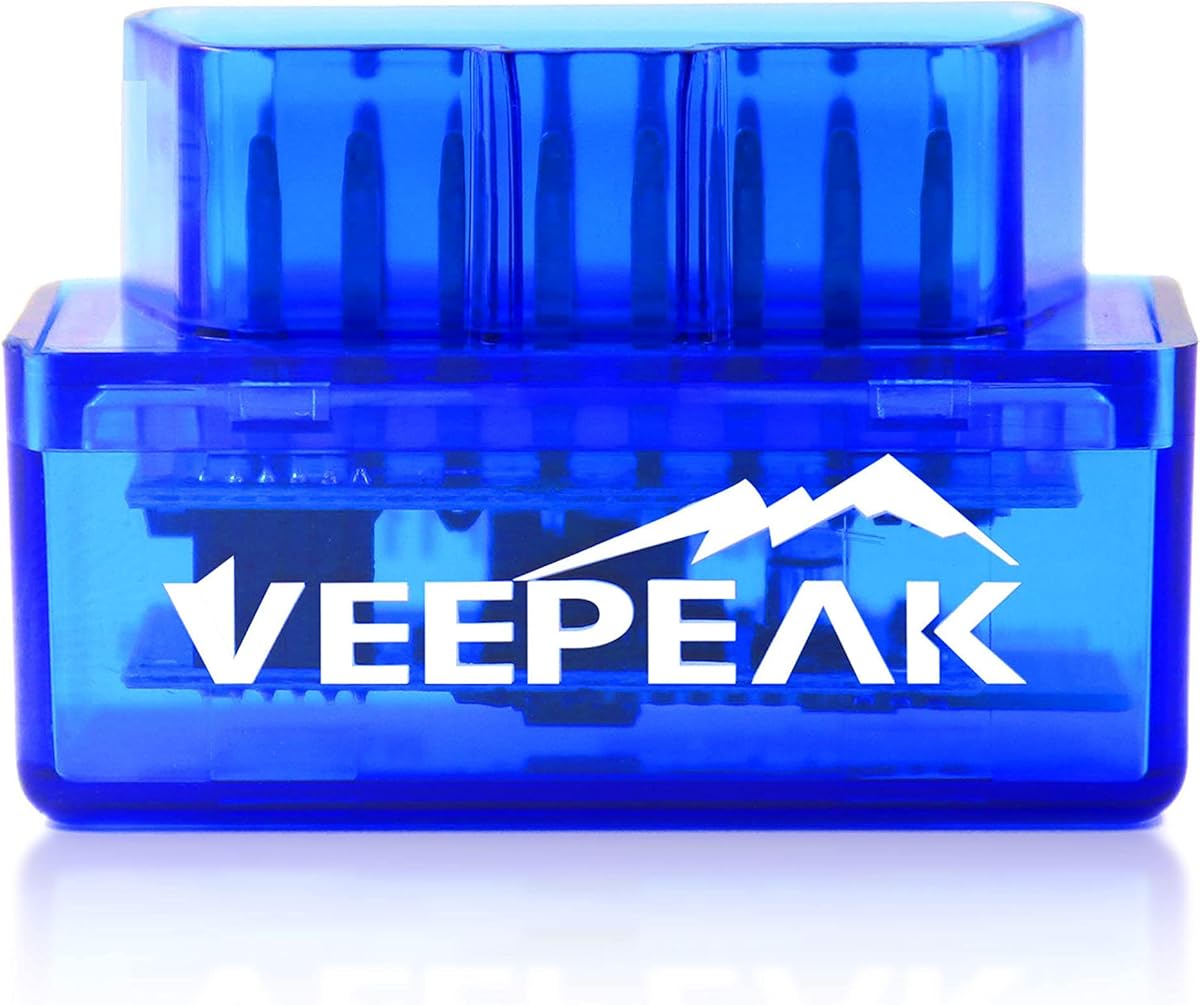
The Veepeak Mini Bluetooth OBD2 Scanner is an affordable entry point for Android users looking to diagnose basic check engine lights. With a 4.4-star rating, it offers essential functionality in a tiny package that is easy to carry anywhere.
We may earn a commission when you buy through this link, at no additional cost to you.
This device supports generic OBDII functions such as reading and clearing trouble codes and viewing live sensor data. It connects via classic Bluetooth to your Android phone, allowing you to use popular apps like Car Scanner or Torque for a customized dashboard experience.
While it is a budget tool, it excludes iOS compatibility and advanced features like ABS or SRS diagnostics. These limitations are acceptable for casual users who simply want to check why a warning light is on without breaking the bank.
For Android phone owners seeking a reliable yet inexpensive way to monitor vehicle health, the Veepeak Mini is a smart choice. It provides core diagnostics without unnecessary complexity or cost, making it ideal for occasional use.
This scanner offers basic diagnostic capabilities at a fraction of the cost of larger tools. It reads generic codes and live data, helping you verify simple issues before visiting a repair shop.
Designed specifically for Android devices, the Veepeak Mini is small and portable. While it lacks iOS support, it provides a convenient solution for users who prefer the Android ecosystem for car diagnostics.
We may earn a commission when you buy through this link, at no additional cost to you.
The Veepeak OBDCheck BLE is a versatile wireless scanner compatible with both iOS and Android devices. Its 4.5-star rating reflects its reliability for standard OBDII diagnostics without the hassle of cables or complex setup.
We may earn a commission when you buy through this link, at no additional cost to you.
Using Bluetooth Low Energy ensures efficient power consumption while maintaining a stable connection. You can read and clear generic trouble codes and view freeze frame data to diagnose check engine problems effectively. The device is compact and designed for easy portability.
Keep in mind that this scanner requires a compatible third-party app to operate, and it does not support advanced functions like ABS or SRS resets. While these are minor drawbacks, they are important to note before purchasing.
For users who need a simple, cross-platform tool for basic diagnostics, the Veepeak OBDCheck BLE is an excellent option. It combines reliability with affordability, making it a popular choice for everyday vehicle monitoring.
This scanner connects via Bluetooth LE to both iOS and Android devices, offering flexibility for all users. It is easy to set up and provides standard OBDII functions without the need for cables.
Designed for generic OBDII functions, this tool reads check engine codes and live sensor data efficiently. However, it does not support advanced diagnostics like ABS or SRS, so advanced users may need a different tool.
We may earn a commission when you buy through this link, at no additional cost to you.
The Veepeak OBDCheck BLE+ builds on the classic model by adding classic Bluetooth support for more Android apps. With a 4.5-star rating, it remains a reliable choice for standard diagnostics while offering greater connectivity options.
We may earn a commission when you buy through this link, at no additional cost to you.
This device reads and clears generic codes and provides live sensor data to help you monitor vehicle health. It supports both Bluetooth LE and classic Bluetooth, ensuring compatibility with a wider range of apps and Android devices.
Although it offers some access to advanced data depending on your vehicle, it does not support complex functions like ABS bleeding or service resets. These limitations are acceptable for casual users focused on basic engine diagnostics.
For Android users needing flexible connectivity and reliable standard diagnostics, the Veepeak OBDCheck BLE+ is a solid upgrade. It balances cost and functionality well for everyday vehicle monitoring needs.
With support for both Bluetooth LE and classic Bluetooth, this scanner connects to a wider range of apps. This flexibility ensures compatibility with different Android devices and diagnostic software.
The tool reads generic OBDII codes and provides live sensor data to track vehicle performance. While it offers some advanced data, its primary focus remains on basic engine diagnostics.
We may earn a commission when you buy through this link, at no additional cost to you.
The ANCEL AD310 Classic Enhanced is a reliable wired scanner recommended by professional mechanics. With a 4.6-star rating, it offers straightforward operation and essential diagnostics without needing batteries or complex setup.
We may earn a commission when you buy through this link, at no additional cost to you.
It reads and clears engine trouble codes and live data quickly using a clear large screen. The device supports all OBDII protocols and is compatible with most vehicles from 1996 onward. Its compact design makes it easy to store in a toolbox or glove compartment.
While it lacks wireless features and advanced diagnostics like ABS or SRS, its simplicity is a major advantage. Users appreciate the quick results and the fact that it draws power directly from the vehicle.
For those who prefer a no-frills code reader that delivers accurate results, the ANCEL AD310 is a great option. It is an ideal backup tool for home garages or roadside emergencies where quick diagnostics are needed.
This scanner supports all major OBDII protocols ensuring compatibility with a wide range of vehicles. It works seamlessly with cars from 1996 onwards, making it a versatile tool for various car models.
With a compact build and large screen, the AD310 is easy to use even in low light. It draws power directly from the vehicle and requires no batteries, ensuring it is always ready for use.
We may earn a commission when you buy through this link, at no additional cost to you.
The FOXWELL NT301 is a professional-grade code reader with a built-in color screen and live data graphing capabilities. With a 4.5-star rating, it provides clear visuals and accurate diagnostics for a variety of vehicles and diagnostic needs.
We may earn a commission when you buy through this link, at no additional cost to you.
Its standout feature is the ability to view sensor data in real-time graphs, helping you spot issues instantly. The dedicated I/M readiness check with color-coded LEDs ensures you know if your vehicle will pass emissions tests before visiting the station.
While it is a wired tool and lacks some manufacturer-specific features, it offers lifetime free updates and broad protocol support. This ensures long-term value and relevance as vehicle standards evolve over time.
For DIYers who want visual data and confidence in emissions testing, the NT301 is a practical choice. It balances affordability with professional features, making it a popular option among car owners.
The scanner displays real-time sensor data in easy-to-read graphs, helping you identify performance issues quickly. This visual approach simplifies complex data for users with varying technical expertise.
With dedicated I/M readiness hotkeys and LED indicators, this tool simplifies emissions testing. You can check your pass/fail status with confidence before heading to the inspection center.
We may earn a commission when you buy through this link, at no additional cost to you.
The BlueDriver OBD2 Scanner Next-Gen version offers updated hardware and expanded coverage for newer vehicle models. While it has a lower rating than the classic version, it continues to provide the same core benefits without subscription fees.
We may earn a commission when you buy through this link, at no additional cost to you.
This tool enables access to enhanced diagnostics including ABS, SRS, and transmission codes on supported vehicles. The unlimited technician-verified repair reports help you understand issues and fixes clearly. Its wireless design ensures easy connection to your phone.
Some users report connectivity issues or reduced compatibility compared to older models. It is important to check vehicle compatibility before purchasing to ensure your car is supported by the new hardware generation.
For owners of newer cars seeking reliable wireless diagnostics without ongoing costs, this BlueDriver version is worth considering. It remains a trusted option for those prioritizing simplicity and repair guidance.
The updated hardware supports a wider range of newer vehicles, including select 2024 models. This ensures better coverage for modern cars that might not work well with older scanners.
Users get access to unlimited technician-verified repair reports without extra fees. This feature helps diagnose problems accurately and understand the best fixes for your vehicle.
We may earn a commission when you buy through this link, at no additional cost to you.
The XTOOL A30D offers advanced bidirectional control allowing you to test components actively. With a 4.4-star rating, it provides all-system diagnostics and 19 reset functions for routine maintenance tasks that usually cost money at a shop.
We may earn a commission when you buy through this link, at no additional cost to you.
This tool sends commands to your vehicle's ECU to test fuel pumps, valves, and other components. It includes essential resets like oil change, parking brake, and tire pressure monitoring, making it a powerful tool for serious DIYers.
While it requires some setup and understanding of vehicle systems, the lifetime free updates and repair support add significant value. Some users may find the interface complex initially, but it is intuitive once set up.
For owners who want to save on shop fees for maintenance and deep diagnostics, the A30D is an excellent choice. It bridges the gap between basic scanners and professional shop tools effectively.
The bidirectional feature allows you to test components like fuel pumps and valves directly from your phone. This helps identify faults faster and avoids unnecessary part replacements.
The scanner includes 19 reset functions such as oil changes, brake resets, and tire pressure monitoring. These tools help you perform maintenance tasks independently without visiting a mechanic.
We may earn a commission when you buy through this link, at no additional cost to you.
The OBD2 Scanner Diagnostic Tool features the latest Bluetooth 5.4 for faster and more reliable connections. With a 4.4-star rating, it offers comprehensive diagnostics and intuitive data visualization through its dedicated free app.
We may earn a commission when you buy through this link, at no additional cost to you.
This scanner supports nine OBDII protocols and covers over 96 percent of vehicle makes and models. It provides real-time data streaming and clear charts that help beginners and enthusiasts understand vehicle status quickly.
While it relies on a third-party app to function and lacks advanced bi-directional capabilities, its ease of use and broad compatibility make it attractive for general monitoring. The intuitive interface ensures smooth setup and diagnostics.
For users seeking a reliable and affordable scanner with modern connectivity, this tool is a solid option. It balances simplicity with essential features to help you maintain your vehicle effectively.
With Bluetooth 5.4, this scanner offers faster pairing and more stable connections than older models. This ensures you can start diagnostics without delays or connection issues.
The dedicated app displays sensor data in clear, easy-to-read charts and graphs. This helps you quickly understand vehicle performance without needing deep technical knowledge.
We may earn a commission when you buy through this link, at no additional cost to you.
Choosing the right Android OBDII scanner depends on your specific needs, vehicle type, and budget. Below are key factors to consider before making a purchase.
Bluetooth scanners offer wireless convenience but vary between classic Bluetooth and Bluetooth Low Energy. Ensure the tool supports your Android version and preferred app for stable connectivity.
Choose a scanner with Bluetooth LE for better battery efficiency and modern app compatibility.
Most scanners work with 1996 and newer vehicles but some offer enhanced support for specific manufacturers. Verify the tool covers your car make and model before buying.
Look for enhanced OEM support if you own a domestic or Asian brand requiring proprietary codes.
Basic tools read engine codes while advanced ones access ABS, SRS, and transmission data. Consider whether you need live data or just quick code clearing.
Prioritize scanners with live data and enhanced diagnostics for deeper troubleshooting capabilities.
Some scanners require third-party apps which may charge subscriptions. Check if the app supports the features you need without hidden costs.
Choose tools with free or included apps to avoid ongoing fees after purchase.
Vehicle software evolves so tools with lifetime free updates remain useful longer. Check the manufacturer’s update policy before buying.
Select scanners with free lifetime updates to ensure compatibility with future vehicle models.
Compact scanners are easier to carry and store while wired ones avoid battery drain. Consider where you plan to keep the tool.
Opt for compact or portable designs if you need to carry the scanner frequently.
Reliable tools come with warranties and accessible customer support. Look for at least a one-year guarantee and responsive help lines.
Choose brands with solid warranties to protect your investment and simplify troubleshooting.
Prices range from budget basic readers to premium professional tools. Decide how much you need to spend based on your diagnostic needs.
Balance cost with features to get the best value without overspending.
To use your scanner, plug it into the OBDII port usually located under the dashboard near the steering column. Ensure the ignition is on but the engine is off for most basic diagnostics.
Download the recommended app on your Android device and follow the connection prompts. If using Bluetooth, connect through the app rather than phone settings to avoid pairing issues.
After diagnostics, unplug the scanner to prevent battery drain. Store it in a protective case away from heat or moisture to extend its lifespan and maintain performance.
Most scanners work with 1996 and newer OBDII compliant vehicles but advanced features may vary. Always verify compatibility with your specific make and model before buying to ensure full support.
Basic scanners focus on engine codes but advanced tools like BlueDriver or OBDLink support ABS and SRS on certain vehicles. Check the product features to confirm specific system coverage.
Many Bluetooth scanners lack built-in screens and rely on apps for display and processing. Ensure the app is compatible with your Android version and vehicle before downloading.
While some tools charge for advanced features, many reputable brands offer lifetime access without subscriptions. Look for tools that clearly state free updates to avoid hidden costs.
If Bluetooth fails, check that you paired within the app not your phone settings. Try restarting the app and ensuring your Android Bluetooth settings allow permissions for the diagnostic tool.
Leaving the scanner plugged in can drain your battery if the car is off for long periods. It is best to unplug the device after diagnostics to avoid accidental battery drain.
We hope this guide has clarified the differences between top Android OBDII scanners in 2026. From budget-friendly options to professional-grade tools, each pick serves different needs and technical expertise levels.
Prioritize the features that matter most to you such as live data, wireless convenience, or system coverage. The right tool can save time and money by empowering you to handle simple repairs yourself.
Remember to check product availability and confirm compatibility with your vehicle before purchase. Your vehicle health and financial savings depend on making the right diagnostic choice.