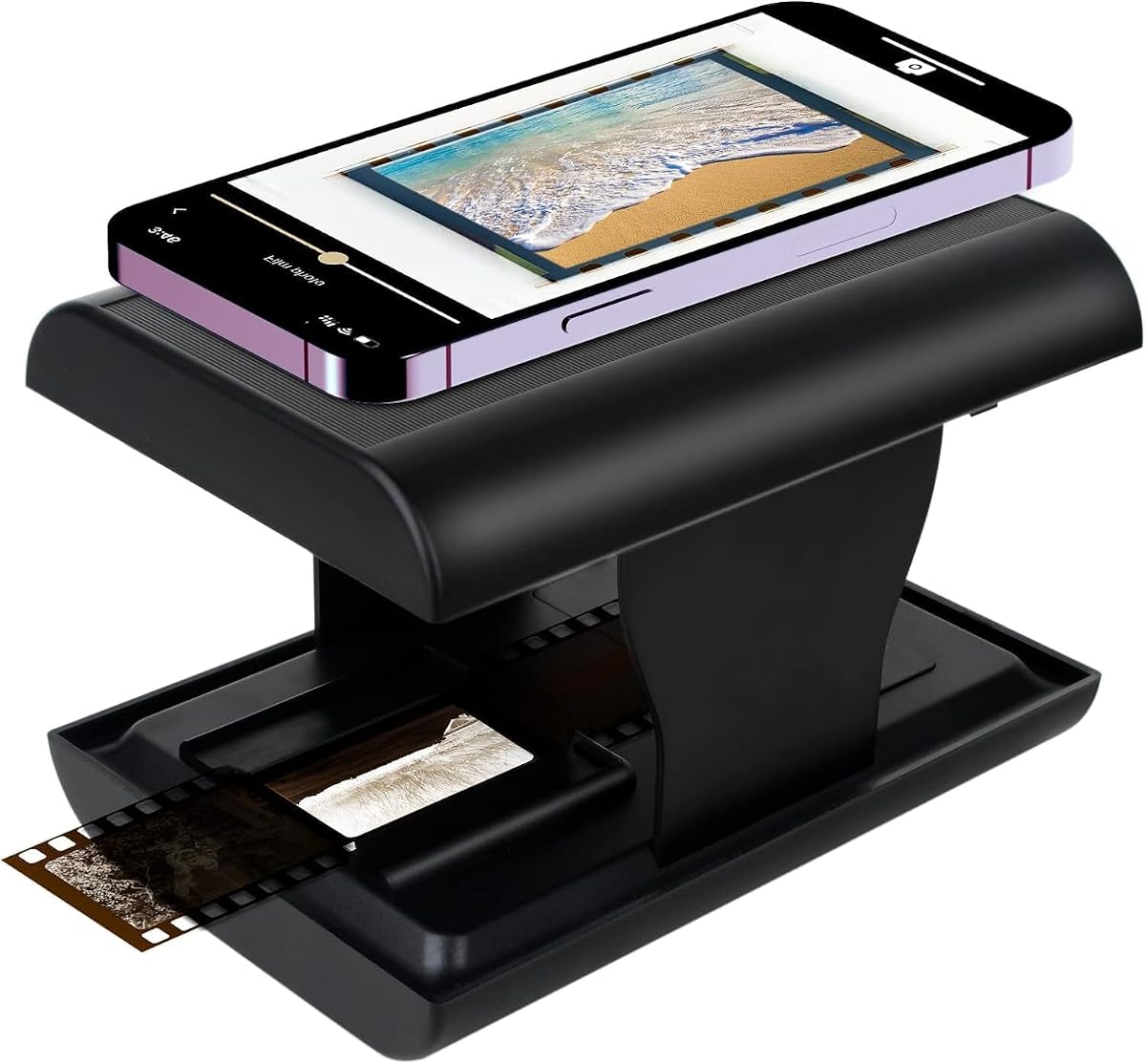
TCNEWCL 35mm Negative Slide Scanner
4.3Editor score
Foldable compact design
Smartphone compatible
Built-in LED light
Preserving family history often means digitizing old film. A good black and white negative scanner converts physical photos into digital files. Look for high resolution, ease of use, and versatile format support when choosing one.
We compared ten leading scanners based on sensor quality, speed, and user feedback. Our analysis covers budget-friendly options and premium devices capable of handling various film types like 35mm and 135 slides effectively.
Each pick highlights unique strengths to help you find the right tool for your collection. Prices and availability change frequently, so check current listings before making a final purchase decision for your archival needs.
4.3Editor score

4.2Editor score
4.3Editor score
As an Amazon Associate we earn from qualifying purchases.
This table provides a side-by-side comparison of the top scanners. Review specifications like sensor type, screen size, and supported film formats to find the model that best fits your digitization workflow and budget.


The BEONEGLOBAL ClearScan MINI is a top-rated film digitizer with a 4.2 star rating. It stands out for its ergonomic design and 16MP resolution, making it ideal for preserving detailed film negatives quickly.
We may earn a commission when you buy through this link, at no additional cost to you.
Its CMOS sensor ensures true-to-life images while the front-facing buttons allow natural operation. You can adjust brightness and colors directly on the device, saving time on post-processing software.
While the screen is compact at 2.31 inches, the high resolution compensates for the size. The ability to save directly to SD cards removes the need for a computer during the scanning process.
This scanner is perfect for families wanting to digitize 35mm and 135 film without complexity. Its balance of portability and professional-grade components makes it a strong recommendation for general use.
The placement of buttons below the screen allows for comfortable handling. This design choice prevents awkward wrist movements during long scanning sessions.
With 16MP resolution, the scanner captures fine details in your negatives. This ensures that when you view your photos later, the quality remains crisp and clear.
We may earn a commission when you buy through this link, at no additional cost to you.
The KODAK Slide N Scan Max delivers premium features with a 4.2 star rating. Its smooth-moving tray system ensures efficient digitization of slides and negatives without constant repositioning.
We may earn a commission when you buy through this link, at no additional cost to you.
This model supports multiple formats including 135mm, 110mm, and 126mm. The CMOS sensor captures detailed images up to 4208×3120 resolution, making it suitable for high-quality archival.
Direct SD saving enhances portability by eliminating computer dependency. However, the higher cost reflects these advanced features, making it a better fit for serious collectors.
Ideal for those needing versatility and high resolution, this scanner simplifies photo digitization. The simple one-touch editing further streamlines the workflow for efficient memory preservation.
The smooth-moving tray allows for seamless scanning of film strips. This reduces user fatigue and ensures consistent results across large batches of photos.
Accommodating 135mm, 110mm, and 126mm formats makes it a universal tool. Whether you have slides or negatives, this scanner handles them with ease.
We may earn a commission when you buy through this link, at no additional cost to you.
The TCNEWCL 35mm Negative Slide Scanner offers incredible value with a 4.3 star rating. It is a foldable, lightweight scanner designed to convert old slides using your existing smartphone.
We may earn a commission when you buy through this link, at no additional cost to you.
This device simplifies digitization by using a free app for capture and editing. The built-in LED backlight ensures proper illumination, and the foldable design makes it easy to store or travel.
While the image quality depends on your phone's camera resolution, it is a cost-effective solution for casual users. It avoids the need for expensive dedicated scanners or complex software.
Perfect for parents and children exploring old memories, this scanner is both practical and fun. It allows you to revive faded memories without significant investment or technical complexity.
By using your phone's camera, this scanner saves money. You can edit and share images immediately through apps, making the process seamless and modern.
The foldable design saves space, fitting into small storage areas. This portability ensures you can digitize films anytime, anywhere, without bulky equipment.
We may earn a commission when you buy through this link, at no additional cost to you.
The Magnasonic All-in-One 24MP Film Scanner is praised for its large 5-inch display and 4.3 star rating. It allows you to view scanned images directly on the device without a computer.
We may earn a commission when you buy through this link, at no additional cost to you.
Its 24MP resolution captures high-quality JPEG files for 35mm, 126, 110, and Super 8 film. The HDMI output lets you connect to a TV for a comfortable viewing experience.
With fast scanning speeds of under 5 seconds per image, it is efficient for large collections. However, the high price and weight may limit its portability compared to smaller models.
This scanner is best for users who want a standalone viewing experience. The combination of high resolution and large screen makes it a top choice for home viewing parties.
The 5-inch LCD screen lets you preview and edit images on the device. You do not need a computer to manage your digital archives effectively.
With 24MP resolution, the scanner delivers crisp and detailed digital files. This ensures your memories are preserved with the highest possible quality available.
We may earn a commission when you buy through this link, at no additional cost to you.
The Memory Vault Box Negative Scanner is designed for families wanting to preserve history. With a 3.4 star rating, it offers a simple interface that is easy for grandparents and beginners to use.
We may earn a commission when you buy through this link, at no additional cost to you.
Its built-in LCD screen allows for instant viewing of scanned memories. Advanced enhancement technology automatically improves brightness and color, helping to bring faded slides back to life.
The kit includes film holders, a cleaning brush, and cables to start immediately. This all-in-one approach reduces the frustration of finding extra accessories for digitization.
While the rating is lower than others, its focus on simplicity makes it a viable option. It is a good choice for those who prioritize ease of use over technical specifications.
Built-in LCD screens and simple buttons make it accessible. Grandparents can use it comfortably at home without needing computer skills.
Advanced enhancement technology improves brightness and detail. This helps restore old negatives, ensuring your history is saved in the best condition.
We may earn a commission when you buy through this link, at no additional cost to you.
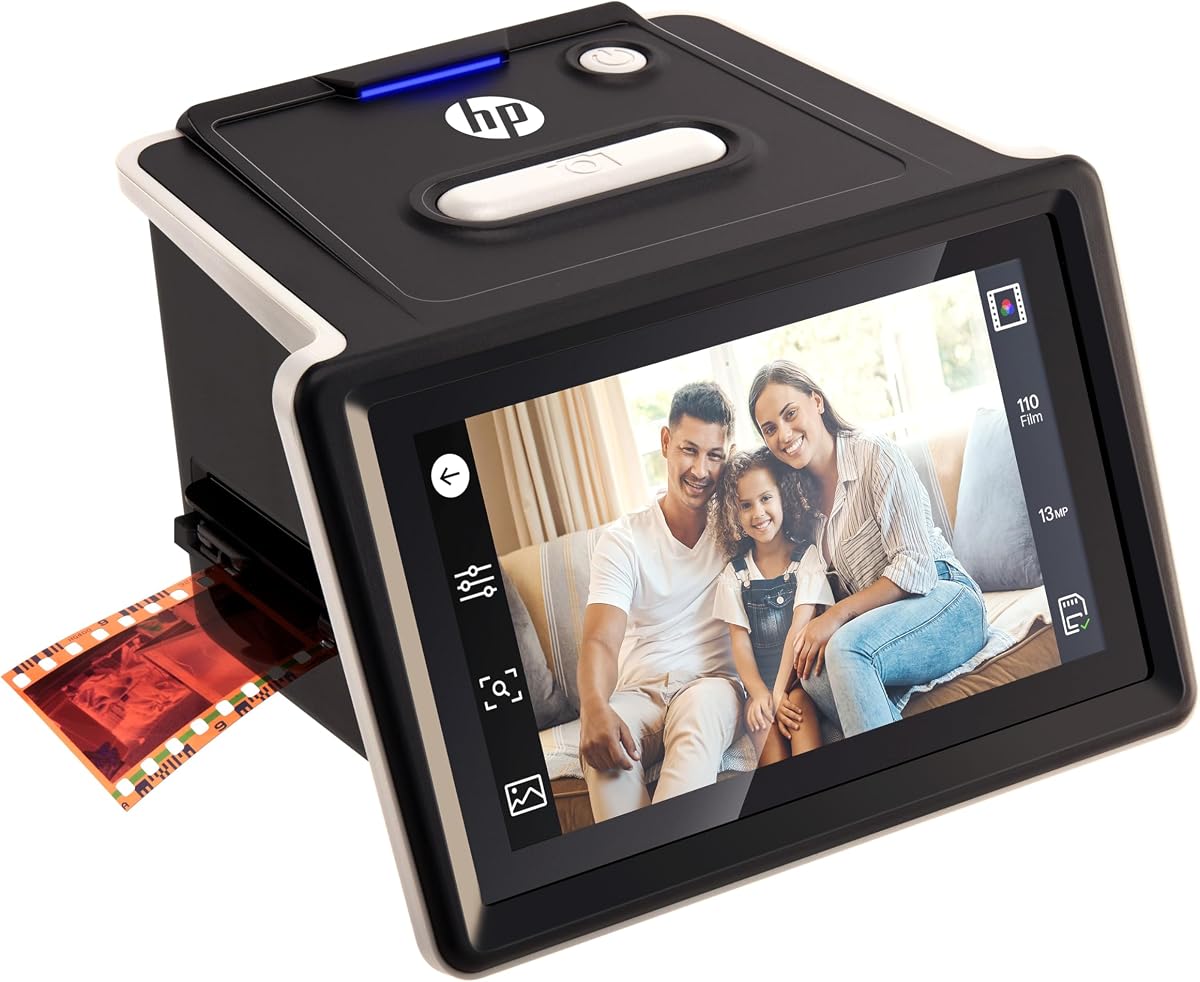
The HP Film & Slide Scanner HPFS500 features a modern touchscreen design with a 4.3 star rating. It allows for effortless photo digitization with professional-quality results using a 5-inch touch screen.
We may earn a commission when you buy through this link, at no additional cost to you.
Its gallery mode turns the device into a vibrant picture frame. The 13MP CMOS sensor captures exceptional clarity for both color and black-and-white film without a computer.
Powered by USB-C, it offers versatility for connection. The quick-load tray supports various formats like 135, 126, and 110, ensuring versatile use for different collections.
This scanner is ideal for users wanting a modern interface. The touch display makes navigation simple, and the gallery mode adds a unique way to display your memories.
The 5-inch touch screen makes previewing and editing easy. You can navigate menus intuitively, simplifying the overall digitization process.
Powered via USB-C, this scanner connects to PCs or adapters easily. This flexibility ensures you can use it in various settings without power concerns.
We may earn a commission when you buy through this link, at no additional cost to you.
The Kodak Portable 22MP Film Scanner is a compact option rated at 4.0 stars. It converts various film types to digital images without needing a computer, making it a strong choice for travelers.
We may earn a commission when you buy through this link, at no additional cost to you.
It features a 22MP resolution to capture fine details. The 2.4-inch LCD screen allows for previews, while the portable design ensures you can digitize on the go.
While the screen is smaller than premium models, the resolution remains high. The device saves directly to SD cards, streamlining the workflow for users who want simplicity.
This scanner suits those with limited space who still want high quality. Its compact nature makes it easy to store, and the resolution ensures your photos are preserved clearly.
Designed to be small and lightweight, this scanner fits anywhere. It is easy to bring along for trips or events where digitization is needed.
22MP resolution captures detailed images. This ensures your digital files are sharp and clear, suitable for printing or sharing.
We may earn a commission when you buy through this link, at no additional cost to you.
The Plustek OpticFilm 8200i SE is rated 4.1 stars for its high resolution. It offers 7200 dpi scanning, making it a top choice for those who need extreme detail.
We may earn a commission when you buy through this link, at no additional cost to you.
It includes SilverFast software for professional editing. While slow, the scans capture incredible nuance in shadows and highlights. This makes it ideal for archival purposes.
The device is built for durability, ensuring long-term use. However, the software requires a learning curve, which may be a barrier for casual users.
This scanner is best for professionals or serious collectors. If you need every grain of film captured, this model provides the clarity that others may lack.
With 7200 dpi, the scanner captures minute details. This is essential for large prints or when you need the highest digital fidelity.
SilverFast software allows precise control over color and contrast. This gives you professional tools to enhance your scans effectively.
We may earn a commission when you buy through this link, at no additional cost to you.
The Mustek BearPaw 2400TS is rated 3.9 stars. It supports medium format film, which is a rare feature at its price point. This makes it valuable for diverse collections.
We may earn a commission when you buy through this link, at no additional cost to you.
It comes with ScanSoft OmniPage software for OCR. This helps in digitizing text and images together. It connects via USB 2.0, which is standard but not the fastest.
The resolution of 3200 dpi is adequate for most uses. It is a reliable tool for archiving without high costs. The build quality is robust, ensuring consistent results.
This scanner is best for those needing medium format support. It is a budget-friendly option for users who want to digitize slides and larger film formats.
This scanner supports medium format film, a feature rarely found at this price. It allows you to scan larger negatives effectively.
Includes ScanSoft OmniPage for document recognition. This adds value by enabling text scanning alongside your image archives.
We may earn a commission when you buy through this link, at no additional cost to you.
The Kodak Digital Science 16MP is rated 3.8 stars. It features USB-C connectivity, making it compatible with modern devices. It is a portable solution for scanning 35mm film.
We may earn a commission when you buy through this link, at no additional cost to you.
It delivers 16MP resolution for clear images. The interface is simple, allowing users to scan without complex settings. It is designed for portability and ease of use.
While it focuses on 35mm, this covers most consumer needs. The USB-C port ensures future compatibility. It is a good budget choice for digital archives.
This scanner suits users wanting a modern connection. It balances resolution and price well. It is a practical option for those focusing on 35mm negatives.
Features USB-C for modern device compatibility. This ensures you can connect to newer laptops without extra adapters.
Designed to be lightweight and easy to carry. You can digitize your collection anywhere without heavy equipment.
We may earn a commission when you buy through this link, at no additional cost to you.
Choosing the right scanner involves balancing features and budget. This guide helps you understand key factors to consider.
Resolution determines how sharp your digital photos will be. Look for scanners with at least 12MP to 24MP for clear details. A CMOS sensor ensures accurate color and high resolution.
Check which formats the scanner handles. Common ones include 35mm, 135, and 126. Some models also support Super 8 or medium format. Ensure it matches your specific collection.
Simple interfaces save time. Look for devices with touch screens or front-facing buttons. On-device editing reduces the need for complex software.
Most scanners use USB-C or SD cards. USB-C ensures modern compatibility. SD card slots allow for standalone operation without a computer.
If you need to scan on the go, choose a compact model. Portable scanners are lightweight and easy to store. Foldable designs save space in small homes.
Built-in editing tools like brightness and color adjustment are helpful. These features allow you to fix issues before saving. This reduces post-processing time later.
A larger screen helps preview your scans. Screens like 5 inches are easier to view. If you do not need previews, smaller screens save money and space.
Budget models are often smartphone-dependent. Premium models offer better speed and resolution. Decide how much you value quality versus cost.
Clean your film gently with a soft brush to remove dust. Place the negative in the holder ensuring the correct orientation. For best results, align the frame with the guides on the device.
The BEONEGLOBAL ClearScan MINI is great for beginners. It has an ergonomic design, front-facing buttons, and simple editing tools. This ensures an easy workflow without technical complexity.
Yes, most scanners save directly to SD cards. The KODAK Slide N Scan Max and BEONEGLOBAL models support standalone saving. This allows you to digitize photos without a PC.
For large prints, 24MP resolution is ideal. Models like the Magnasonic All-in-One offer this. It ensures your digital files are sharp enough for high-quality prints.
Most scanners handle both types. The HP Film & Slide Scanner HPFS500 supports both. Check specifications to ensure compatibility with your specific film type.
Many scanners have built-in reversal settings. The BEONEGLOBAL model lets you flip and adjust images on the device. This converts negatives to positive prints efficiently.
It is not necessary but helpful for previews. The HP model offers a 5-inch touch screen. If you prefer simplicity, button-based models are easier and cheaper.
The TCNEWCL 35mm Negative Scanner is the best portable option. It folds flat and uses your phone. It is ideal for travel and budget-conscious users.
No, most models work without extra software. They use direct SD saving. The HP scanner includes a free app. This simplifies the entire digitization workflow.
Top picks include the BEONEGLOBAL for overall quality and the TCNEWCL for value. The HP model is best for premium features. Each scanner offers unique benefits to suit different needs.


