
Logitech G F310 Wired Gamepad Controller
4.4Editor score
Simple Plug and Play
Familiar Xbox Layout
Six Foot USB Cord
This guide compares the top 10 gaming controllers for Windows PCs, covering wireless options, Hall Effect sticks, and ergonomic designs to help you choose.
Finding the right gaming controller for Windows can significantly enhance your playing experience. A good controller offers precise inputs, comfortable ergonomics, and reliable connectivity for all your favorite titles.
We evaluated ten top-rated models based on build quality, connectivity options, and special features like Hall Effect joysticks. Each product was reviewed for performance across various genres including FPS and racing.
Each pick below highlights key strengths and ideal use cases for different players. Please note that availability and pricing can change frequently, so verify details before making your final purchase decision.
4.4Editor score
4.4Editor score
4.3Editor score
The table below provides a side-by-side comparison of all ten controllers featured in this guide. Review the specifications to find the model that best fits your gaming needs.




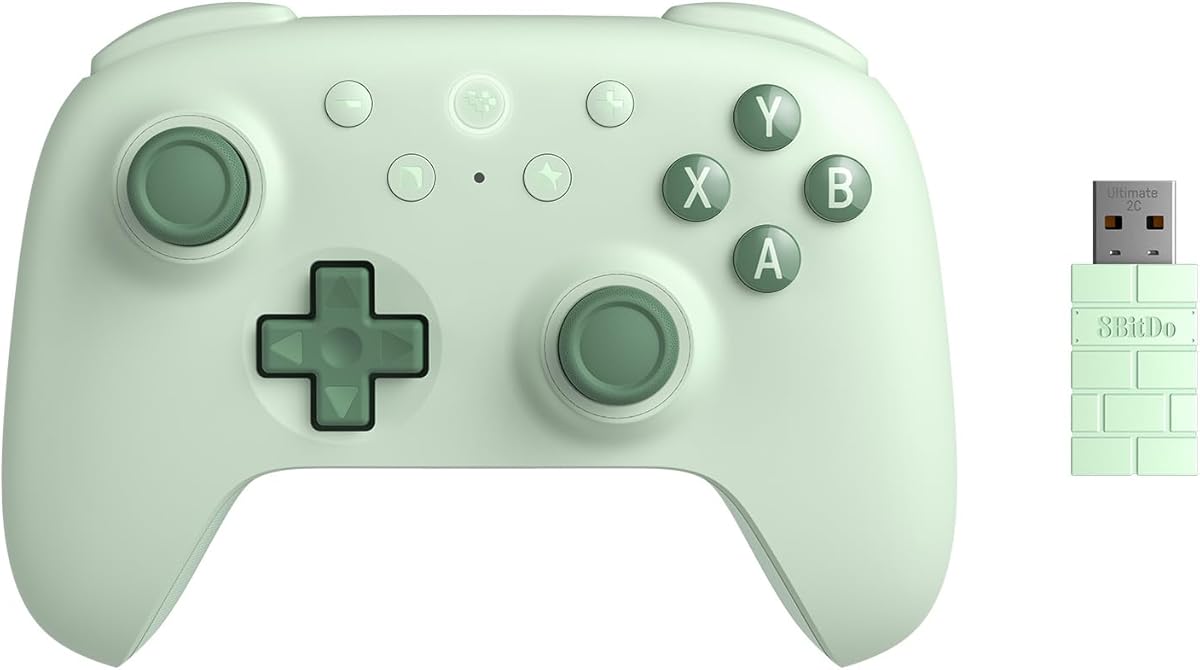
The 8Bitdo Ultimate 2C stands out as a top choice for PC gamers seeking precision and reliability. With a solid rating and strong features, it delivers consistent performance across various game genres.
We may earn a commission when you buy through this link, at no additional cost to you.
Its Hall Effect joysticks and triggers ensure long-term accuracy by preventing stick drift. The 1000Hz polling rate provides responsive inputs that competitive players will appreciate during intense sessions.
While the build quality is excellent, some users may find the lack of advanced software limiting. However, the physical remappable bumpers offer immediate customization without needing extra tools or apps.
This controller is ideal for gamers who want a plug-and-play experience with high-end features. It balances performance and usability effectively, making it a strong recommendation for most Windows users.
The 1000Hz polling rate ensures that every input is registered instantly, giving you an edge in fast-paced games where timing matters.
Hall Effect technology eliminates physical contact in the joysticks, significantly reducing wear and tear over time for consistent performance.
We may earn a commission when you buy through this link, at no additional cost to you.
The Logitech G F310 is an excellent entry-level option for those new to console-style gaming on PC. It offers a familiar layout that makes transitioning from keyboard and mouse seamless.
We may earn a commission when you buy through this link, at no additional cost to you.
With broad game support and a straightforward USB connection, this controller is ready to use right out of the box. The floating D-pad adds a responsive touch to directional inputs.
While it lacks wireless connectivity and premium materials, the price point makes it accessible for everyone. It is perfect for casual gaming sessions where advanced features are not critical.
We recommend this controller for budget-conscious gamers or those who prefer a simple, reliable tool for everyday play without extra complications or monthly subscription fees.
The simple plug-and-play USB connection means you can start playing immediately without installing drivers or worrying about pairing issues.
Profiler software allows you to program the gamepad to perform keyboard and mouse commands for games that do not natively support gamepads.
We may earn a commission when you buy through this link, at no additional cost to you.
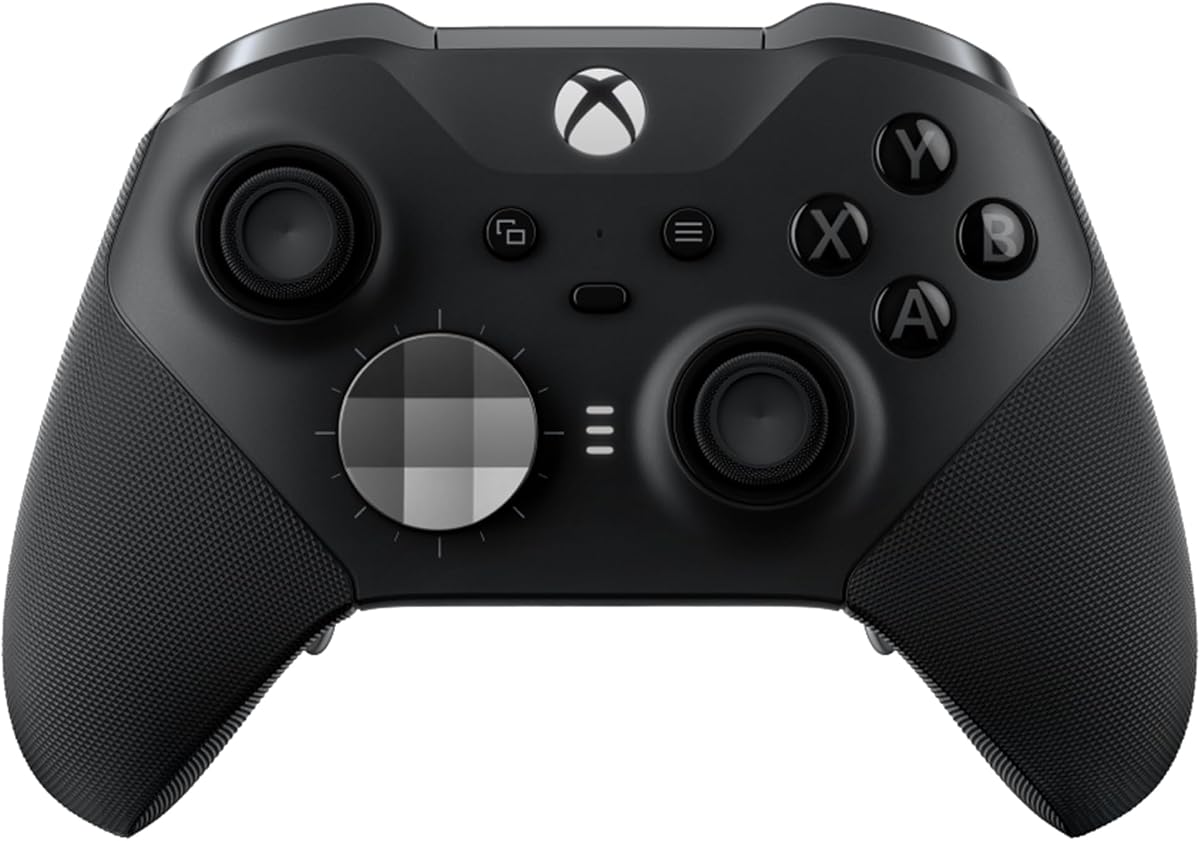
The Xbox Elite Series 2 delivers professional-grade performance with over thirty ways to customize your gameplay experience. It is designed with input gamers who demand precision and durability.
We may earn a commission when you buy through this link, at no additional cost to you.
Features like adjustable-tension thumbsticks and hair trigger locks allow you to fine-tune the controller to your specific style. This level of control is unmatched in standard gaming peripherals.
Although the investment is significant, the included accessories like the carrying case and charging dock add value. The ability to save multiple profiles ensures you are ready for any game instantly.
This is the ultimate choice for serious players who want the best possible setup. If you play competitively or value high-end customization, this controller justifies its premium cost easily.
Adjustable-tension thumbsticks let you change resistance to improve accuracy and consistency, giving you better control over aiming and movement.
Shorter hair trigger locks reduce pull distance for rapid input, allowing you to fire weapons faster during competitive gameplay scenarios.
We may earn a commission when you buy through this link, at no additional cost to you.
The standard Xbox Wireless Controller brings console-quality gameplay to your PC with a modernized design and reliable connectivity options. It is a robust choice for everyday gaming sessions.
We may earn a commission when you buy through this link, at no additional cost to you.
With up to forty hours of battery life, you can play for extended periods without interruption. The textured grip on triggers and bumpers ensures a secure hold during intense moments.
While it uses standard AA batteries, the included USB-C cable offers instant wired play when needed. This flexibility makes it versatile for both couch and desk gaming environments.
This controller is perfect for those who want a reliable, no-fuss option that works seamlessly with Windows. It balances comfort and performance well without requiring specialized settings or software.
Connect wirelessly to play from the couch or use the included cable for zero-setup wired play on console and PC.
Plug in compatible headsets using the 3.5mm audio jack for direct voice chat and immersive in-game sound while playing.
We may earn a commission when you buy through this link, at no additional cost to you.
The EasySMX X15 offers advanced features like Hall Effect precision at a competitive price point. It is designed to support multiple platforms including PC, Switch, and mobile devices.
We may earn a commission when you buy through this link, at no additional cost to you.
With three connection modes, you can switch between devices seamlessly without complex pairing processes. The two programmable back buttons add versatility for macros and shortcuts during gameplay.
While it lacks a gyro sensor, the focus on stable wireless performance and anti-drift technology makes it reliable for most genres. The ten hundred mAh battery supports long sessions without frequent recharging.
We recommend this for gamers who want high-end stick technology without the premium cost. It is a solid option for those who value flexibility and longevity in their hardware investment.
Hall effect joysticks and triggers eliminate stick drift, delivering smooth responsive input with no dead zones for long term precision.
Three modes cover all your devices with 2.4G wireless, Bluetooth, and wired USB-C connections for maximum gaming flexibility.
We may earn a commission when you buy through this link, at no additional cost to you.
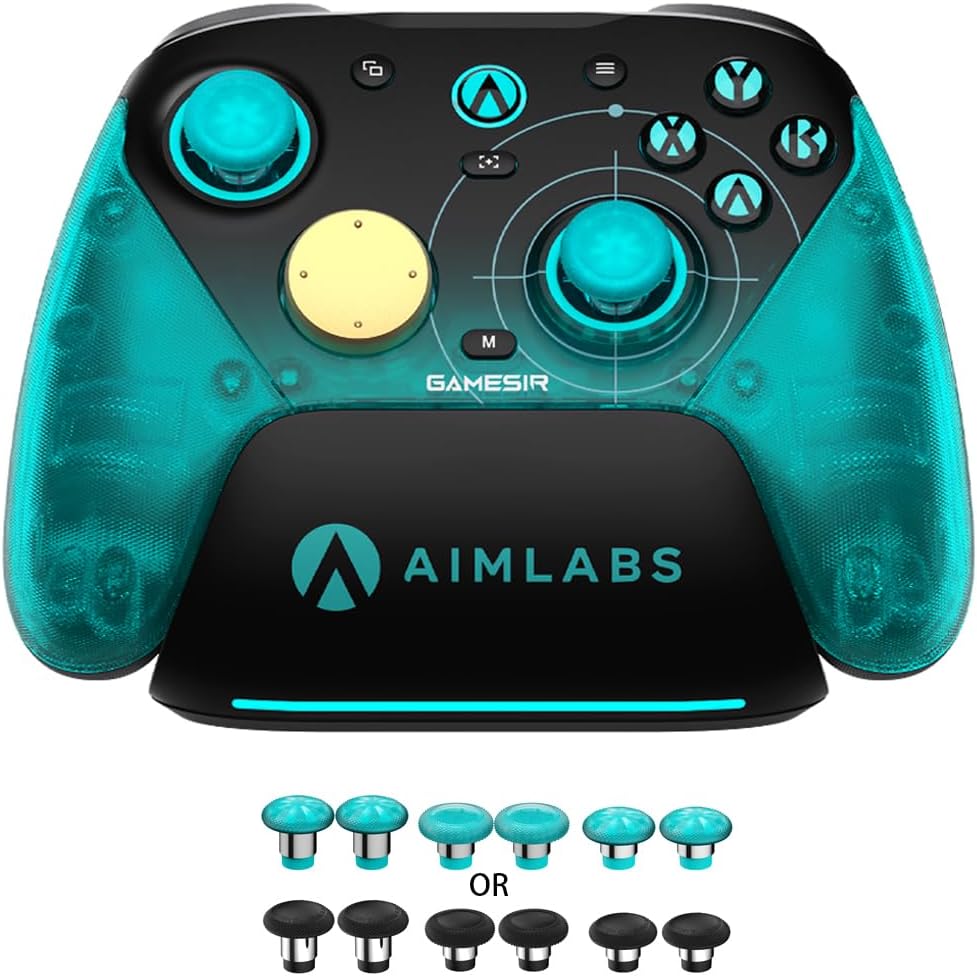
The GameSir G7 SE combines precise Hall Effect joysticks with a comfortable ergonomic design for extended gaming sessions. It is a powerful choice for Windows users prioritizing accuracy.
We may earn a commission when you buy through this link, at no additional cost to you.
Its plug-and-play convenience means you can start playing instantly without the need for additional drivers or complicated setup steps. The removable wired USB connection ensures stability during use.
Customizable backbuttons allow users to eliminate false triggers and improve their gaming experience significantly. The ultra-fine laser-engraved texture on the handle prevents slipping during intense action.
This controller is ideal for players who prefer a stable wired connection over wireless convenience. It delivers high-end precision and comfort that rivals more expensive options on the market today.
The wired USB connection provides a stable link for instant play without worrying about battery life or signal interference during games.
Pulsating vibration trigger and asymmetric vibration grip motor deliver intense tactile feedback that enhances the gaming experience.
We may earn a commission when you buy through this link, at no additional cost to you.
Engineered exclusively for PC gaming, the GameSir G7 Pro 8K offers esports-grade precision with an incredible 8000Hz polling rate. It is built for serious players seeking the fastest inputs possible.
We may earn a commission when you buy through this link, at no additional cost to you.
Mag-Res TMR sticks eliminate physical contact to prevent stick drift entirely. This ensures smooth linear control and ultra-low power consumption for precise and responsive gameplay that professionals demand.
While it is not compatible with consoles, the six-axis gyroscope enhances aiming accuracy for competitive shooters. The dual-mode trigger stops let you switch between analog and digital response styles easily.
We recommend this controller for competitive PC gamers who need every advantage. The high polling rate and anti-drift features make it a top-tier tool for ranked matches and tournaments.
Experience esports-grade precision with an 8K Hz polling rate over both wired USB and 2.4G wireless connections.
GameSir Mag-Res TMR Sticks Gen-2 eliminate physical contact delivering long-lasting anti-stick drift reliability and smoother control.
We may earn a commission when you buy through this link, at no additional cost to you.
The ManbaOne Interactive Screen introduces a new era of controller customization with a built-in display for settings adjustment. You can set parameters directly through the screen without software.
We may earn a commission when you buy through this link, at no additional cost to you.
Four configurations can be saved to unlock your own gameplay for different games efficiently. The intelligent interactive screen allows easy setup of vibrations, buttons, and joysticks effortlessly.
This unique approach appeals to gamers who enjoy tinkering with their setup. The smart charging station and visual battery life ensure you always know when the controller is ready to use.
We suggest this for those who want a customizable and modern design. It stands out from traditional controllers by simplifying configuration and offering a visually intuitive interface for control adjustments.
Manba One V2 wireless game controllers create a new era of controller screens where you can set the PC controller directly.
The smart charging station includes visual battery life so you can put and charge at any time without guessing remaining power.
We may earn a commission when you buy through this link, at no additional cost to you.
The FLYDIGI VADER 5S offers unique physical adjustment options that let you tailor joystick tension on the fly. This is ideal for players who switch between FPS and racing games often.
We may earn a commission when you buy through this link, at no additional cost to you.
Updated Hall Effect sticks deliver ultra-precise control with zero stick drift, ensuring reliability even after years of intense gaming sessions. The four-motor vibration makes recoil feel more realistic.
Quick in-game adjustments allow you to fine-tune vibration or switch profiles without interrupting gameplay. This level of flexibility is rare and highly valuable for competitive environments.
We recommend this controller for serious Xbox and PC gamers who value adaptability. Its deep customization features set it apart from standard models in the current market options.
Unlike ordinary Xbox controllers, the Vader 5S lets you physically adjust joystick tension from 40gf to 100gf on the fly.
Switch trigger response for FPS or racing games instantly using micro-click triggers or Hall Effect linear triggers as needed.
We may earn a commission when you buy through this link, at no additional cost to you.
The GameSir Nova Lite 2 is a versatile option that works across Switch, PC, Android, and iOS devices via multiple connection types. It brings Hall Effect tech to a more accessible model.
We may earn a commission when you buy through this link, at no additional cost to you.
Enhanced recentering performance ensures smoother control and superior anti-drift capability for reliable inputs. The mechanical circular D-pad is designed for quick reactions and accuracy in every direction.
Two back buttons support both single button mapping and macro recording, giving gamers the flexibility to customize their controls. This helps enhance gameplay efficiency without needing complex setups.
We suggest this controller for users who value flexibility and portability. It offers a solid foundation with high-end stick tech that performs well across many different gaming environments.
Hall Effect Joysticks deliver enhanced recentering performance for smoother control and superior anti-drift capability with anti-friction rings.
The mechanical circular D-pad is designed for quick reactions and accuracy in every direction to elevate your gaming experience.
We may earn a commission when you buy through this link, at no additional cost to you.
Selecting the right controller involves understanding connectivity, ergonomics, and specific features like joysticks. This section covers key factors to consider for a perfect fit.
Consider whether you prefer a wireless or wired connection. Wireless controllers offer freedom of movement but require battery management while wired ones ensure zero latency and constant power.
Choose wireless for couch gaming and wired for competitive play where stability is paramount.
Hall Effect joysticks are highly recommended for preventing stick drift over time. They use magnetic fields rather than physical contact to measure position and ensure long-lasting accuracy.
Prioritize Hall Effect models if you play extensively and want to avoid premature wear.
The shape and grip texture of the controller are vital for long sessions. Look for ergonomic designs with textured grips that keep your hands from slipping during intense moments.
Test the weight and balance to ensure it fits your hand size comfortably for extended periods.
Controllers with programmable back buttons and remappable face buttons offer significant advantages. These features allow you to execute complex actions without moving your thumbs off the sticks.
Opt for models with software support to create custom profiles tailored to different game genres.
A higher polling rate means the controller reports inputs more frequently to the PC. Rates of 1000Hz or higher reduce input lag and improve responsiveness in fast-paced games.
Look for high polling rates if competitive performance is a priority for your gaming style.
For wireless controllers, battery capacity determines how long you can play before recharging. Some models offer rechargeable batteries while others rely on AA batteries which are easy to swap.
Check battery estimates to ensure you are not interrupted during long gaming sessions or tournaments.
Ensure the controller explicitly supports your PC operating system and any other platforms you use. Some controllers work across multiple devices while others are specialized for specific ecosystems.
Always verify compatibility with Windows version and any specific gaming platforms you own.
The materials used in the construction affect durability and feel. Controllers with robust housing and high-quality buttons resist wear from frequent use and rough handling.
Invest in models known for durability to ensure your investment lasts for years.
Start by connecting your controller via USB or Bluetooth depending on the model instructions. Install any required software to enable advanced features like button mapping and calibration.
Keep your controller clean by gently wiping it with a soft dry cloth regularly. Avoid exposing it to liquids or excessive heat which can damage internal components over time.
Store the controller in a safe place when not in use to prevent accidental drops. If it is wireless, charge or replace batteries before they are completely depleted to maintain performance.
Not all wireless controllers are compatible with Windows. You must verify that the product listing explicitly states support for Windows 10 or Windows 11. Some controllers are designed exclusively for consoles and require specific adapters to function on a PC.
Hall Effect joysticks use magnetic sensors instead of physical contacts to detect stick position. This technology prevents stick drift and extends the lifespan of the controller significantly compared to traditional potentiometer sticks.
Wired controllers generally offer zero latency and a consistent connection which is critical for competitive play. However, modern wireless controllers with high polling rates can also provide near instant response times for most gamers.
Many controllers come with companion software for Windows that allows you to remap buttons easily. Check the manufacturer website for the specific application needed to configure your layout for different games.
Connectivity issues often stem from battery low, interference, or driver conflicts. Ensure the controller is fully charged and try using a different USB port if connecting via cable for stability.
Xbox controllers are natively supported on Windows due to similar API structures. Other console controllers like PlayStation may work but often require third-party software to function correctly in all games.
Most modern Windows controllers are compatible with Steam through its controller configuration settings. You can often use Steam to map keys or remap buttons directly within the platform for various game genres.
Battery life varies by model but most quality wireless controllers offer between twenty to forty hours of play time. Rechargeable models typically last several months before the battery health degrades significantly.
We have reviewed ten top controllers ranging from budget options to premium models with advanced features. Each pick offers distinct advantages depending on your gaming habits and specific needs.
Prioritize connectivity and joysticks technology when making your final decision. These factors heavily influence the longevity and responsiveness of your gaming experience.
Remember that product availability and prices change frequently. Check current details and offers before purchasing to ensure you get the best value for your investment.