
OREI UltraHD 1×4 HDMI Splitter
4.5Editor score
Supports up to 4K@60Hz
18Gbps high bandwidth transmission
Durable metal enclosure design
This comprehensive guide compares the top 10 HDMI splitters and switches for 2026, evaluating features like 4K support, port counts, and build quality to help
Finding the right HDMI splitter can transform your home entertainment or professional setup by allowing multiple displays to share a single video source. Whether you are setting up a home theater or a retail display, understanding the differences between splitters and switches is crucial for optimal performance.
We have carefully evaluated ten top-rated products based on their resolution support, build quality, connectivity options, and user feedback. Our comparison covers everything from budget-friendly dual-output models to advanced multi-port distributors that support high refresh rates and HDR content.
Each pick in this list highlights specific strengths such as ease of use, signal stability, or compatibility with gaming consoles. Please note that pricing and availability can change rapidly, so always check the current listings on the product pages before making your final purchase decision.
4.5Editor score

4.3Editor score

4.4Editor score
This side-by-side comparison provides a detailed overview of the top ten HDMI splitters and switches available today, highlighting key specifications such as resolution limits, port configurations, and power requirements to assist in your selection process.




The UGREEN HDMI Switch stands out as a top choice for gamers who need to connect multiple consoles to a single TV. With a rating of 4.3 stars, users appreciate its ability to handle 5 inputs without compromising on 4K@60Hz resolution.
We may earn a commission when you buy through this link, at no additional cost to you.
Its standout feature is the support for VRR and HDR, which ensures smooth gameplay and vibrant colors. The included remote allows you to switch between devices from the couch, while the manual button provides a reliable backup.
While it does not support automatic switching or ARC, these limitations are acceptable for most gaming setups. The requirement for a USB power source ensures stable transmission, preventing signal drops during intense gaming sessions.
This switch is ideal for home entertainment centers where space is limited but device count is high. If you need to connect a PS5, Xbox, and Switch simultaneously, this device offers a clean and efficient solution.
The device supports 18Gbps data transmission, ensuring that high-resolution content is delivered without frame loss or compression artifacts.
It works seamlessly with a wide range of devices including consoles, streaming sticks, and laptops, making it a universal hub for your media.
We may earn a commission when you buy through this link, at no additional cost to you.
The MT-ViKI HDMI Splitter offers an exceptional value for those needing to duplicate a signal across four screens. With a 4.4-star rating, it is praised for its stability and included power adapter, which prevents common signal drop issues.
We may earn a commission when you buy through this link, at no additional cost to you.
Its metal housing provides better heat dissipation, making it suitable for 24/7 operation in commercial or educational settings. The signal boosting feature allows for long-distance cable setups up to 100ft total, which is rare at this price point.
Users should note that this device operates in mirror mode only, meaning it cannot extend displays for productivity tasks. Additionally, the lack of a remote means switching is not applicable here as it is a splitter, not a switch.
This product is perfect for retail displays, conference rooms, or home setups where multiple TVs need to show the same content. Its affordability and reliable performance make it a strong contender for budget-conscious buyers.
Designed for continuous use, the metal build ensures EMI protection and thermal management for consistent signal transmission over time.
The built-in amplifier supports total cable lengths up to 100ft, allowing flexibility in placement for large spaces.
We may earn a commission when you buy through this link, at no additional cost to you.
The OREI HDMI Splitter is a straightforward solution for duplicating a video signal to two displays. Its 4.4-star rating reflects user satisfaction with its reliability and the inclusion of a dual-voltage power supply for international travelers.
We may earn a commission when you buy through this link, at no additional cost to you.
The metal enclosure helps keep the unit cool during extended use, ensuring stable performance. It supports 4K at 30Hz, which is sufficient for most movies and general content, though gamers may prefer higher refresh rates.
A notable limitation is its lack of HDCP 2.2 support, which means it cannot handle protected 4K content from newer sources like 4K streaming boxes. Users are also advised to use HDMI cables under 30 feet to avoid signal degradation.
This splitter is best suited for older TVs or basic home theater setups where 4K@30Hz is acceptable. It offers a durable build and easy setup for those who need a simple and effective duplication device.
The dual voltage power supply and included international adapter make this device convenient for use in different countries.
The metal housing acts as a heatsink, aiding in quick heat absorption and dissipation to maintain signal integrity.
We may earn a commission when you buy through this link, at no additional cost to you.
This OREI UltraHD splitter offers premium features like 4K@60Hz and 18Gbps bandwidth, distinguishing it from lower-end models. With a 4.5-star rating, it is highly recommended for users needing high-quality signal distribution across four displays.
We may earn a commission when you buy through this link, at no additional cost to you.
It supports advanced audio formats including Dolby TrueHD and DTS-HD, making it ideal for home theater systems. The heavy-duty metal build ensures longevity and efficient heat dissipation during prolonged operation.
While it does not support extended modes and has a cable length recommendation of 30 feet, its performance within those limits is excellent. The 1-year warranty adds peace of mind for those investing in a premium AV component.
Choose this splitter for high-end entertainment setups where audio and video quality are paramount. It ensures synchronized and clear output across all connected screens, suitable for professional or luxury home use.
Support for LPCM, Dolby TrueHD, and DTS-HD Master Audio ensures immersive sound on all connected displays.
The 18Gbps bandwidth ensures that high-resolution video streams smoothly without lag or loss.
We may earn a commission when you buy through this link, at no additional cost to you.
The Anker HDMI Switch is a reliable choice for users who need to connect multiple laptops or consoles to a single monitor. Its 4.3-star rating highlights its stable performance and the convenience of the included remote selector.
We may earn a commission when you buy through this link, at no additional cost to you.
It supports 4K@60Hz resolution, ensuring vibrant visuals for both work and entertainment. The remote makes switching between devices seamless, reducing the need to physically access the back of the TV or monitor.
Users should be aware that HDMI CEC is not supported, which may limit some automation features on newer TVs. Additionally, you will need to purchase your own HDMI cables, as only a USB power cable is included.
This switch is well-suited for home offices or media centers where multiple devices need to share a display. The 18-month warranty and Anker's reputation for customer service add significant value to this purchase.
The remote control allows you to change inputs with a single click, simplifying device management.
The unit provides ample power to ensure stable signals and uninterrupted streaming or playback.
We may earn a commission when you buy through this link, at no additional cost to you.
The avedio links HDMI Splitter is notable for its support of 4K@60Hz and RGB 4:4:4, which is valuable for gaming. With a 4.1-star rating, it offers solid performance for users needing to mirror high-resolution content to two screens.
We may earn a commission when you buy through this link, at no additional cost to you.
Its auto down scaler feature allows mixing different resolutions, such as connecting a 4K monitor and a 1080p TV simultaneously. The inclusion of a 4ft HDMI 2.0 cable adds convenience to the setup process.
Users should note that the cable length for 4K output is limited to 16ft, so longer runs may require active cables. It also lacks support for CEC and ARC, limiting control and audio passthrough options.
This splitter is a good fit for gamers who need to broadcast gameplay to a recording screen and a main display. Its high refresh rate support and included cable make it a practical choice for streaming setups.
Support for auto down scaling allows you to connect displays with different native resolutions without issues.
18.5Gbps bandwidth ensures high-quality video transmission even with deep color settings.
We may earn a commission when you buy through this link, at no additional cost to you.
The GANA HDMI Switch is a versatile bidirectional device that can act as a switcher or a splitter depending on your needs. With a 4.3-star rating, users appreciate its compact size and the convenience of not needing external power.
We may earn a commission when you buy through this link, at no additional cost to you.
It supports 4K@60Hz and features an aluminum shell to manage heat effectively. The LED indicators help you quickly identify which port is active, making it easy to use in tight spaces.
Remember that only one display will work at a time when using the splitter mode, so it is not for simultaneous multi-screen viewing. Manual switching is required, which may be less convenient than remote-controlled options.
This device is perfect for travelers or those with limited desk space who need a reliable HDMI hub. Its ability to switch between two sources or two displays with a single unit makes it a practical and affordable solution.
The aluminum housing not only looks premium but also aids in heat dissipation without needing a fan or power.
Works with a wide range of devices including PS5, Xbox, and Roku, making it a versatile hub.
We may earn a commission when you buy through this link, at no additional cost to you.
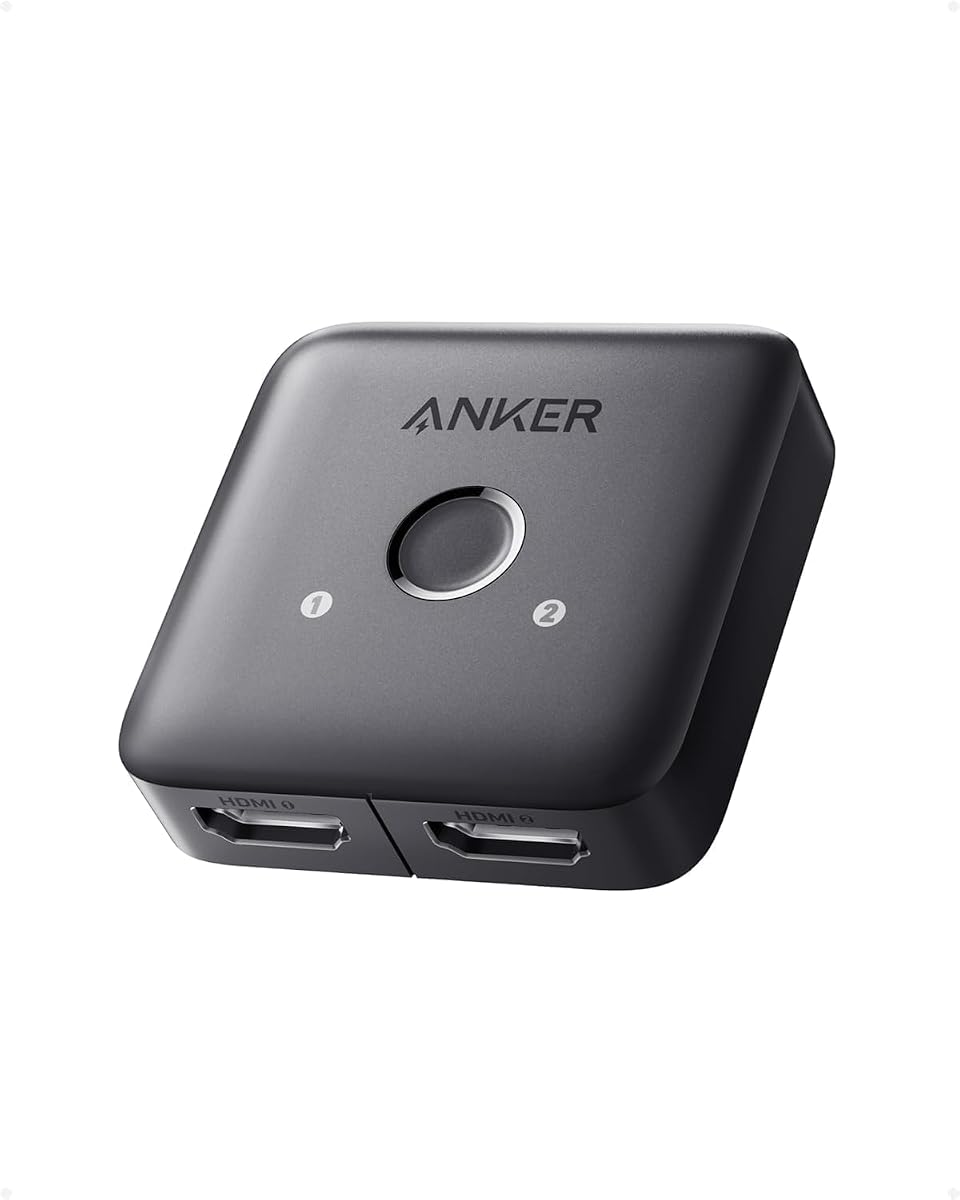
The Anker HDMI Switch 2 in 1 Out simplifies your setup by allowing two devices to share one display. With a 4.4-star rating, it is praised for its straightforward design and solid 4K@60Hz performance.
We may earn a commission when you buy through this link, at no additional cost to you.
It supports a wide range of devices, from game consoles to VR headsets, making it a versatile tool for entertainment. The manual button switching is reliable and ensures you always know which device is active.
Automatic signal detection is not supported, so you must press the button to switch inputs. Additionally, HDMI CEC is not supported, which may limit integration with smart TV features.
This switch is ideal for users who want a no-frills, compact solution to switch between a laptop and a console. Its high rating and warranty make it a trustworthy option for everyday use.
Turn regular viewing sessions into cinematic experiences with reliable 4K@60Hz support.
Dive directly into your chosen media with a single button for hassle-free transitions.
We may earn a commission when you buy through this link, at no additional cost to you.
The WARRKY HDMI Switch is a practical bidirectional device that comes with a fixed cable, saving you the hassle of buying one separately. With a 4.4-star rating, users appreciate the convenience and the support for 2K@144Hz.
We may earn a commission when you buy through this link, at no additional cost to you.
It supports HDCP 2.2, which is essential for 4K streaming from modern sources. The aluminum case ensures effective heat dissipation, and the gold-plated connectors provide resistance to interference.
The fixed cable length of 3.3ft may be short for some setups, but it guarantees a reliable connection without third-party cable issues. It also does not support ARC, limiting audio options for soundbars.
This switch is a smart buy for gamers who need 144Hz support and want a complete package. Its bidirectional nature and included cable make it a cost-effective and reliable choice for high refresh rate gaming.
Reach up to 2K@144Hz for fluid gameplay, making it ideal for competitive gaming.
The fixed cable solution avoids loose connections that can occur with detachable cables.
We may earn a commission when you buy through this link, at no additional cost to you.
The OREI UltraHD 1×4 HDMI Splitter offers robust performance with 4K@60Hz support and dual voltage power. With a 4.2-star rating, it is a strong option for users needing reliable signal distribution to multiple screens.
We may earn a commission when you buy through this link, at no additional cost to you.
It supports full audio formats like Dolby TrueHD and DTS-HD, ensuring high-quality sound across all displays. The EDID control switch helps manage resolution compatibility, reducing setup headaches.
This device is not intended for extended displays but excels at mirroring content. The dual voltage power supply with included international adapter makes it suitable for travel or international use.
Choose this splitter if you need a compact and powerful solution for 4K content distribution. Its audio capabilities and EDID control make it a versatile choice for home theater and professional setups.
Support for ultra HD audio ensures immersive sound on all four screens connected.
The EDID switch allows you to manage compatibility across different source and display devices.
We may earn a commission when you buy through this link, at no additional cost to you.
Selecting the right HDMI splitter requires understanding several technical factors that impact performance and compatibility. This guide breaks down the key aspects you should consider before making a purchase.
Ensure the splitter supports your desired resolution and refresh rate. For 4K content, look for support of at least 4K@30Hz, but 4K@60Hz is preferable for smooth visuals and gaming. Higher refresh rates like 120Hz or 144Hz are available on select models.
Check the bandwidth specifications; 18Gbps is standard for 4K@60Hz. If you plan to use HDR or deep color, verify the device explicitly supports these features to avoid signal degradation.
Understand the difference between a splitter and a switch. A splitter takes one input and duplicates it to multiple outputs (mirror mode), while a switch takes multiple inputs and sends one to a display (selection mode). Some bidirectional devices offer both options.
Choose based on your goal: if you need one source on multiple TVs, you need a splitter. If you have multiple devices and one TV, you need a switch. Always confirm the mode before buying to avoid confusion.
HDCP compliance is essential for streaming protected content. Look for devices that support HDCP 2.2 for modern 4K streaming boxes. Older splitters may only support HDCP 1.4, which can lead to black screens when trying to play protected 4K video.
Verify that the splitter passes HDCP correctly. If you are streaming from a 4K source, ensure the device explicitly states support for HDCP 2.2 to prevent compatibility issues.
Splitters often require external power to maintain signal integrity. Units with AC adapters are generally more stable than USB-powered ones, especially for longer cable runs or 4K transmission. Check if the power supply is included.
Consider the power source available at your setup location. If you are using a TV USB port for power, ensure the splitter draws acceptable wattage. Otherwise, an AC adapter is recommended for stability.
A sturdy build helps dissipate heat and protects internal electronics. Metal enclosures are preferable to plastic as they provide better heat dissipation during long sessions. Look for gold-plated connectors to reduce interference and ensure longevity.
Durability is key for commercial or 24/7 use. If you plan to run the device continuously, prioritize models with metal housing and good ventilation to prevent overheating and signal loss.
The length of your HDMI cables can affect signal quality, especially at 4K resolution. Manufacturers often recommend a maximum cable length, typically around 15 to 30 feet. Using cables that are too long may result in signal drop or artifacts.
Plan your layout and measure cable runs before purchasing. If you need longer distances, consider active HDMI cables or a splitter with signal boosting capabilities to maintain stability.
Audio support varies between devices. Some splitters pass through all audio formats, while others may limit options. Check if the device supports Dolby TrueHD, DTS-HD, or PCM if you plan to use a surround sound system.
If audio extraction is needed, ensure the device supports audio extractors or ARC/eARC. Otherwise, expect audio to be routed to the display only.
For switches, remote control can simplify navigation between devices. Look for models with intuitive remotes and clear LED indicators to know which port is active. Manual buttons are common for splitters but may be less convenient.
Evaluate how often you switch devices. If you switch frequently, a remote-enabled switch is worth the extra cost. For static setups, a manual device may suffice.
Connect your source device to the input port of the splitter using a high-quality HDMI cable. Then, connect the output ports to your displays. Ensure the power adapter is plugged in and the device is powered on before connecting any signals.
Allow the device to initialize for a few seconds to ensure stable handshake with all connected displays. Check the LED indicators on the splitter to confirm that the correct ports are active and receiving signal. If a display goes black, verify the cable connection and HDCP compatibility.
Keep the splitter in a well-ventilated area to prevent overheating. Regularly dust the unit to avoid heat buildup. If you encounter signal issues, try resetting the connection by unplugging and replugging all HDMI cables while powered off.
No, standard HDMI splitters duplicate the same signal to all outputs (mirror mode) and do not extend desktops. To extend displays, you need a docking station or a graphics card with multiple output ports. Splitters are strictly for duplicating content.
This usually indicates an HDCP mismatch or bandwidth issue. Ensure your source, splitter, and displays all support HDCP 2.2 for 4K content. Also, verify that your cables are high-speed and under the recommended length for 4K transmission.
Not all, but most reliable models do. USB-powered splitters may work for lower resolutions or shorter runs, but AC adapters are recommended for 4K stability. Always check the product specifications to confirm if power is included.
HDMI 2.0 splitters support higher bandwidth (18Gbps) and enable 4K@60Hz, whereas HDMI 1.4 is limited to 4K@30Hz. If you want smooth motion and high refresh rates, an HDMI 2.0 compatible device is necessary.
Yes, splitters work with gaming consoles, but you need a device supporting the console's resolution and refresh rate. For PS5 or Xbox Series X, ensure the splitter supports 4K@60Hz and VRR for best results.
A high-quality splitter does not degrade video quality if bandwidth requirements are met. However, cheap models may introduce artifacts or drops. Invest in a model with sufficient bandwidth and solid build for best performance.
Yes, most HDMI splitters are plug and play with no drivers needed. Just connect the power and HDMI cables, and the device should detect automatically. Some models may require a switch to select input or output.
Standard splitters handle up to 4 outputs. For more screens, you can cascade splitters or use a distribution amplifier designed for larger setups. Ensure the combined bandwidth supports the total number of displays.
We have explored ten top HDMI splitters and switches ranging from budget options to premium models. The UGREEN HDMI Switch and OREI UltraHD Splitter stand out for their performance and versatility.
When prioritizing your purchase, consider your specific needs like resolution support, number of displays, and whether you need a switch or a splitter. Reliable power supply and build quality should guide your decision.
Prices and availability are subject to change, so always verify current offers on the product pages. Investing in a quality device ensures your media setup remains stable and compatible with future upgrades.