
HP Chromebook 14 Laptop
4.3Editor score
Long battery life up to 14 hours
Thin and lightweight design for portability
Chrome OS with Google Play Store access
Finding a reliable laptop that fits your budget can be challenging when you need it for school, work, or daily tasks. The market is filled with options ranging from basic Chromebooks to capable Windows machines. This guide helps you navigate these choices to find a device that balances cost and functionality effectively.
We analyzed ten top-rated models based on processor power, memory capacity, storage speed, and overall build quality. Each product offers unique strengths tailored to different needs like media streaming, document editing, or web browsing. Our comparisons focus on real-world usability rather than just raw specifications to ensure practical value.
Each pick highlights specific features that matter most for everyday computing such as battery longevity, port selection, and display clarity. While prices fluctuate frequently, these models represent the best value available right now. Use this guide to make an informed decision that meets your daily computing requirements without overspending.
4.3Editor score

4.8Editor score

As an Amazon Associate we earn from qualifying purchases.
This side-by-side comparison breaks down the key specifications of all ten models to help you see exactly what you get for your money. We focus on processor types, RAM amounts, storage solutions, display sizes, and battery performance to highlight the differences between each option.


This HP Chromebook stands out as a top contender for budget shoppers seeking reliability for daily tasks. With a solid 4.3 rating it offers an impressive balance of performance and portability. The standout quality is its exceptional battery life which keeps you working all day without chasing a power outlet.
We may earn a commission when you buy through this link, at no additional cost to you.
The Intel Celeron N4120 processor handles web browsing streaming and document work smoothly. You get 4 GB of RAM which is sufficient for multitasking with multiple browser tabs open. The micro-edge HD display provides decent visibility for indoor and outdoor use thanks to the anti-glare coating.
Trade-offs include the modest 64 GB storage and lower resolution display compared to pricier models. These are acceptable given the low price tag and the reliance on cloud storage through Chrome OS. The fast charge feature mitigates battery anxiety by refilling half the charge in just 45 minutes.
This laptop is ideal for students or casual users who prioritize battery life and portability over heavy power. If you need a secondary device for travel or light work this Chromebook delivers consistent value without breaking your budget.
The promise of up to 14 hours of battery life makes this device perfect for long study sessions or travel days without needing a charger.
Chrome OS ensures your system stays up to date with automatic security updates while the laptop is built with sustainable materials.
We may earn a commission when you buy through this link, at no additional cost to you.
The Amzboy 15.6 Laptop earns our Editor's Choice for its high rating and practical features for everyday users. It combines a larger Full HD screen with the convenience of Windows 11 in a sleek package. The fanless design ensures it runs silently which is perfect for quiet environments like libraries or bedrooms.
We may earn a commission when you buy through this link, at no additional cost to you.
Performance remains steady for daily tasks thanks to the efficient N4020 CPU. While 4 GB of RAM is standard for this price, the real value comes from the expandable storage option. You can add a TF card up to 1 TB to store media without relying on slow internal memory.
Trade-offs involve the base storage capacity which fills quickly if you store large files locally. However the external slot solves this issue easily. The USB-C PD charging also reduces the bulk of your travel kit by using a single charger for laptop and phone.
Choose this model if you want a larger screen and Windows compatibility without spending much. It suits students and home users who need a quiet reliable machine for streaming browsing and basic productivity tasks.
The solid-state fanless design eliminates noise and dust buildup making it ideal for silent environments and longer hardware lifespan.
Multiple USB ports and Type-C PD charging provide flexible options for connecting peripherals and powering your device efficiently.
We may earn a commission when you buy through this link, at no additional cost to you.
As a 2026 edition model this HP Everyday Laptop brings the latest processor technology to a budget-friendly segment. The inclusion of Microsoft 365 adds immediate value for those needing productivity tools. Its design focuses on portability with a sleek Natural Silver finish that looks professional in any setting.
We may earn a commission when you buy through this link, at no additional cost to you.
The Intel N150 processor ensures smooth operation for streaming and multitasking tasks. Wi-Fi 6 support means faster and more reliable wireless connections in crowded areas like schools or offices. The anti-glare display helps reduce eye strain during long work sessions.
Trade-offs include a price higher than basic Chromebooks but you get a full Windows experience and better storage. The Copilot AI integration helps with research and summaries making it a smart choice for modern users. Battery life remains strong for all-day usage.
This laptop is best for professionals or students who need a polished reliable device with the latest features. The inclusion of Office 365 and Copilot makes it a premium option within a reasonable price range.
Windows 11 with Copilot AI helps streamline daily tasks by assisting with research and summaries directly within your workflow.
Wi-Fi 6 technology ensures faster data transfer and more stable connections even in busy network environments.
We may earn a commission when you buy through this link, at no additional cost to you.
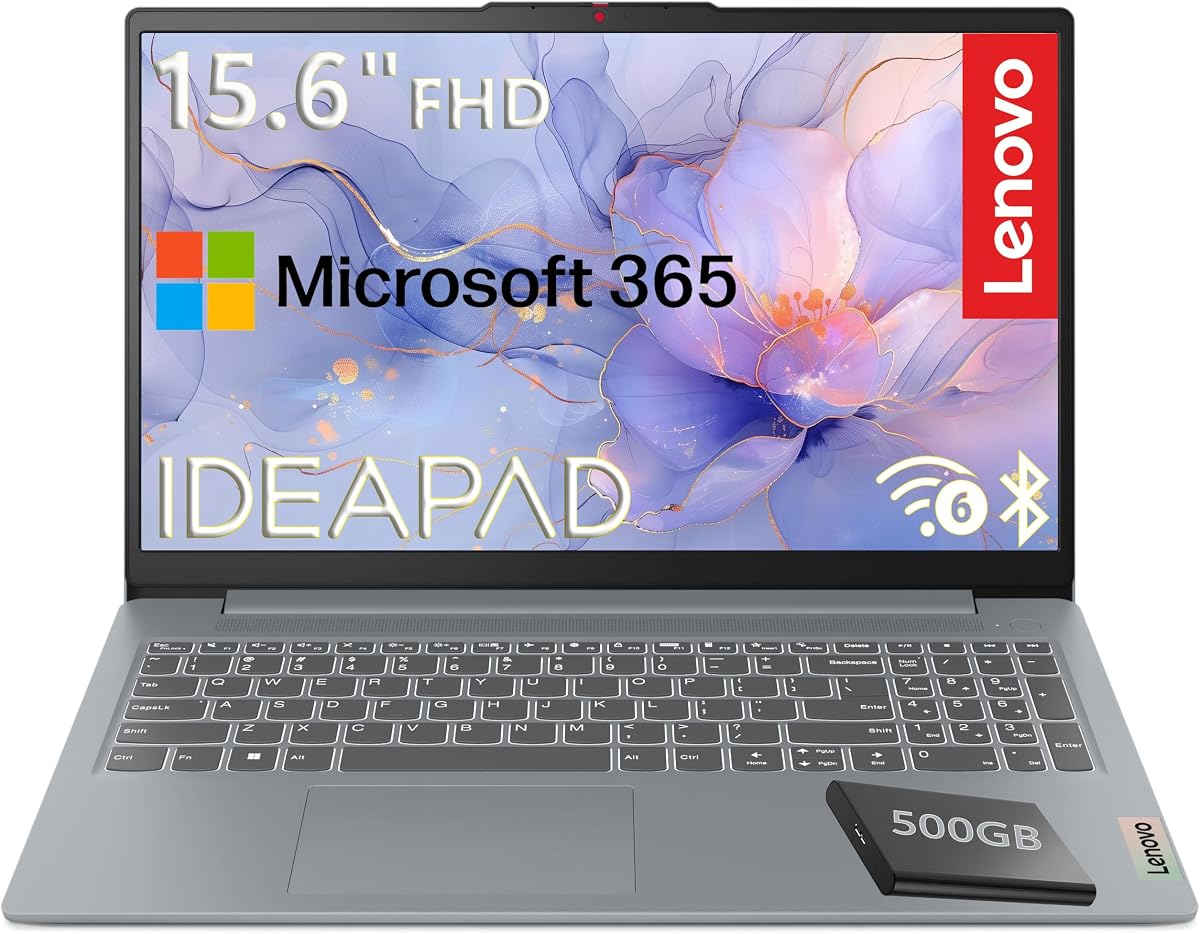
This Lenovo model brings excellent value by pairing a fast internal storage system with a portable external drive. The Intel N100 processor offers four cores for better multitasking capabilities than many entry-level chips. MIL-STD certification ensures the laptop can withstand bumps during travel to work or school.
We may earn a commission when you buy through this link, at no additional cost to you.
The UFS storage provides quicker boot times than standard eMMC solutions found in many cheaper laptops. You also get a 500 GB external hard drive for ample space to store large files safely. Windows 11 Home in S mode keeps performance streamlined while offering security.
Trade-offs include the weight of carrying the external drive and the overall chassis weight. However the durability and storage capacity make up for this if you deal with lots of media. The Full HD display and modern ports support a versatile setup.
Choose this for families or students needing durability and storage without spending premium prices. The combination of military-grade build and extra storage makes it a workhorse for heavy daily use.
The mix of fast UFS internal storage and a 500GB external drive gives you speed and space for all your files.
Military-grade testing ensures the device survives drops and harsh conditions better than typical consumer laptops.
We may earn a commission when you buy through this link, at no additional cost to you.
This HP Chromebook improves on previous models with 8 GB of RAM and a faster N100 processor. The UFS storage ensures apps and files load quickly enhancing the overall responsiveness of the system. It runs Chrome OS which is ideal for users who live in their web browser.
We may earn a commission when you buy through this link, at no additional cost to you.
The extra RAM allows for more browser tabs and apps to run smoothly without slowing down. UFS technology is a significant upgrade over eMMC giving you a snappier experience. The design is compact and fits easily into bags for commuting or classroom use.
Trade-offs involve the reliance on internet connectivity for most apps and the lower display resolution. If you need heavy offline capabilities this might be a hurdle. However for web-based tasks it offers one of the smoothest Chrome OS experiences in this price range.
This device suits users who prioritize speed and simplicity over offline power. The upgrade to 8 GB RAM makes it a strong choice for general web browsing and streaming.
With 8 GB of RAM you can keep more tabs and apps open without experiencing lag or slowdowns.
UFS storage provides quicker read and write speeds compared to traditional eMMC storage in budget devices.
We may earn a commission when you buy through this link, at no additional cost to you.
The Lenovo Chromebook S330 is a classic choice for entry-level users needing a simple device for basic tasks. It offers a very low price point that includes a year of cloud storage which helps offset the limited internal memory. The lightweight design makes it easy to carry anywhere.
We may earn a commission when you buy through this link, at no additional cost to you.
Performance relies on the MediaTek processor which handles light browsing well. While not as powerful as Intel chips it is sufficient for students or seniors. Battery life lasts about 10 hours which covers a typical school day or work shift.
Trade-offs are significant regarding storage and processor speed. If you plan on installing many apps or working offline this might feel restrictive. However the low cost and simple interface make it a safe option for first-time laptop users.
This model is best for those who need a cheap device for basic web use and streaming. The built-in virus protection and easy setup reduce technical hurdles.
One of the most affordable options available with essential features included for basic daily use.
Two years of free Google Drive cloud storage helps manage files despite the small internal hard drive.
We may earn a commission when you buy through this link, at no additional cost to you.
This Essential Laptop is designed for productivity with Office 365 included right out of the box. The Intel N150 processor provides solid speed for daily work tasks without heating up too much. It also features a dedicated Copilot key which simplifies access to AI tools.
We may earn a commission when you buy through this link, at no additional cost to you.
The UFS storage ensures quick boot times and responsive app launching. The keyboard layout includes noise reduction features that improve call quality for remote work. The design looks modern with a natural silver keyboard deck that resists fingerprints well.
Trade-offs include 4 GB of RAM which limits heavy multitasking compared to higher spec models. The display is also basic but sufficient for documents and videos. Overall it offers great value for those needing a work machine.
Buy this if you need Office apps and a modern Windows experience at a reasonable cost. The inclusion of AI features makes it future-ready for evolving productivity needs.
The included Office 365 subscription gives you full access to Word and Excel without extra monthly fees.
A dedicated Copilot key on the keyboard lets you summon AI help instantly for research and summaries.
We may earn a commission when you buy through this link, at no additional cost to you.
This Lenovo Chromebook stands out with a Full HD touchscreen which is rare at this price. The MediaTek Kompanio 520 processor is optimized for energy efficiency and decent performance. The slim design fits perfectly in backpacks and looks stylish in its Abyss Blue finish.
We may earn a commission when you buy through this link, at no additional cost to you.
The touchscreen allows for intuitive navigation and is great for browsing and viewing images. Wi-Fi 6 ensures that you stay connected with good speeds even in crowded areas. It is well suited for students who need to interact with touch-enabled content.
Trade-offs involve the limited 64 GB storage and typical Chrome OS limitations. While the storage is expandable via SD card the base is small. The performance is good for media but not for heavy editing tasks.
Choose this for its interactive screen and modern connectivity. It is a great choice for families and students who want a touch-capable Chromebook.
The Full HD touchscreen makes browsing and viewing content more engaging than traditional keyboards only.
The MediaTek Kompanio 520 balances performance and battery life for a full day of use.
We may earn a commission when you buy through this link, at no additional cost to you.
This HP Slim Laptop features DDR5 RAM which is faster than the LPDDR5 variants found in other budget models. It runs Windows 11 and includes a dedicated Copilot key for quick AI assistance. The build is sleek and designed for easy mobility with minimal weight.
We may earn a commission when you buy through this link, at no additional cost to you.
The SSD storage ensures that the system boots quickly and apps load smoothly. It is a modern solution for general productivity tasks without needing heavy graphics power. The connectivity options are comprehensive with USB-C and HDMI ports for external displays.
Trade-offs include the limited RAM capacity which might not suit power users. However for general daily use it offers speed and portability. The design focuses on simplicity and reliability for students or remote workers.
This model is best for those wanting a slim device with modern DDR5 tech. The integration of Copilot and fast boot times make it a responsive daily driver.
DDR5 RAM provides faster data processing speeds compared to older DDR memory standards.
The slim chassis and lightweight design make it easy to carry for daily commutes or travel.
We may earn a commission when you buy through this link, at no additional cost to you.
This 15.6 inch model stands out with 12 GB of RAM which is rare in budget laptops. It allows for heavy multitasking and smooth performance during daily tasks. The FHD IPS screen offers vibrant colors and wide viewing angles for comfortable viewing.
We may earn a commission when you buy through this link, at no additional cost to you.
The connectivity options are rich with USB-C and HDMI ports allowing flexible setups. A physical privacy slider on the camera adds security for video calls. The Pentium processor is older but adequate for standard office work and streaming.
Trade-offs include an older processor that may not handle heavy workloads well. Battery life is not explicitly specified but typical for this class. The extra RAM compensates for the processor limits by allowing more apps to run together.
Buy this if you need maximum RAM for multitasking without high cost. The IPS screen and privacy features make it a practical choice for students and home users.
With 12 GB of RAM this laptop runs faster than entry level 8 GB laptops when multitasking.
Multiple USB and HDMI ports allow you to connect monitors and peripherals without extra adapters.
We may earn a commission when you buy through this link, at no additional cost to you.
Choosing the right laptop involves balancing specs with your specific needs. This guide breaks down the critical factors to consider before purchasing.
The operating system defines how you interact with the machine. Windows 11 offers broad software compatibility for productivity tools and games. Chrome OS is lighter and faster but relies heavily on internet access and cloud apps. Choose based on whether you need offline power or web simplicity.
Pick Windows for full apps and Chrome for speed.
The processor and RAM determine multitasking capability. Intel N-Series and Celeron chips handle browsing and documents well. For smoother performance aim for at least 8 GB of RAM. Entry-level models often have 4 GB which can slow down with many tabs open.
Aim for 8 GB RAM and modern N-series CPUs.
Storage speed affects boot times and app launches. SSD and UFS storage are much faster than eMMC. Capacity should match your file needs. If you store photos and videos locally seek 128 GB or more. External options add flexibility for media.
Prioritize SSD/UFS storage and 128 GB capacity.
A good screen reduces eye strain and improves visuals. Full HD resolution is sharper than HD. Look for IPS panels for better color and viewing angles. Anti-glare coatings are essential for indoor and outdoor use to reduce reflections.
Seek Full HD IPS screens with anti-glare coatings.
Battery life dictates mobility. Most budget models offer 8 to 14 hours. If you travel often look for models with fast charge support. Always check real user reviews for actual endurance rather than manufacturer claims.
Target 10+ hours and fast charge support.
Ports ensure you can connect peripherals without extra dongles. USB-C is modern for charging and data transfer. HDMI allows external monitor connection. If your devices use USB-A ensure the laptop includes enough legacy ports.
Ensure USB-C HDMI and USB-A are included.
Durability matters if the laptop moves often. Aluminum finishes feel premium but plastic is lighter. Weight below 4 lbs is ideal for backpacks. Military certifications like MIL-STD add confidence in physical durability.
Choose under 4 lbs with durable materials.
Security features protect your data during daily use. Windows devices may include TPM chips for encryption. Cameras with privacy shutters prevent unwanted access. Secure browsers on Chrome OS reduce virus risks naturally.
Look for privacy shutters and TPM chips.
Keep your laptop cool to extend battery life and processor performance. Place it on hard surfaces like desks rather than soft bedding to ensure airflow vents remain open.
Regularly update your operating system to patch security vulnerabilities. Use cloud storage solutions to back up files automatically so you do not lose data if the hardware fails.
Clean the screen with a microfiber cloth to avoid scratches. Avoid eating or drinking near the keyboard to prevent spills from damaging internal components.
Yes many budget laptops perform well for browsing streaming and document editing. They often use efficient processors that balance cost and performance for daily tasks. Just ensure you pick models with adequate RAM and storage speed.
For basic tasks 4 GB is sufficient for single app use. If you multitask with many browser tabs consider 8 GB or more. More RAM prevents slowdowns and keeps the system responsive over time.
Choose Windows if you need desktop software and offline access. Chrome OS is faster and simpler if you live in the browser. It is ideal for students who need easy updates and built-in virus protection.
Some models allow storage upgrades via external slots like TF cards or SD readers. Internal upgrades may be limited or impossible on budget models. Check the specs for expansion options before buying.
With proper care most cheap laptops last 3 to 5 years. Battery health degrades faster so consider replacement plans. Avoid drops and spills to maximize the hardware lifespan effectively.
Yes touchscreens add convenience for scrolling and app navigation. They make the device more intuitive for users comfortable with mobile tech. Just be aware they can add to the cost and reduce battery life slightly.
Some newer models include a Microsoft 365 subscription which offers Word and Excel. Others rely on free online alternatives like Google Docs. Check the product details for included software before purchase.
We reviewed ten diverse models ranging from sleek Chromebooks to versatile Windows machines. The top picks highlight the best value for students professionals and casual users alike. Each option balances performance and portability to fit different needs.
When choosing prioritize the RAM and storage type to ensure long-term speed. A Full HD screen and decent battery life are also key for daily satisfaction. Match the operating system to your workflow needs to avoid friction.
Remember that prices change frequently so check current deals before buying. This guide serves as a reference for value and features available in November 2026. Use these insights to make a confident purchase decision.